 rileyb3d


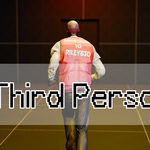
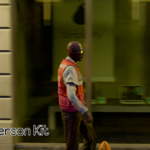
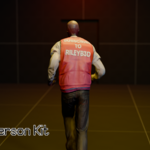
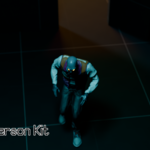
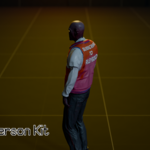
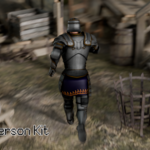
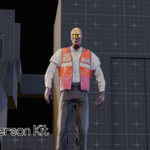
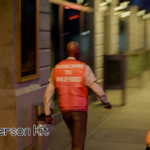
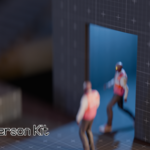
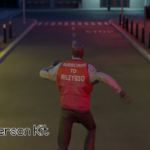
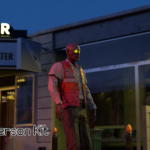
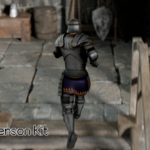
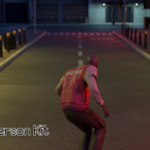
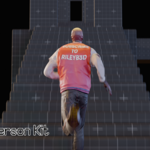
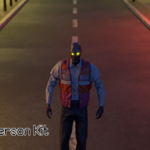
Watch this tutorial to get started:
Overview
Third Person Kit is a comprehensive character controller addon designed for Blender 4.0+ that brings game-engine-quality character movement and animation to your 3D projects. Whether you're creating game prototypes, previs, or full animation, this addon streamlines the third person character animation workflow.
Features
Smooth Animation Blending
- Quaternion slerp interpolation for natural transitions between animations
- Configurable blend time (0-1 seconds)
- No jarring animation switches - everything flows smoothly
Capsule Collision
- Intelligent capsule-based collision detection
- Auto-sized to your character's dimensions
- Natural edge fall-off (no sliding on flat shelves)
- Smooth stair climbing with vertical damping
- Collection-based collision filtering
Complete Movement System
- WASD keyboard controls with smooth character rotation
- Three movement speeds: Walk, Sprint (Shift), Slow Walk (Ctrl)
- Physics-based jumping with configurable gravity
- Camera-relative movement (moves in the direction you're looking)
Third-Person Camera
- Mouse-controlled camera rotation (right-click + drag)
- Smooth camera tracking with configurable distance and height
- Quaternion rotation for gimbal-lock-free camera control (avoids motion blur artifacts)
- Automatic camera setup per character
One-Click Mixamo Setup
- Automated FBX import for all animation types
- Supports Idle, Walk, Sprint, Jump, Slow Walk, and Interact animations
- Instant character configuration - no manual setup required
- Works with standard armatures and Rigify rigs too
Animation Features
- 6 animation slots: Idle, Walk, Sprint, Jump, Slow Walk, Interact (E key)
- Per-animation foot offset adjustment (-0.5m to +0.5m)
- Animation speed multiplier control
- Automatic keyframe recording for baking animations
Perfect For
- Game Developers: Prototype character movement and test animations quickly. All without leaving Blender
- Animators: Preview character animations with realistic movement and collision
- Educators: Teach game development concepts in Blender
- Hobbyists: Bring your characters to life without complex rigging or coding
- Environment Artists: Create third person environment art showcase videos, without leaving Blender
Installation
1. Download `third_person_kit.zip`
2. Open Blender 4.0 (or newer)
3. Navigate to **Edit → Preferences → Add-ons**
4. Click **Install** and select the downloaded zip file
5. Enable **"Animation: Third Person Kit"** in the addon list
6. Find the addon in the **3D View sidebar** (press N) under the **"third person"** tab
Quick Start Guide
Setting Up Your Character
1. Import a Mixamo Character
- Download a rigged character from Mixamo (FBX format)
- Import into Blender (File → Import → FBX)
2. Download Animations
- Get Mixamo animations: Idle, Walking, Running, Jumping
- Optional: Slow Walk, Interact animations
- Download as FBX files
3. Configure in Third Person Kit
- Select your character's armature
- Open the Third Person Kit panel (N key → third person tab)
- Use the file browsers to select each animation FBX
- Click "Character Setup" button
- That's it! Your character is ready
4. Start Controlling
- Click "Start Controller"
- Use the controls below to move your character
Controls
| W, A, S, D | Move character |
| Shift | Sprint (hold while moving) |
| Ctrl | Slow walk (hold while moving) |
| Space | Jump |
| E | Interact animation |
| Right-click + Mouse | Rotate camera |
| ESC | Exit controller |
Collision System
The addon uses a capsule-based collision system - the same technique used in professional game engines like Unreal and Unity.
Settings:
- Enable Collision: Toggle collision detection on/off
- Ignore Collection: Specify objects to ignore (useful for the character mesh itself)
- Vertical Damping: Controls stair-climbing smoothness (0.0-0.9)
- Show Collision Capsule: Debug visualization (green wireframe capsule)
What it handles:
- Walking on slopes and stairs
- Falling off edges naturally
- Climbing steps smoothly
- Terrain following
Animation Blending
Smooth quaternion slerp blending between all animations ensures natural, professional-looking transitions.
Settings:
- Blend Time: How long transitions take (0-1 second, default 0.3s)
- Animation Speed: Global animation playback speed multiplier
Per-Animation Foot Offsets:
Each animation has its own foot height adjustment slider. Use these to ensure feet stay at ground level across different animations:
- Idle Foot Offset
- Walk Foot Offset
- Sprint Foot Offset
- Jump Foot Offset
- Slow Walk Foot Offset
- Interact Foot Offset
Movement & Camera
Movement Settings:
- Move Speed: Base walking speed
- Run Multiplier: Sprint speed multiplier (default 2.0x)
- Walk Slow Multiplier: Slow walk speed (default 0.5x)
- Rotation Smoothing: Character turn smoothness (0.0-0.95)
Camera Settings:
- Camera Distance: How far camera follows behind (default 5.0)
- Camera Height: Height above character (default 2.0)
- Camera Smoothing: Tracking smoothness (0.0-0.95)
Jump Settings:
- Jump Velocity: Initial jump force (default 0.2)
- Gravity: Downward force strength (default 0.5)
Recording
Enable "Record Keyframes" to automatically keyframe:
- Character position and rotation
- Camera position and rotation
- All animated bone transformations
Perfect for baking your controlled movement into a final animation!
Advanced Usage
Using Custom Rigs
While optimized for Mixamo, Third Person Kit works with any armature:
- Custom rigs: Just import your animations as Blender Actions
Performance Tips
- Use "Ignore Collection" to exclude decorative objects that don't need collision
Tips & Tricks
💡 Animation doesn't look right?
- Adjust the per-animation foot offset sliders
- Each animation may have different base heights
💡 Character falls through floor?
- Ensure ground objects are in the collision scene
- Check that "Ignore Collection" doesn't include the ground
- Use "Show Collision Capsule" to debug
Movement feels floaty?
- Increase gravity value for faster falling
- Reduce jump velocity for lower jumps
- Adjust vertical damping for snappier ground contact
Want to create a cutscene?
- Enable "Record Keyframes" before starting controller
- Control your character through the scene
- Exit controller (ESC) and play back the recorded animation
Working with multiple characters?
- Set up each character separately
- Controller settings are per-scene, not per-character
- Switch between characters by selecting different armatures
Support & Updates
This addon is actively maintained and updated with new features based on user feedback.
Support the development on Patreon for:
- Exclusive early access to updates
- Priority feature requests
- Direct developer support
- Behind-the-scenes development insights
*(Patreon link available in addon preferences)*
v1.12.0 (Current)
- Capsule collision system with auto-sizing
- Quaternion camera rotation (no gimbal lock)
- Vertical damping for smooth stair climbing
- Natural edge fall-off behavior
- Debug capsule visualization
*Created by rileyb3d*
Have questions about this product?
Login to message
| Blender Extension Compatible | Yes |
| Sales | 70+ |
| Dev Fund Contributor | |
| Published | 11 months ago |
| Blender Version | 4.2 - 5.0 |
| Extension Type | Add-on |
| License | GPL |