 za studio



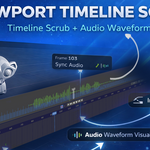
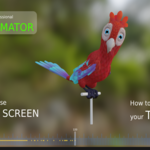
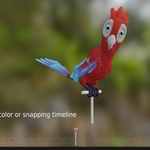
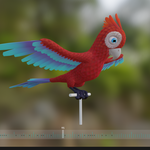
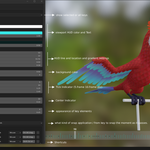
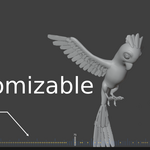
ZA Viewport Timeline Scrub lets you scrub the Blender timeline directly inside the 3D Viewport with a clean on-screen HUD ruler, a centered frame readout, and a keyframe “ghost” preview—so you can quickly land on important poses without opening or focusing the Timeline/Dope Sheet.
While you drag, the add-on draws a minimal timeline overlay at the bottom of the viewport, showing tick marks and keyframe dots for fast visual navigation. It is selection-aware and rig-friendly: in Selected mode it shows keyframes only for what you are actually working on (selected objects, or selected bones in Pose Mode). If you work with Animation Layers, the HUD shows keyframes from the active layer only, keeping the display clean and relevant.
Key Features
-
Viewport scrubbing HUD (no need to switch editors)
-
Alt + RMB Drag to scrub frames in the 3D Viewport
-
Shift + Ctrl + RMB Drag to zoom the HUD timeline scale (Pixels Per Frame)
-
Clean frame number readout (positioned above the bar to avoid overlap)
-
Keyframe ghosting: keyframes are drawn as semi-transparent dots for visual targeting
-
Selection-aware key display (default)
-
Selected objects only
-
If an Armature is in Pose Mode and bones are selected: only selected bones’ keys
-
If Animation Layers are used: active layer only
-
-
Keys display mode option
-
Selected (default)
-
All Keys (Include NLA) (shows all objects’ keys and includes NLA)
-
-
Ctrl Snap while scrubbing
-
Snap Absolute or Snap Smooth (configurable)
-
-
Optional clamping to Scene Range and/or Preview Range
-
Extensive HUD customization (colors, opacity, tick emphasis, dot size, spacing, etc.)
-
Lightweight + responsive: keyframes are cached and refreshed when animation data changes
Controls
-
Alt + Right Mouse Drag — Scrub timeline in the 3D Viewport
-
Ctrl (while scrubbing) — Snap to keyframes (mode selectable)
-
Shift + Ctrl + Right Mouse Drag — Zoom the HUD timeline scale
Requirements / Compatibility
-
Blender 4.5+ (updated for Blender 5.x keyframe API changes)
Perfect For
Animators who want fast pose checking, blocking, and timing adjustments without leaving the viewport, especially when working with rigs, selections, and layered animation workflows.
-
$2
timeline scrubbing and keys are displayed in the viewport.
-
$8
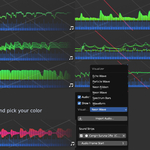
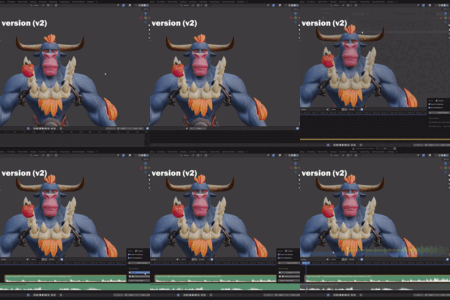
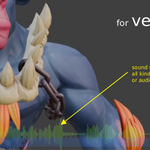
This addon has got the Sound Visualizer on viewport
Have questions about this product?
Login to message
Discover more products like this
Full screen animation animator 3dviewport TimeScrubbing hud timeline