Tryrock Studio
 Grubycommander


❓ Is this suitable for beginners?
Yes.
Beginners can use presets and simple controls, while advanced users can dive deeper into customization.
❓ Can I edit or extend the node setup?
Yes.
The Geometry Nodes setup is fully accessible if you want to customize or extend it for advanced workflows.
❓ Can I use the generated rocks in games or commercial projects?
Yes.
All rocks generated with TryRock Studio can be used in commercial projects, including games, films, and visualizations, according to the product license.
❓ Is a material included?
Yes.
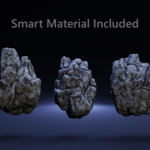
A smart rock material is included, designed to work seamlessly with the generated geometry and triplanar displacement system.
You are free to:
Adjust the material
Replace it
Use your own materials
❓ Does it support custom displacement textures?
Yes.
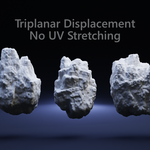
TryRock Studio supports custom displacement maps and uses a triplanar displacement system, so you don’t have to worry about UV stretching.
❓ Can I create and use my own presets?
Yes.
You can:
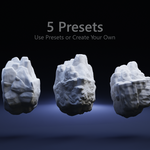
Modify existing presets
Create your own custom presets
Reuse them across projects
Preset flexibility is a core feature of TryRock Studio.
❓ Do I need Geometry Nodes knowledge to use it?
TryRock Studio is designed to be artist-friendly.
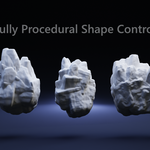
All important controls are exposed as easy-to-use parameters, no need to edit the node tree unless you want to.
❓ What is TryRock Studio?
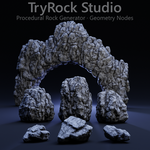
TryRock Studio is a Geometry Nodes–based procedural rock generator for Blender.
It allows you to create fully customizable rock shapes with clean topology, realistic surface detail, and non-destructive workflows, all directly inside Blender.
