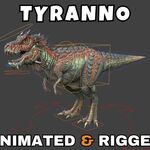
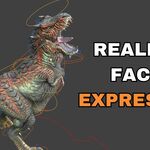
Tyranno Rigged and Animated 3D Model
 Blender Master Pro


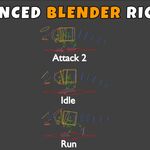
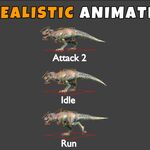
"ReadMe"
Here are the simplest steps to get your Tyranno or any other character into a new scene:
1. Append the Collection
Always append the Collection rather than individual objects. This ensures you get the mesh, the bones (armature), and the textures all at once.
In your new scene, go to File > Append.
Find your character’s
.blendfile and double-click it.Open the Collection folder.
Select the collection containing your character (e.g., "Tyranno_Main") and click Append.
2. Append the Actions
Even if you append the character, Blender might not automatically bring in every single animation you created for it.
Go to File > Append again (same file).
This time, open the Action folder.
Select all the animations you want (Walk, Attack, Idle, etc.) and click Append.
3. Activating the Animations
Now that the "Character" and the "Animations" are both in the file, you just need to connect them:
Select the Armature (the bones) of your character.
Switch your bottom window to the Action Editor (this is a mode inside the Dope Sheet).
Click the Browse Action button (the little picture icon in the middle of the bar).
Pick the animation you want from the list. Your character will instantly snap into that pose/animation!
Have questions about this product?
Login to message
| Dev Fund Contributor | |
| Published | 7 months ago |
| Blender Version | 3.0 - 5.1 |
| Render Engine Used | Cycles, Eevee |
| Misc Data | Rigged, Animated, Normal-Mapped, Textured |
| License | Royalty Free |
Discover more products like this
prehistoric creature tyrannosaurus rex Rigged dinosaur monster t-rex low poly game ready animated PBR animal