 GEO Forge



UE-Grid
If you build assets in Blender for Unreal Engine, you’ve probably run into the frustrating part of moving between the two: the grids don’t match always.
UE-Grid fixes that!
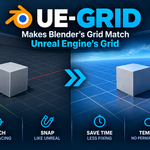
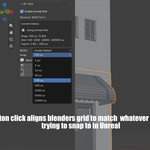
UE-Grid is a Blender add-on for Blender 4.0+ that temporarily configures Blender’s grid and snapping to match Unreal Engine’s grid. Set the same snap size you’re using in Unreal, enable UE-Grid, and Blender immediately works to those same measurements.
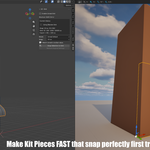
That means you can model and position your assets in Blender with the confidence that they will line up with Unreal’s grid when imported.
Stop Rechecking Your Placement
Without a matching grid, you can spend unnecessary time checking dimensions, repositioning objects, and correcting assets after they reach Unreal.
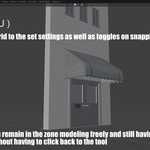
Once enabled, you can simply model as normal. Move, rotate, and position your objects while Blender follows the Unreal grid.
Designed to Stay Out of Your Way
UE-Grid is temporary by design.
When you enable it, the add-on records your existing Blender settings and applies the Unreal-compatible configuration. When you disable it, your original settings are restored.
It doesn't force you to permanently change the way you work in Blender.
Built for the Blender → Unreal Workflow
UE-Grid is especially useful when you're creating modular assets, environments, props, or other geometry that needs to consistently land on Unreal's grid.
Instead of discovering alignment problems after export, you can build with Unreal's grid from the start.
Less repositioning.
Less checking.
Less fixing.
More time actually modeling.
UE-Grid — build in Blender. Align with Unreal.