◆ VOYDE PROCEDURAL / ADD-ON / BLENDER 4.0–5.2
Ultimate Terrain Addon
100+ Extreme Terrains
100+ terrains, 10 biomes, one add-on.
Ultimate Terrain Addon is a curated terrain library and fast import system for Blender artists who want to build large-scale environments without searching through folders, loading assets by hand or setting up the same terrain files again and again.
Open the add-on, browse the visual terrain library, preview the terrain you want and bring it straight into your scene. The collection includes more than 100 distinct terrain variations across 10 extreme biome categories, giving you a broad range of geological shapes for cinematics, game environments, concept art, visualization and world building.
100+ TERRAINS10 BIOMESVISUAL TERRAIN BROWSERONE-CLICK IMPORT
01 — MAIN FEATURES
A terrain library, not a folder of files
◆100+ unique terrain assets
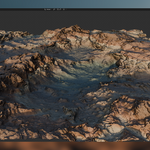
Different silhouettes, elevation patterns, erosion structures, ridges, basins, cliffs, plateaus and geological formations.
◆10 distinct biome categories
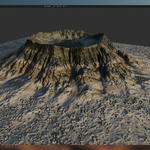
From frozen glacial landscapes and volcanic terrain to impact craters, dunes, karst formations, mesas and painted hills.
◆Built-in visual browser
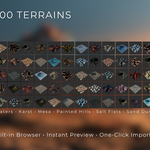
Browse terrain thumbnails inside Blender and compare them visually instead of opening files one by one.
◆Quick terrain preview
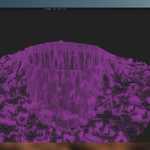
Preview the selected terrain before importing it into the scene.
◆One-click import
Press Import Terrain to bring the terrain straight into your project.
◆Made for large libraries
A big collection stays organized and easy to navigate during production.
02 — WHY IT EXISTS
Build environments faster
Terrain work often becomes repetitive: searching through files, checking previews, loading the correct asset, setting up the scene and repeating the same process for every landscape. Ultimate Terrain Addon is built to reduce that friction.
Instead of treating the collection like a folder full of files, the add-on turns it into a visual library inside Blender. Compare terrain silhouettes quickly, choose the environment that fits your scene and import it without interrupting your workflow.
03 — 10 EXTREME BIOMES
From glacial ice to volcanic rock
Badlands
Deeply eroded ridges and rugged dry terrain.
Glacial
Frozen landscapes, icy mountains and cold formations.
Impact Crater
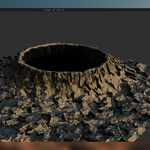
Dramatic circular crater environments and basin structures.
Karst
Sharp vertical rock formations and unusual limestone-inspired terrain.
Mesa
Elevated plateaus, cliffs and desert rock formations.
Painted Hills
Colorful mineral-style ridges and layered terrain.
Salt Flat
Cracked surfaces, dry basins and flat geological landscapes.
Sand Dunes
Sculpted desert dunes and flowing sand formations.
Tundra
Cold, rugged and exposed terrain forms.
Volcanic
Dark volcanic landscapes, craters and dramatic rocky surfaces.
04 — CURATED LIBRARY
Not a random terrain generator
Ultimate Terrain Addon gives you fast access to a curated collection of pre-designed terrains. Each asset was created as a deliberate terrain variation rather than generated randomly inside Blender, so you browse known results and quickly pick the landscape that fits your project.
05 — SIMPLE WORKFLOW
Explore. Import. Build.
1Open the add-on from the Blender sidebar.
2Load the terrain library: click Load Terrains to open the visual terrain browser.
3Browse and compare terrain thumbnails across biome types and silhouettes.
4Select your terrain: choose the one that best fits your environment or shot.
5Import: click Import Terrain and continue building your scene.
06 — IDEAL FOR
Where it fits
Useful for both realistic and stylized environment projects.
◆Environment design◆Game environments◆Cinematic landscapes◆Concept art◆World building◆Matte painting base scenes◆Animation backgrounds◆Architectural visualization◆Product and automotive backdrops◆Sci-fi and fantasy world design◆Large-scale outdoor rendering
 Voyde Procedural




 VOYDE.PROCEDURALVOYDEPROCEDURAL.COM / ALL PRODUCTS / X / INSTAGRAM