Ultimate Terrain Addon — 100+ Extreme Terrains for Blender
 Voyde Procedural


ULTIMATE TERRAIN ADDON
100+ Extreme Terrains for Blender
Browse • Preview • Import
Overview
Ultimate Terrain Addon gives you fast access to a large collection of ready-to-use terrain assets directly inside Blender. Browse the terrain library visually, select the terrain you want, preview it, and import it into your scene with a simple workflow.
Included Biomes
• Badlands
• Glacial
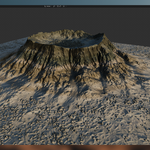
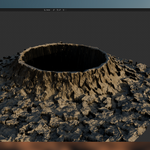
• Impact Crater
• Karst
• Mesa
• Painted Hills
• Salt Flat
• Sand Dunes
• Tundra
• Volcanic
Main Features
100+ Terrain Assets
A wide selection of extreme landscapes covering 10 different biome categories.
A wide selection of extreme landscapes covering 10 different biome categories.
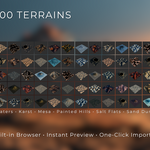
Built-in Terrain Browser
View terrain thumbnails directly inside Blender and quickly find the landscape you need.
View terrain thumbnails directly inside Blender and quickly find the landscape you need.
Quick Preview
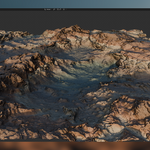
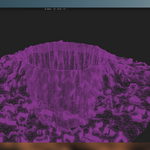
Preview the selected terrain before importing it into your scene.
Preview the selected terrain before importing it into your scene.
One-Click Import
Select a terrain and use Import Terrain to bring it directly into your Blender project.
Select a terrain and use Import Terrain to bring it directly into your Blender project.
Automatic Setup
The addon handles the terrain import workflow so you can spend more time building your scene.
The addon handles the terrain import workflow so you can spend more time building your scene.
Installation
1. Download the Ultimate Terrain Addon package from your Superhive account.
2. Open Blender and go to Edit → Preferences → Add-ons.
3. Install the provided addon ZIP file.
4. Enable Ultimate Terrain Addon.
5. Open the Blender sidebar using the N key and locate the Ultimate Terrain Addon panel.
2. Open Blender and go to Edit → Preferences → Add-ons.
3. Install the provided addon ZIP file.
4. Enable Ultimate Terrain Addon.
5. Open the Blender sidebar using the N key and locate the Ultimate Terrain Addon panel.
How to Use
STEP 01 — Load Terrains
Click Load Terrains to open the visual terrain library.
Click Load Terrains to open the visual terrain library.
STEP 02 — Browse
Browse the thumbnail grid and choose the terrain that best fits your scene.
Browse the thumbnail grid and choose the terrain that best fits your scene.
STEP 03 — Preview
The selected terrain appears in the addon preview panel.
The selected terrain appears in the addon preview panel.
STEP 04 — Import
Click Import Terrain and the selected terrain will be added to your Blender scene.
Click Import Terrain and the selected terrain will be added to your Blender scene.
Terrain Categories
The collection includes environments ranging from frozen glacial formations and volcanic landscapes to impact craters, mesas, karst formations, dunes, salt flats and highly eroded badlands. Each biome contains multiple unique terrain variations to provide a broad range of shapes and geological characteristics.
Recommended Uses
• Environment Design
• Cinematic Landscapes
• Game Environments
• Concept Art
• World Building
• Background Environments
• Architectural Visualization
• Rendering and Animation
• Cinematic Landscapes
• Game Environments
• Concept Art
• World Building
• Background Environments
• Architectural Visualization
• Rendering and Animation
Tip: Use the thumbnail browser to quickly explore different biome types before importing. This allows you to compare terrain silhouettes and surface characteristics without cluttering your Blender scene.
Ultimate Terrain Addon — Voyde Procedural
Build worlds faster.
Build worlds faster.
Have questions about this product?
Login to message
| Blender Extension Compatible | Yes |
| Published | about 2 months ago |
| Blender Version | 4.0 - 5.2 |
| Render Engine Used | Cycles, Eevee |
| License | GPL |
Discover more products like this
world building Heightmap asset library biome crater environment mountains #desert game environment landscape terrain importer terrain