UV Checker
 Azerilo




How to install this add-on?
First, please download the Zip file of this add-on. Then, open Blender, install it by clicking on Edit, Preferences, Add-ons. Click 'install' and select the Zip file you just downloaded. Activate it, and this add-on will appear in the viewport sidebar.
By pressing N you can activate the viewport sidebar and you will see UV Checker tab.
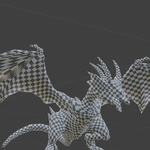
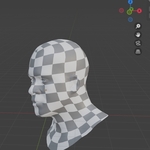
Select a mesh and in UV Checker panel click Assign Checker Material button. Go to the material preview mode to see the checker pattern on the object. you can change the scale of the checker by changing Checker Scale property.
Have questions about this product?
Login to message
| Published | over 1 year ago |
| Blender Version | 3.6 - 5.0 |
| Extension Type | N/A |
| Render Engine Used | Cycles, Eevee |
| License | GPL |