 Orange Turbine




UV UNWRAPPING & PACKING FOR BLENDER
Unwrap and pack at warp speed
Most artists think UVs are boring and tedious. UV Flow aims to make UV unwrapping in Blender fast and, even more shockingly, actually fun.

★★★★★
The team behind Retopoflow is making a better way to handle UVs? Yes, please. They made retopology fun and now unwrapping can be too.
Aaron
★★★★★
It does an amazing job on creating seams for characters especially. It's worth it just for the symmetry and automatic cutting alone. Using the default tools just feels miserable compared to the ease this tool provides when unwrapping characters. Everything about it feels incredibly smooth and intuitive. I genuinely don't know how Orange Turbine makes these plugins. They feel like magic.
Rae
★★★★★
UV'ing is no longer a pain in the ass, thanks for making one of the worst things in blender actually enjoyable! amazing product and well worth the price
Nikolaj
★★★★★
Huge life saver that actually makes UVing in Blender a pleasant process.
kalvas
UV Flow puts the whole UV process into one interactive tool. Seams, unwrapping, straightening, and packing are all a click away.
Cut seams with a click
UV Flow adds an entirely new tool to Blender's toolbar, called Cut UV, which lets you edit seams with ease. A pre-selection highlight helps you never miss a cut. The controls were designed by artists, for artists, to be as fast as possible:
ClickMark an edge as a seamDouble ClickMark a loop, stopping at other seamsShiftDouble ClickMark the entire loopCtrlClickMark the shortest pathClickDragDraw a seam path along the edgesDrag across facesMark the seams around a whole islandHold Alt with any of these to clear seams instead.

When Auto Unwrap is enabled, only the UVs affected by the new seam are unwrapped. That may sound like a small thing, but unlike Blender's Live Unwrap, you will never lose work by accidentally resetting UVs you've already straightened or projected.
Cut UV also works perfectly with Edit Mode symmetry, and with right click select and alternative navigation keymaps.
★★★★★
It solves one of the biggest problems in Blender (Right click, Mark Seam x100) Double click, and it magically marks the seam!
Jelly
No seams? No worries
When you unwrap with UV Flow, edges can act as if they were seams based on their angle, bevel, crease, sharp, or freestyle attributes. For some hard surface models, you can unwrap the whole mesh without placing a single seam. Or mark those edges as real seams for a quick starting point on a manual unwrap.
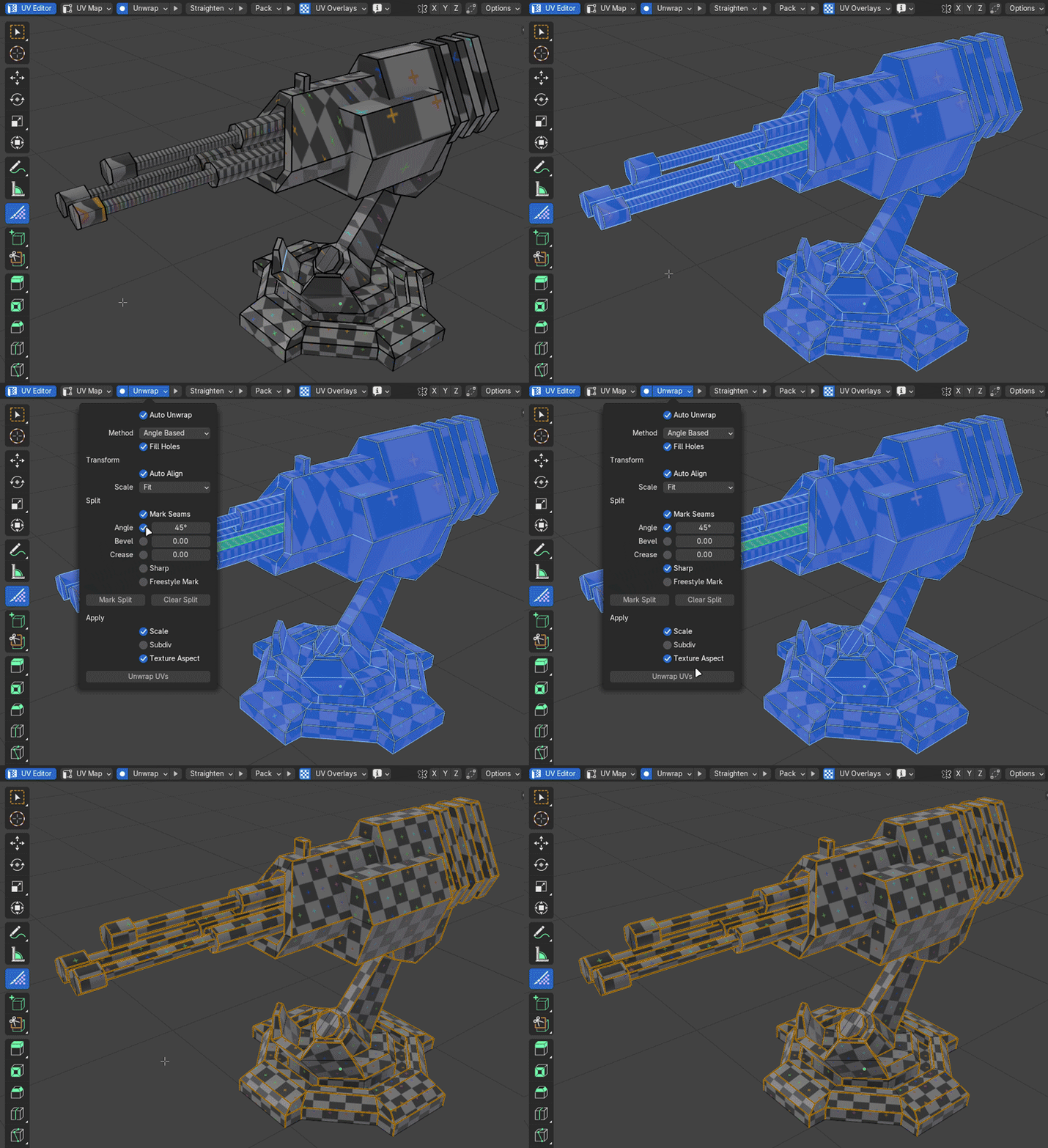
Unwrapping is smarter, too. The Auto method unwraps with Angle Based and automatically switches to Minimum Stretch on islands that need it, and islands can be unwrapped back to their original size and position.
★★★★★
One of my absolute most favourite addons. Makes UVing feel so much better. Very recommended
Anastasia
Work in layers
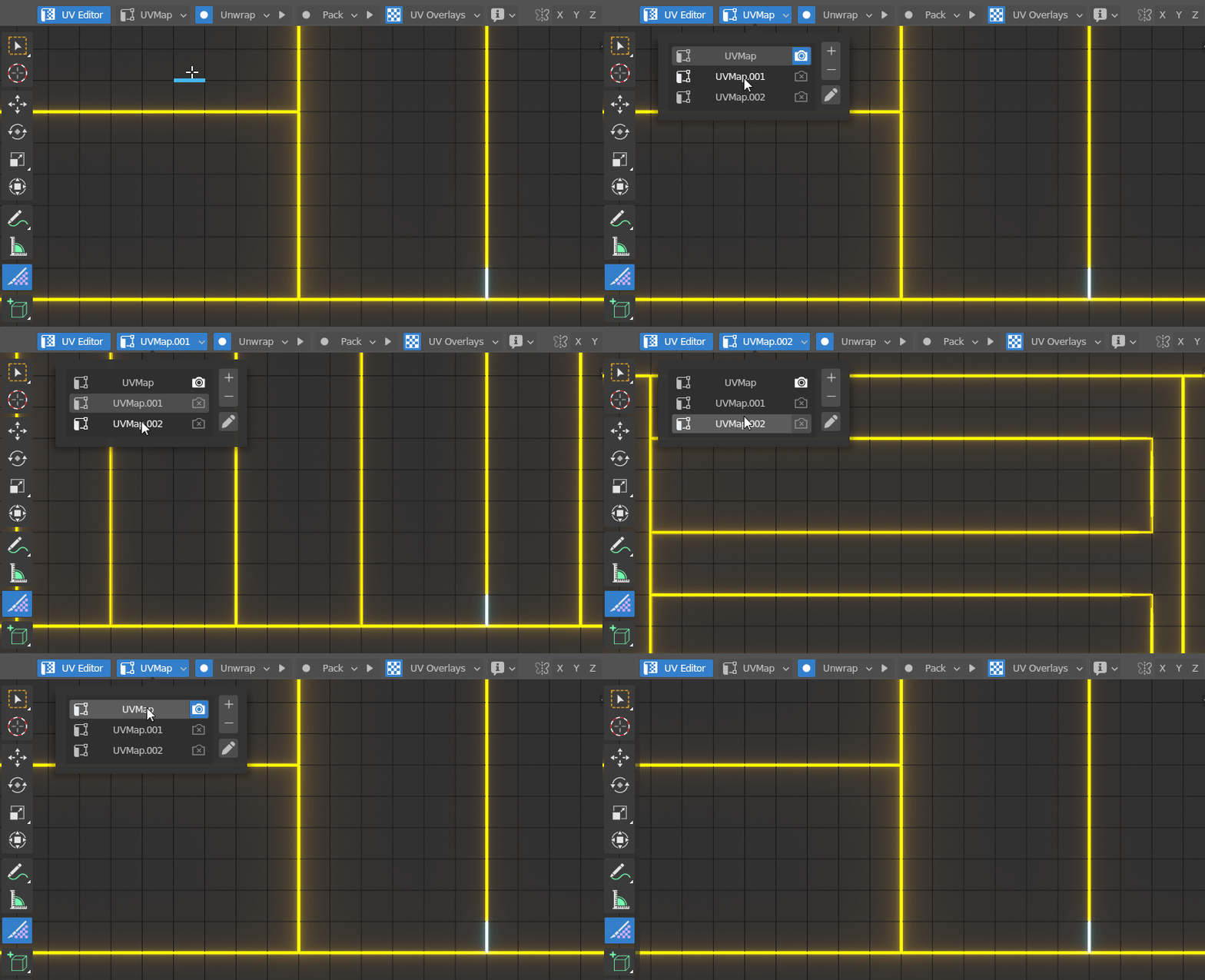
Multiple UV maps are incredibly helpful, especially for placing decals. But Blender only allows one set of seams per object, which makes working with several maps cumbersome. UV Flow stores seams per UV map automatically, so you can switch between as many unwraps as you need without any extra clicks.
Here's what else you'll find in UV Flow
Get it straight
UV Flow's context aware straightening instantly straightens whatever you select, with a single hotkey. You won't even have to open the UV Editor, though it works there and in Object Mode too.

The rest of the island is unwrapped around the straightened selection automatically, so there's no pinning or extra steps.
Refine moves each face toward its 3D angles and proportions. Unlike Minimize Stretch, it can improve the overall shape of an island and it works great with pins. Run it on its own or as part of unwrapping and straightening.
★★★★★
UV Mapping is often a scary other-worldly place [...] However, this is not the case with UV Flow. Orange Turbine has managed to find a way to make it visually fun and very quick even for very large and overly complex assets. [...] it has saved me a lot of time and effort while helping me to focus on actually finishing and texturing my models which is paramount. Thank you so much to the devs for creating this glorious addon!
Kade Markoux
See it in style
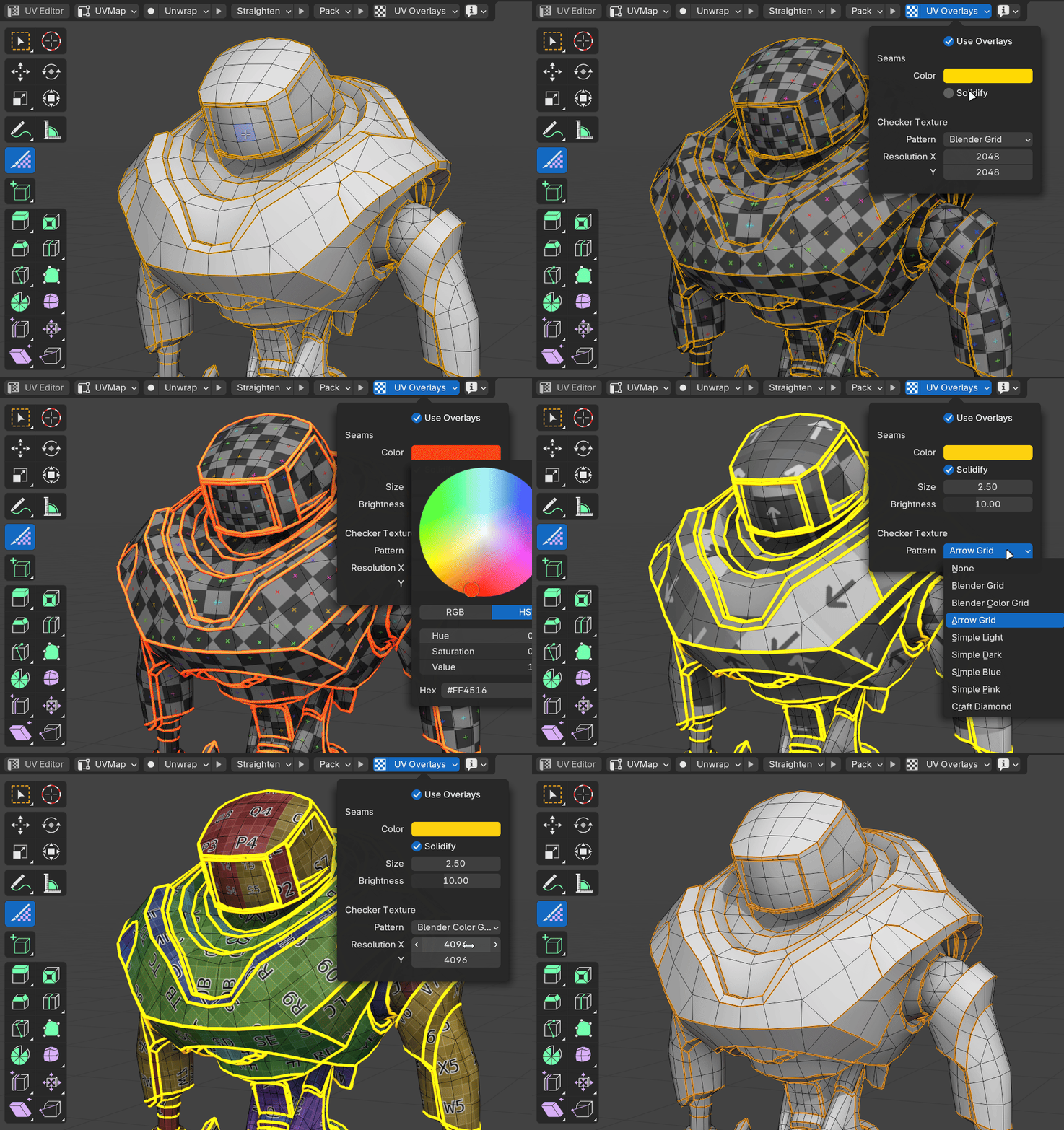
UV Flow has its own customizable overlays. Seams can be any color, and you can make them thicc and glowy for extra clarity (or just for fun).
UV checker textures can be turned on by default, so one is always applied to the mesh you're unwrapping without you having to think about it. The texture only shows on the selected mesh while the rest of the scene stays in solid view, and every effect is cleaned up as soon as you leave the tool.
★★★★★
Useful addon for simplifying the unwrap, I love the real time grid display in edit/object mode and the simple way to select edges.
Nic
Don’t stress about scale
UV Flow unwraps meshes whose scale hasn’t been applied by stretching the UVs to compensate. You can also unwrap to a real-world size or a set texel density.
Pack by material
Texturing in Substance Painter or Mari usually wants UVs per material, not per object. UV Flow packs each material into its own UV space across as many objects as you like at once.

Car interior (not included) courtesy of Wyatt at Winter Stellar Studios
...and that's just the beginning!
Object ModeUnwrap, straighten, and pack whole objects without entering Edit ModeUV Editor toggleOpen and close the UV Editor in one clickSelect by materialPick the objects or faces assigned to any materialAuto framingIslands selected in the 3D View are framed in the UV EditorIsland selectionDouble click a face to select its whole islandUV Editor sidebarAll of UV Flow’s panels, right next to your UVsOur goal is to make working with UVs as fast and fun as possible, and we're just getting started. We have a long list of improvements planned for UV editing in Blender, and we'd like to contribute some of them to Blender itself. Purchasing this add-on lets us keep developing it and, hopefully, make Blender THE #1 app for UV editing.
By artists, for artists
★★★★★
It did not disappoint and dare I say UVing is now fun?! Really excited for the future of this addon!
Edwin Toi
★★★★★
It performs exceptionally well and fulfills its promises. I hope it continues to improve and becomes even better.
Gokhan
★★★★★
I didn't need to look up documentation [...] But bam, you just install it and it works exactly how you expect it to.
Angus
★★★★★
30s into using this plugin after buying it and I am already in love with it, It will likely be the most used plugin for me
Ben Watson
★★★★★
This is a must-have addon. It saves so much time [...]
Nathaniel Blackburn
★★★★★
I hate doing UVs..... This eases the pain. Brilliant plugin worth every penny.
Mats Larsson
More from Orange Turbine
 Render RawColor grading and camera effects, right inside Blender.
 Retopoflow 4Sketch-based retopology tools that make clean, even topology the default.
 Extra Lights60 photometric light presets based on real world data.
 ScattershotSeamless, non-repeating scattering for any image texture.
