 RUIDO VFX


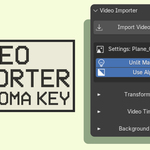
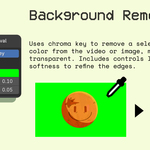
Video Importer is a powerful and easy-to-use Blender tool that makes adding videos to your 3D scenes simple. It automatically sets up planes and materials for you, featuring full support for Alpha transparency, Lit or Unlit (emissive) materials, built-in chroma keying, and precise playback synchronization.
Supported Formats:
- Video: .mp4, .mov, .mkv, .avi, .webm, .gif(NEW)
- Image: .png, .jpg, .jpeg, .exr, .webp, .tga, .tiff, .bmp
MAIN FEATURES:
1. Transform & Fit:
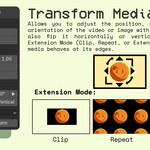
- Scale.
- Offset (X, Y): Shift the media position to adjust framing.
- Rotation.
- Flip horizontally or vertically.
2. Video Playback & Sync:
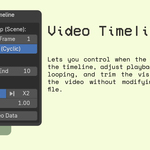
- Cyclic (Loop): Toggle seamless looping for your video clips.
- Timeline Start: Set exactly which scene frame the video starts playing.
- Video Start / End: Trim the start and end of your video source.
- Play Rate: Change playback speed using presets (Paused, Normal, Double Speed).
- Fine Tune: Fine Tune Time for precise timing adjustments between pause and x2.
3. Material & Shading:
- Lit / Unlit: Toggle between physical lighting (Principled BSDF) or emissive (Unlit) setup.
- Use Alpha: Instantly enable transparency support for videos with alpha channels.
- Texture Extension: Control how the image behaves at the edges (Clip, Repeat, or Extend).
- Chroma Key: Built-in functionality to remove a specific color with Tolerance and Softness controls.