Visibility Mismatch
 Blender.Fun


Visibility Mismatch Finder – Documentation
Overview
Visibility Mismatch Finder is a Blender add-on designed to help you quickly identify and resolve differences between viewport and render visibility, as well as mismatched subdivision levels for objects and modifiers. This ensures your final render matches your scene preview and helps prevent rendering errors.
Installation
Download the Add-on:
Download the add-on as a ZIP file from the official source or your local storage.-
Install in Blender:
- Open Blender.
- Go to Edit > Preferences > Add-ons.
- Click Install... and select the ZIP file.
- Enable the add-on in the list.
Usage
-
Open the Panel:
- Switch to the 3D Viewport.
- Open the sidebar with N.
- Select the Visibility tab and open the Visibility Mismatch panel.
-
Refresh the List:
- Click the Refresh List button (🔄 icon) to scan your scene.
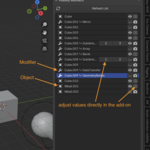
- A list will appear showing all objects and modifiers with mismatched visibility or subdivision levels.
-
Identify Differences:
- The list displays which objects/modifiers have different viewport and render visibility or subdivision settings.
-
Adjust Directly:
- Click the icons to toggle visibility or adjust subdivision levels directly from the list.
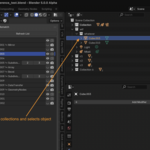
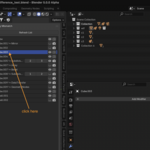
- Clicking a list entry selects the corresponding object in the viewport.
Features
- Automatic detection of visibility and subdivision mismatches.
- Interactive list for quick selection and adjustment.
- Fast navigation to affected objects and modifiers.
- Compatible with Blender 2.93 and above.
$2
Have questions about this product?
Login to message
| Blender Extension Compatible | Yes |
| Dev Fund Contributor | |
| Published | about 1 year ago |
| Blender Version | 2.93 - 4.5 |
| Extension Type | Add-on |
| License | GPL |
