 Nuno Sousa
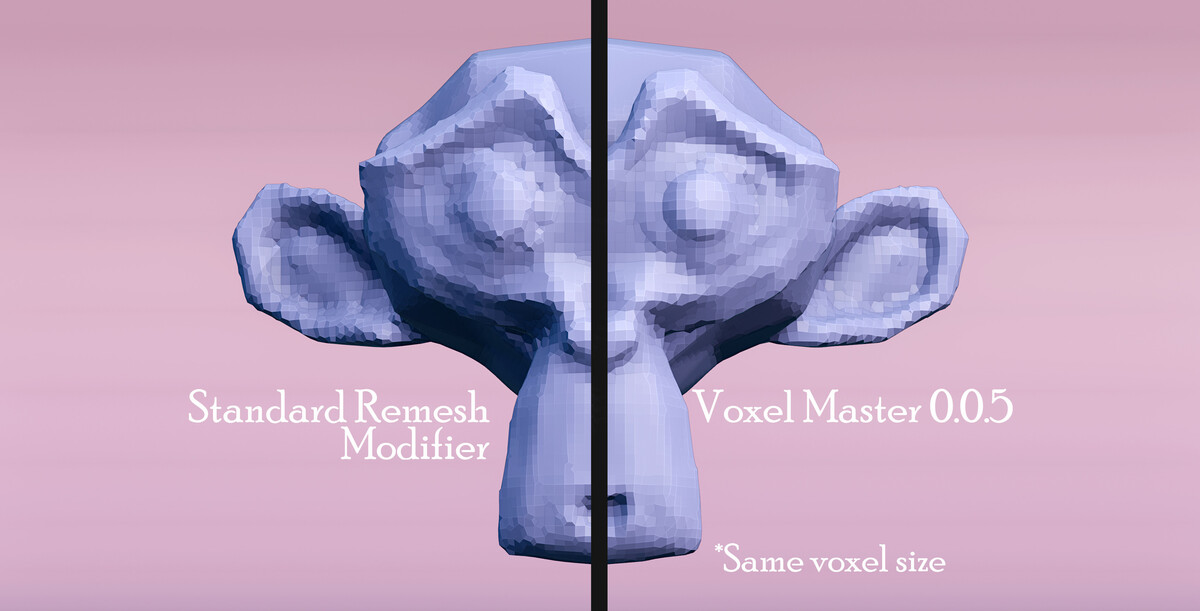
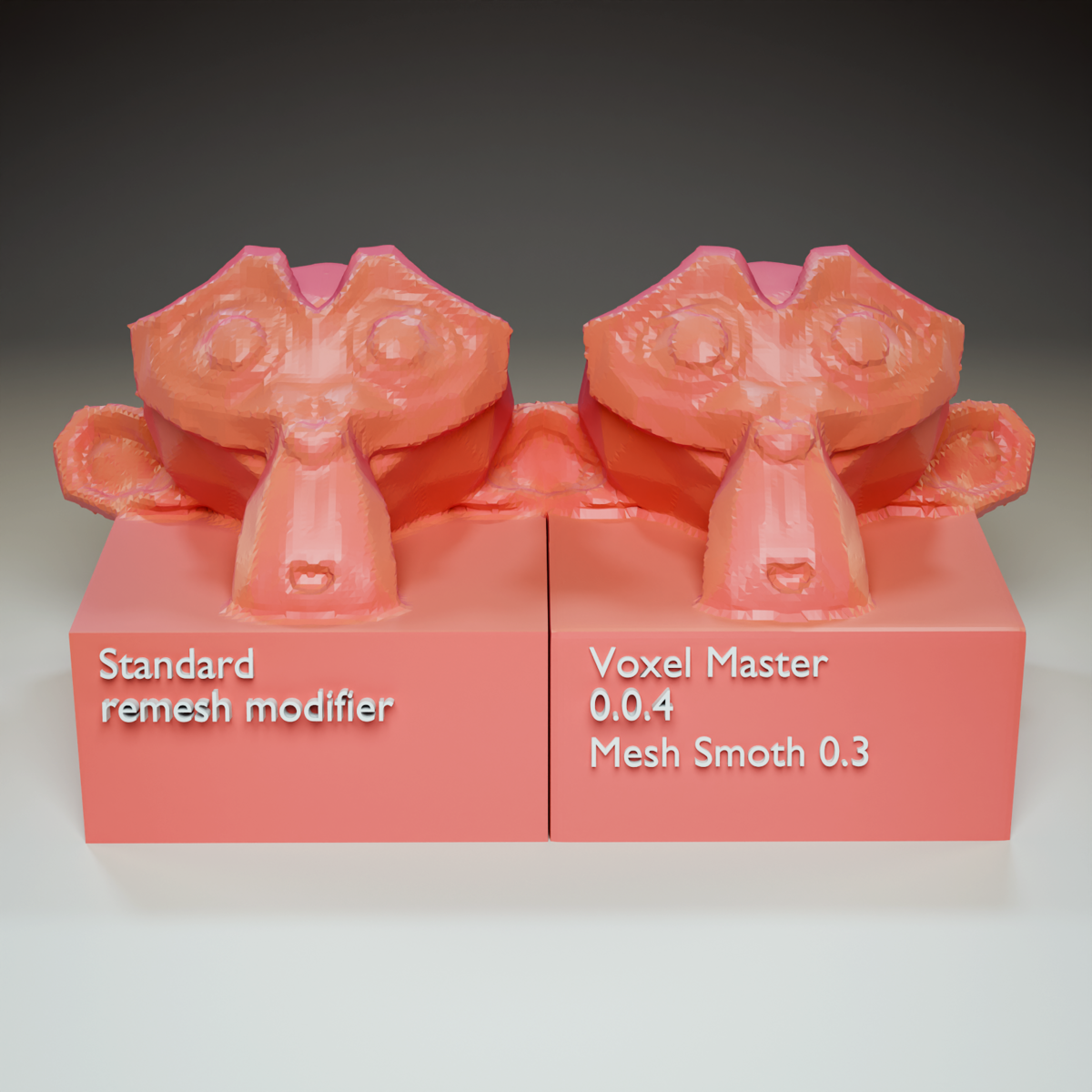

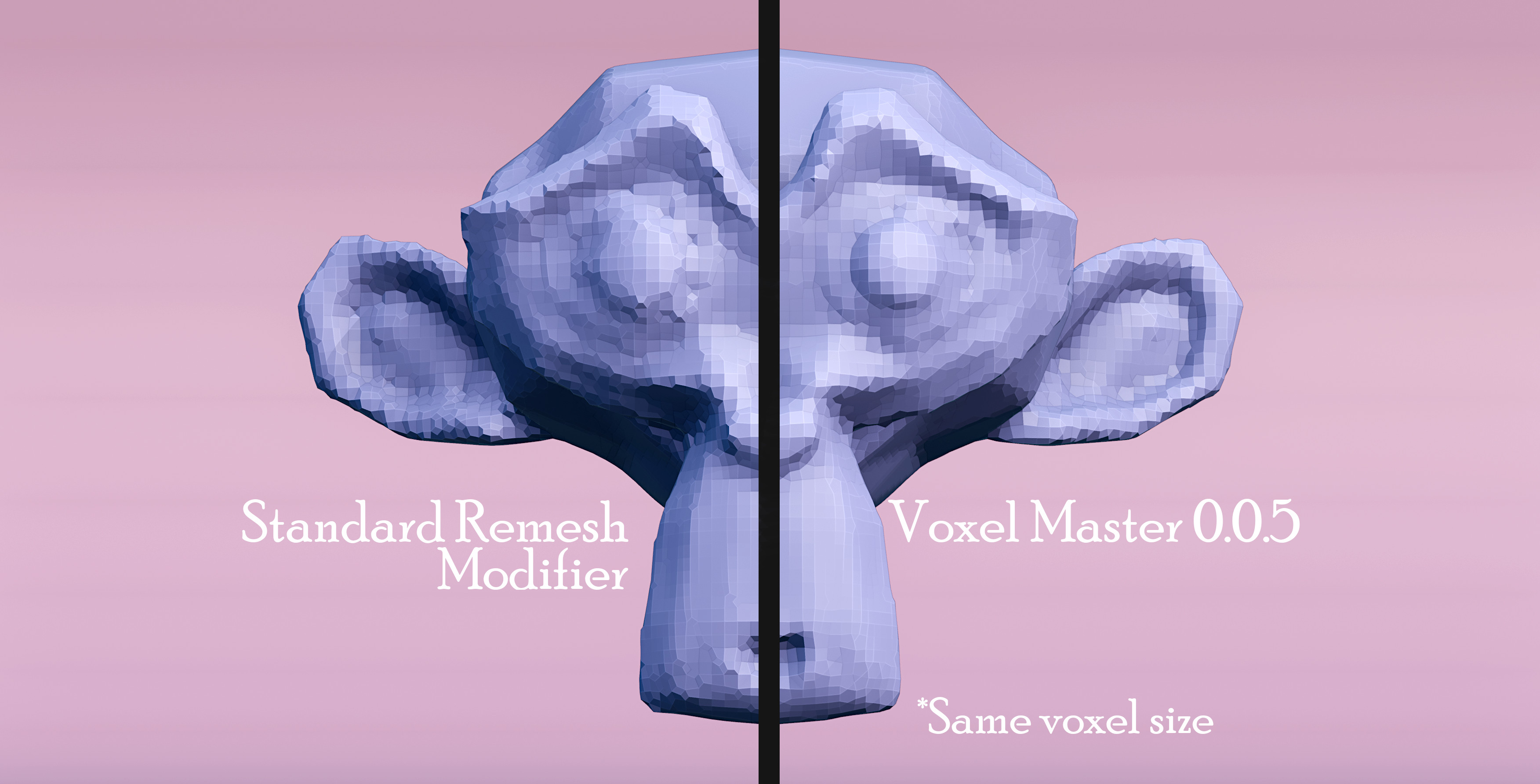
Voxel Master is a robust Geometry Node Asset that serves as a powerful, feature-rich alternative to Blender's standard Remesh Modifier. Designed to provide more control, accuracy, and a cleaner result, it fits naturally into any geometry nodes workflow.
What it does
Voxel Master takes your mesh and remeshes it using a voxel-based approach, giving you a clean, solid, watertight result. Whether you are sculpting, doing hard surface work, or dealing with messy imported geometry, it gives you the control to get a good remesh without fighting the tool.
Voxel Size
Control how remesh resolution is calculated.
-
Relative / Absolute Voxel Size: Toggle between a relative or absolute method for determining voxel size. Higher values increase the resolution (creating smaller voxels).
Relative: Voxel size is calculated based on the mesh's bounding box and the 'Relative Voxel Size' slider.
Absolute: Voxel size is set directly using the 'Voxel Size' field in scene units.
Set Shade Smooth: Output the remeshed geometry with smooth shading applied.
Remesh Surface
Fine-tune the remeshed output with smoothing, adaptivity, and iteration controls.
Mesh Smooth: Applies smoothing to the mesh after remeshing. Higher values increase the smoothing effect.
Mesh Smooth Iterations: The number of times the 'Mesh Smooth' operation is applied.
Adaptivity: Reduces mesh detail in flatter areas to create a more optimized topology. A value of 0 disables adaptivity, creating a uniform voxel grid.
Remesh Iterations: The number of times to run a surface projection loop after remeshing. Each iteration snaps the new voxel mesh closer to the original surface, improving accuracy and detail preservation.
Inflate Thin Geometry
The Inflate Thin Geometry system detects thin areas of your mesh and expands them before remeshing, preventing holes and disappearing surfaces. Adjust the strength and mask spread to dial in exactly how much inflation is applied.
Inflate Thin Geometry (Checkbox): Enables the 'Inflate' feature. This expands thin areas of the input mesh before remeshing to prevent them from creating holes or disappearing. At the cost of a bit of compute power.
Inflate Strength: Controls the amount of expansion applied to the thin areas detected by the mask.
Mask Spread (0 to 1): Expands (dilates) the detected thin areas mask. Higher values will cause a larger surrounding area to be affected by the 'Inflate Strength'.
-
Density: Controls the density of the volume used for the remesh operation. This defines the trade-off between accuracy and cleanliness.
Lower values (e.g. 0.25): More accurate to the original surface, but may produce less clean results.
Higher values (e.g. 1.0): "Inflates" the base mesh, leading to rounder corners and cleaner, more solid results, but with some loss of creases and small details.
Debug Outputs
A Debug panel gives you direct access to the input mesh, the thin areas mask, and the calculated voxel size, making it easy to inspect and pipe values into other node setups.
Input Mesh: (Debug Output) The original, unmodified input geometry.
Thin Areas Mask: A float attribute field (value from 0.0 to 1.0) showing the mask of areas detected as 'thin'. This is used by the 'Inflate Thin Geometry' function.
Voxel Size: (Debug Output) The final calculated 'Voxel Size' being used by the remesher. This is especially useful when using 'Relative Voxel Size' mode.
Roadmap
Transfer Attribute (UV) [In Development]: Allows users to transfer UVs or other attributes from the original to the remeshed object.
Snap Geometry to Sharp Edges [Planned]: Snaps remeshed geometry to sharp edges from sample geometry. Useful to preserve detail after remeshing.
Inflate Thin Geometry: Inflates thin areas in the geometry to avoid holes during remeshing. Adjust strength and mask spread for fine control.→ ImplementedNon-Manifold and Closed Geometry Checks [Planned]: Help users identify where possible errors may originate from.
Version History
22/3/26 · Version 0.11 LATEST
Added SDF method
- Added a new remesh method: Mesh to SDF Grid to Mesh. Faster than the previous Mesh to Volume pipeline and significantly better at handling thin geometry like leaves.
- Redesigned node group UI with cleaner, more organized menus for a smoother workflow.
- Remapped the Adaptability parameter for more intuitive, predictable control.
- Remapped the Inflate Thin Geometry mask spread to a clean 0 to 1 range.
27/10/25 · Version 0.1 MAJOR RELEASE
Added Inflate Thin Areas panel & Debug panel
- This expands thin areas of the input mesh before remeshing to prevent them from creating holes or disappearing.
- Debug Panel adds outputs for input mesh, thin areas mask and Voxel size to be easily accessed for use in other node tools.
- Complete tool tip implementation.
13/10/25 · Version 0.0.6
Added new voxel size slider
- Added new relative voxel size slider, it provides an easier way to choose the "resolution" of the voxels.
13/10/24 · Version 0.0.5
Added iterations control
- Better accuracy and faster results.
- Added "density" to the inputs panel, as it will be useful for some fine surface control.
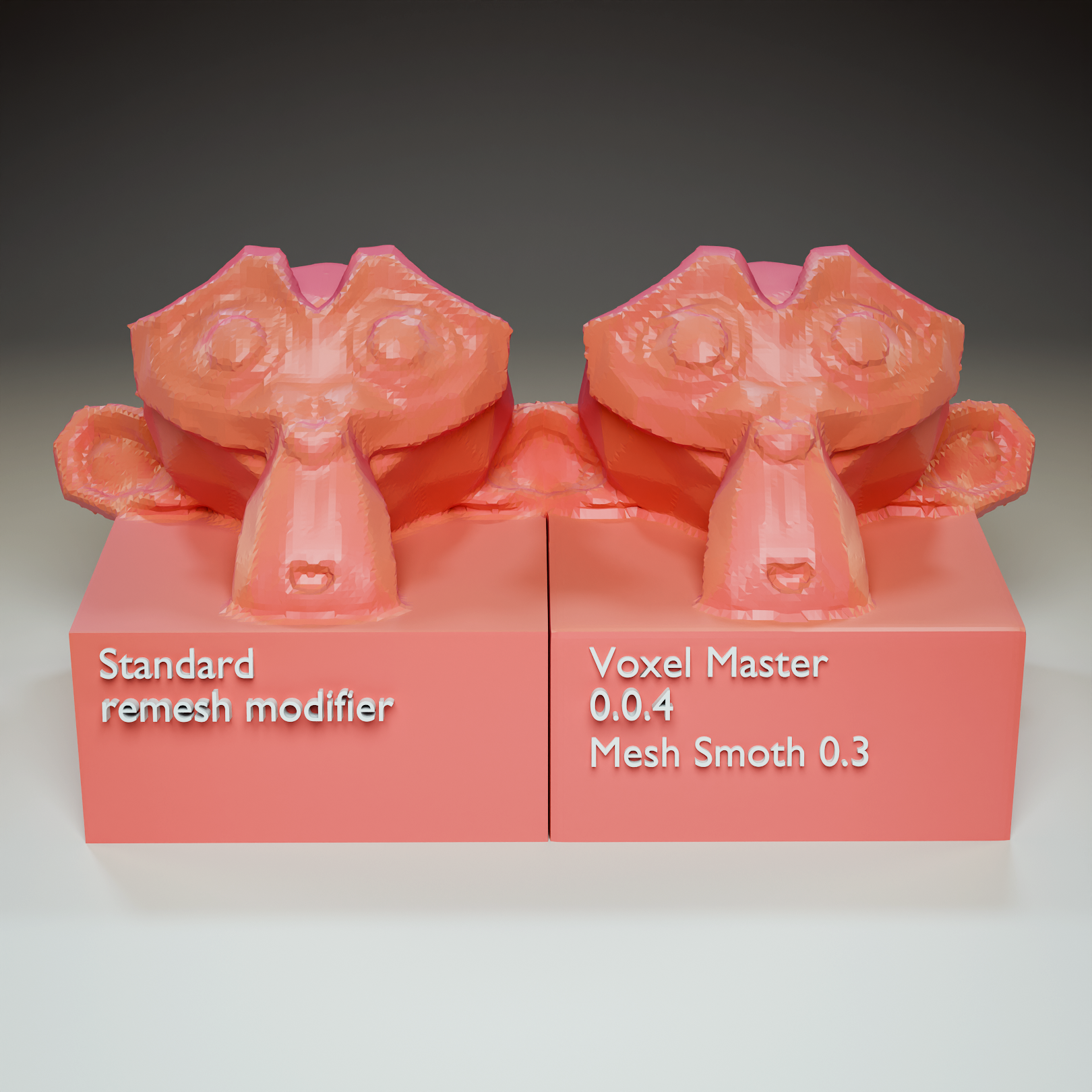
10/9/24 · Version 0.0.4
Geometry Nodes integration, move away from panel based UI
- Updated User interface.
- Geometry nodes group asset for more flexibility.
- Better accuracy than previous versions.
- Integrated mesh smoothing.
Note: This product was a side panel based add-on. From version 0.0.4 onward it is a Geometry Nodes group asset.
01/12/23 · Version 0.0.3
Stability and user interface
- Bug fixes and stability improvements. Some features that weren't fully functional were removed and will be worked on in the future.
- Updated User interface.
25/11/23 · Version 0.0.2
Feature enhancements and new additions
- Merge Duplicates Feature: A significant new feature that allows users to merge vertices that are close to each other within a specified threshold. Particularly useful for cleaning up mesh geometry to prevent remeshing artifacts.
- Enhanced Reporting: The merging operation now reports the number of vertices merged, providing better feedback to the user.
- UI Adjustments: Changes in the user interface to accommodate new features and improve user interaction.
- Bug Fixes and Stability Improvements: Some bugs were identified in the initial release by devs and users and have been addressed.
21/11/23 · Version 0.0.1
Initial Release
- Basic voxel remeshing functionalities.
- Settings for voxel size, thickness, and smooth shading.
- Options for additional mesh processing like relax smoothing and sharpening (bevel modifiers).
- A simple user interface in the Blender sidebar with basic controls.
- Operators to add, update, and apply modifiers.
We look forward to gathering user feedback and continuously improving the tool in future releases.
