Procedural Terrain Materials Pack
 Voyde Procedural


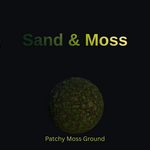
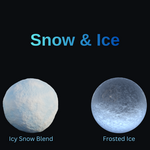
I can’t see the library / thumbnails. What do I do?
Restart Blender, confirm the correct folder is added, and make sure the .blend stays inside that folder.
Can I use these materials in commercial projects?
Yes—usage follows the license selected on the product listing.
Why does displacement look flat?
Your mesh may be too low-res. Add subdivision (or use the bump/normal controls).
How do I install it into the Asset Browser?
Add the product folder in Preferences → File Paths → Asset Libraries, then select it in the Asset Browser dropdown.
Is it Cycles or Eevee?
The pack is Cycles optimized. (Eevee may work for many looks, but displacement behavior differs.)
Which Blender versions are supported?
Blender 4.0–5.0 (tested on 5.0.1)
Does this pack use external textures?
No. All materials are 100% procedural and require no image textures.
$5$3.50
Have questions about this product?
Login to message
| Published | 7 months ago |
| Blender Version | 4.0 - 5.0 |
| Render Engine Used | Cycles |
| Misc Data | Normal-Mapped, Textured |
| License | Royalty Free |