Vse Extend Strip to Next
 Blender.Fun
in VSE
Blender.Fun
in VSE

VSE Extend Strip to Next Add-on Documentation
Overview
The VSE Extend Strip to Next add-on enhances Blender's Video Sequence Editor (VSE) by providing a quick way to extend the active strip to the start of the next strip in the same channel. This tool streamlines video editing workflows, ensuring seamless transitions and eliminating gaps between strips without manual adjustments.
Key Features
Automatically extends the selected strip to meet the next strip in the same channel.
Works with all strip types (video, audio, effects, etc.).
Compatible with Blender 2.80 and later, including API changes in Blender 5.0+.
Undo support for safe experimentation.
Keyboard shortcut for rapid access.
Installation
Download the add-on files (zip file).
Open Blender and go to Edit > Preferences > Add-ons.
Click Install... and select the add-on ZIP file or folder.
Enable the add-on by checking the box next to "VSE Extend Strip to Next".
The add-on will be available in the Video Sequence Editor.
Requirements
Blender 2.80 or higher.
No additional dependencies.
Usage
Open your project in Blender's Video Sequence Editor (VSE).
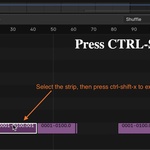
1) Select the strip you want to extend by clicking on it.
2) Use the keyboard shortcut Ctrl+Shift+X or access the operator via the menu (if available).
The active strip will be extended to the start frame of the next strip in the same channel.
If no suitable next strip is found, a warning message will appear in the status bar.
Behavior Details
The add-on searches for the next strip in the same channel that starts after the current strip's end.
If multiple strips qualify, it selects the one closest in time.
The strip's duration is adjusted automatically; no manual frame calculations needed.
If the strip already reaches or overlaps the next strip, no changes are made.
Keyboard Shortcuts
Ctrl+Shift+X: Extend the active strip to the next strip in the same channel.
Troubleshooting
No active strip: Ensure you have selected a strip in the VSE timeline before running the operator.
No following strip found: Check that there is a strip in the same channel starting after the current strip's end. Adjust strip positions if necessary.
Strip already reaches the next strip: The operation is skipped if no extension is needed.
Compatibility issues: The add-on automatically adapts to Blender API changes (e.g., sequences_all vs. strips_all). If problems persist, ensure you're using Blender 2.80+.
Support
For issues, feature requests, or contributions, just write me a DM.
$2
Have questions about this product?
Login to message
| Blender Extension Compatible | Yes |
| Dev Fund Contributor | |
| Published | 5 months ago |
| Blender Version | 2.83 - 5.1 |
| Extension Type | Add-on |
| License | GPL |
