── Wheel Menu Manager ──
Frequently Asked
Questions
Everything you need to know before you start spinning.
● Lite — 1 USD ● Pro — $15 USD
General
What is Wheel Menu Manager?
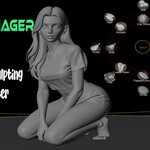
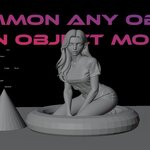
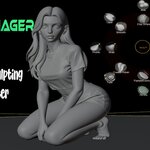
+ Wheel Menu Manager is a Blender addon that gives you a fully customizable radial wheel menu — press E in the 3D Viewport and a circular menu appears at your cursor. Assign any operator, brush, or tool to a slot and execute it in one click without ever leaving the viewport.
What's the difference between Lite and Pro?
+ LITE is completely 1 USD and includes the core radial menu, layers, presets, and object-mode operators.
PRO ($15 USD) adds the full Sculpt Mode brush selector with GPU-rendered brush icons, Blender 4.3+ asset brush system support, drag-and-drop slot reordering, and the advanced preset switcher inside the wheel itself.
Which Blender versions are supported?
+ Both versions require Blender 3.0+ at minimum. For the full Pro experience — including the asset-based brush system — Blender 4.2+ is recommended. Fully compatible with Blender 4.3, 4.4, and 5.0+.
Does it work on Windows, Mac, and Linux?
+ Yes. Wheel Menu Manager is a pure Python addon with no platform-specific dependencies. It runs on all operating systems that Blender supports.
Features
How many slots can I have in the wheel?
+ Each ring layer has 8 slots (N, NE, E, SE, S, SW, W, NW). You can add as many layers (rings) as you want — each adds a new outer ring, so total capacity is effectively unlimited.
What are Presets and how do they work?
+ Presets save your entire wheel configuration — layers, slots, ring sizes, and sculpt brushes — as a named .json file. Switch between completely different setups instantly inside the wheel. Presets can also be imported and exported to share with others.
Can I switch brushes in Sculpt Mode?
+ Yes — this is a PRO feature. In Sculpt Mode the wheel automatically switches to a dedicated brush selector with GPU-rendered brush icons. Supports 90+ sculpt brushes including cloth variants, paint brushes, mask tools, and filter tools. On Blender 4.3+ it uses the native asset brush system.
What is Toggle vs Hold mode?
+ Toggle: Press E once to open, click a slot to execute, press E again to close.
Hold: Hold E to keep the wheel open, release E to execute the hovered slot. Great for fast repeated actions.
Pricing & Licensing
Is the Lite version really 1 USD, forever?
+ Yes. LITE is completely 1 USD with no time limits, no watermarks, and no paywalled features within its scope. Fully functional — just without the Pro sculpt tools.
How much does Pro cost and are updates included?
+ PRO is a one-time purchase of $15 USD. No subscriptions, no recurring fees. All future updates are included — buy once, use forever.
Can I use this in commercial projects?
+ Yes. Both Lite and Pro can be used in personal and commercial projects with no restrictions. The addon is a workflow tool and does not affect the licensing of your Blender output.
Installation & Setup
How do I install the addon?
+ 1. Download the .zip file.
2. Open Blender → Edit → Preferences → Add-ons → Install.
3. Select the .zip and click Install Add-on.
4. Enable it by checking the checkbox.
5. Press E in the 3D Viewport — your wheel is ready!
Where are my presets stored?
+ Presets are saved as .json files in your Blender user config folder under wheel_menu_presets/. They survive Blender reinstalls and updates, and can be backed up or shared 15 USDly.
The wheel isn't opening — what do I do?
+ Make sure your cursor is inside the 3D Viewport when pressing E. If another addon uses E, there may be a keymap conflict — check Edit → Preferences → Keymap and search for conflicts.
Support
Sculpt brushes aren't activating in Blender 4.3+. Why?
+ Blender 4.3 switched to an asset-based brush system. Make sure the Essentials asset library is enabled under Edit → Preferences → File Paths → Asset Libraries. The Pro addon uses this library automatically.
Can I upgrade from Lite to Pro?
+ Yes. Purchase Pro, uninstall the Lite version, and install Pro. Your existing presets are fully compatible — nothing will be lost.
I found a bug. How do I report it?
+ Leave a comment on the product page or reach out directly. Please include your Blender version, OS, and a description of what happened. Bug fixes are shipped as 15 USD updates.
◆
Ready to spin?
Try the 1 USD Lite version or go all-in with Pro
and unlock the full sculpt brush experience.
 DC LEGEND