 Greg Miles


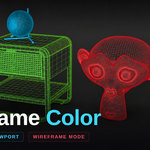

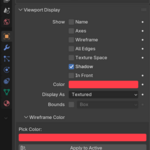
A feature I always loved in 3DS Max is the ability to have colorful wireframe modes. I specialize in ArchViz, and I often use Solid mode or Wireframe when I need to quickly navigate or work in the file due to how fast it is. I always felt Wireframe was missing the ability to easily change the color to help differentiate objects or collections. Well now that feature is available! There is a tab in the N panel that will let you work with multiple objects and is always accessible, or you can also navigate to the selected object's property tab (orange square in menu) and scroll down to Wireframe Color.
I am always available to answer any questions or concerns, but I think this add-on is pretty much as plug and play as you can get.
