Workflow Helpers
 ramazan sarı



Workflow Helpers - Official Documentation
Installation Validation: Do not extract the zip file. Go to Edit > Preferences > Add-ons > Install, and choose the provided .zip.
1. Quick Export Helper Select the objects you want to export. Open the sidebar panel ('N' key), select your target format preset (Unity, UE, etc.), and click "Export Selection".
2. Render Time Estimator Open the "Render Time" sidebar. Enter your frame amount and hit "Calculate". The script will analyze your viewport complexity and output estimated times.
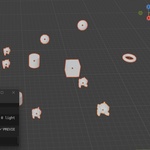
3. Gravity Drop Place objects above your floor/table mesh. Ensure they have rigid body collisions turned off manually. Select the items, click "Drop Physics" in the panel, and let the addon simulate gravity instantly to settle them mathematically.
4. Grass Scatter Select any ground mesh. In the Workflow Helper panel, check "Add Grass Generator". Adjust density and scale interactively inside the viewport viewport.
Have questions about this product?
Login to message
| Blender Extension Compatible | Yes |
| Published | 5 months ago |
| Blender Version | 3.2 - 5.0 |
| Extension Type | Add-on |
| Render Engine Used | Cycles, Eevee |
| License | GPL |

Discover more products like this
physics drop Workflow utility time saver export tools grass scatter environment render time automation