World Conceptor
 3DVision


Setup & Documentation
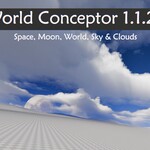
World Conceptor v1.1.20
Visual Tutorials
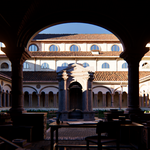
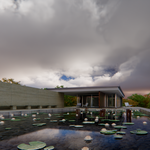
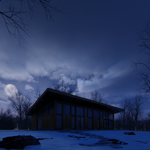
| 1. Sky | 2. World | 3. Clouds |
⚙️ Phase 1: Scene Preparation
Important: Follow these steps to avoid visual glitches or clipping.
| Units | Set Scene Units to Kilometers. |
| Camera | Clip End: 2000 km (minimum). |
| Volumes | Enable Biased | Rate: 0.01 | Max Step: 24. |
| Display | Enable Backface Culling. |
📦 ImportNo installation. Drag & Drop directly from your Asset Browser catalog. | 🚀 ActivationSelect the Celestial option in your World settings to power the system. |
🎮 Interface Panels
| ☀️ Sun & Moon Full control over elevation, disk size, and light exposure. | ✨ Space & Stars Adjust star intensity, rotation, and tint for night renders. |
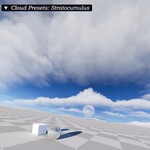
| 🌫️ Atmosphere Toggle Sky, Fog, and the physical World sphere independently. | ☁️ Clouds (v1.1.20) Select between 6 procedural types for total sky coverage. |
Optimized for Cycles. Need help? Check the Quick Start Guide video on the product page.
-
$19
This pack contains version v1.1.20 (no clouds and moon)
-
$99
This pack contains version v1.1.20
-
$299
This pack contains version v1.1.20
Have questions about this product?
Login to message
| Sales | 20+ |
| Published | 8 months ago |
| Blender Version | 5.0 - 5.2 |
| Render Engine Used | Cycles |
| License | GPL |
Discover more products like this
Space & Sci-Fi 3D terrain generator procedural sky sky worldconceptor environment advanced geometry nodes