World Space Texture Mapping – One-Click Triplanar Materials, No Uvs Required
 blenderustad


World Space Texture Mapping — Documentation
Version 1.4.0 · Blender 3.6–4.1 (legacy add-on) and 4.2+ (extension) · by Blender Ustad · GPL-3.0-or-later
What it does
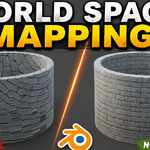
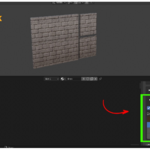
Applies world-space triplanar texturing to a material without requiring UV unwrapping. Textures are projected from three axes and blended based on surface normal, so scale stays consistent across separate objects.
Where to find it
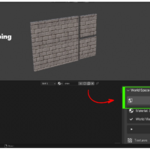
Shader Editor → Sidebar (N) → Material tab → World Space Texture Mapping panel.
Supported objects
Mesh, Curve, Surface, Metaball, Font.
Basic workflow
- Select a supported object.
- Click Create World Material (no material yet) or Apply World Mapping (existing material).
- Load images into the texture channel cards you need.
- Adjust Global Mapping (scale, rotation, offset), or enable Custom Mapping on a single card to override just that channel.
Texture channels
Base Color, Normal, Roughness, Metallic, Ambient Occlusion, Height, Emission, Opacity — each with its own enable toggle, strength, and optional custom mapping.
Projection settings
- Projection Space: World, Object, or Local
- Projection Method: Triplanar, XYZ, or Planar
- Texture Repeat: Repeat, Extend, Clip, Mirror
- Interpolation: Linear, Closest, Cubic, Smart
- Blend Sharpness / Projection Blend: control how soft or hard the triplanar axis transitions are
Key operators
| Action | What it does |
|---|---|
| Create World Material | Builds a new world-mapped material and assigns it to selected objects |
| Convert Existing Material | Detects images already connected to a Principled BSDF and reconnects them through world mapping |
| Remove World Mapping | Strips generated nodes and restores original links or a standard UV fallback, keeping loaded images |
| Refresh Mapping | Rebuilds generated nodes and repairs links (also fixes the "Material mapping needs rebuilding" warning on old materials) |
| Randomize Textures | Generates a new per-object seed for offset/rotation/hue variation, useful on scattered instances |
| Clear All Textures | Removes all loaded images but keeps the material and mapping values |
Procedural extras
World Noise Mask (breaks up tiling), Automatic Moss (slope-based), Dirt (world-height-based), Snow (upward-normal-based), Edge Wear (Cycles, pointiness-based).
Notes
- Color space (sRGB / Non-Color) is assigned automatically per channel.
- Supported image formats: PNG, JPG/JPEG, TGA, TIF/TIFF, BMP, EXR, HDR, WEBP, DDS.
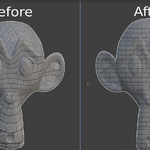
- Version 1.4 specifically improved triplanar projection on curved/rounded geometry (e.g. spheres): normal-map blending no longer flattens curvature, and axis seams are suppressed.
Want this as a downloadable file (Markdown or PDF) instead of inline text?
Have questions about this product?
Login to message
| Blender Extension Compatible | Yes |
| Published | about 2 months ago |
| Blender Version | 3.2 - 5.2 |
| Extension Type | Add-on |
| Render Engine Used | Cycles, Eevee, Freestyle |
| License | GPL |
