Xray/Ghost Material
 Elvin Nazurmetov



Overview
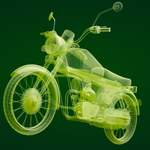
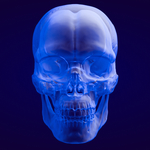
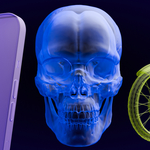
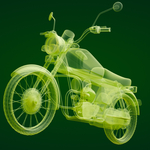
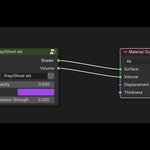
Xray/Ghost is a transparent shader designed for Blender. It offers easy control of opacity, color, and emission to achieve ghostly, sci-fi, or volumetric effects.
How to Use
Open your project in Blender.
Append or copy the material "Xray/Ghost set" into your scene.
Select any mesh and assign the Xray/Ghost material.
Adjust "Opacity" (0–1) for transparency.
Pick any "Color" for tint.
Set "Emission Strength" for glow (optional).
Render Compatibility
Works with both Cycles and Eevee.
Tips
Combine with animated opacity for dynamic fade-in/out.
Use bold colors for stylized effects or horror/futuristic scenes.
Troubleshooting
If material looks solid, decrease opacity.
For best results — use with high-resolution meshes.
Have questions about this product?
Login to message
| Sales | 10 |
| Published | 12 months ago |
| Blender Version | 4.0 - 4.5 |
| Render Engine Used | Cycles |
| License | GPL |

Discover more products like this
ghost Material xray Shader VFX transparent volumetric sci fi