 Schirmer Labs

Stylized terrains in one click
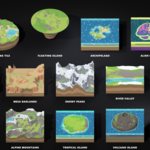
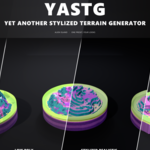
Procedural terrains for Blender in four looks: comic, low poly, stylized realistic and voxel. Pick a preset, press Add Terrain and shape it live: mountains, islands, canyons, dunes, diorama tiles, floating islands or an alien world. Run it through the seasons, sculpt it by hand, pick from eight variants or join tiles into a whole world whose biomes blend into each other. Then export meshes with LODs or a heightmap for Unity, Unreal or Godot.
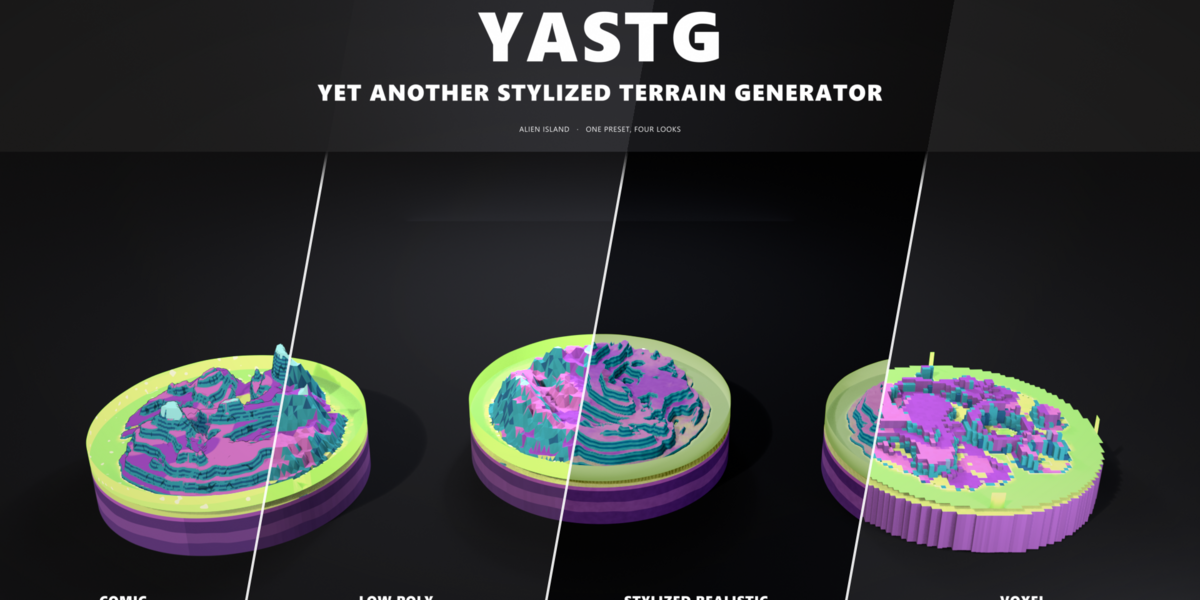
Four looks, one terrain
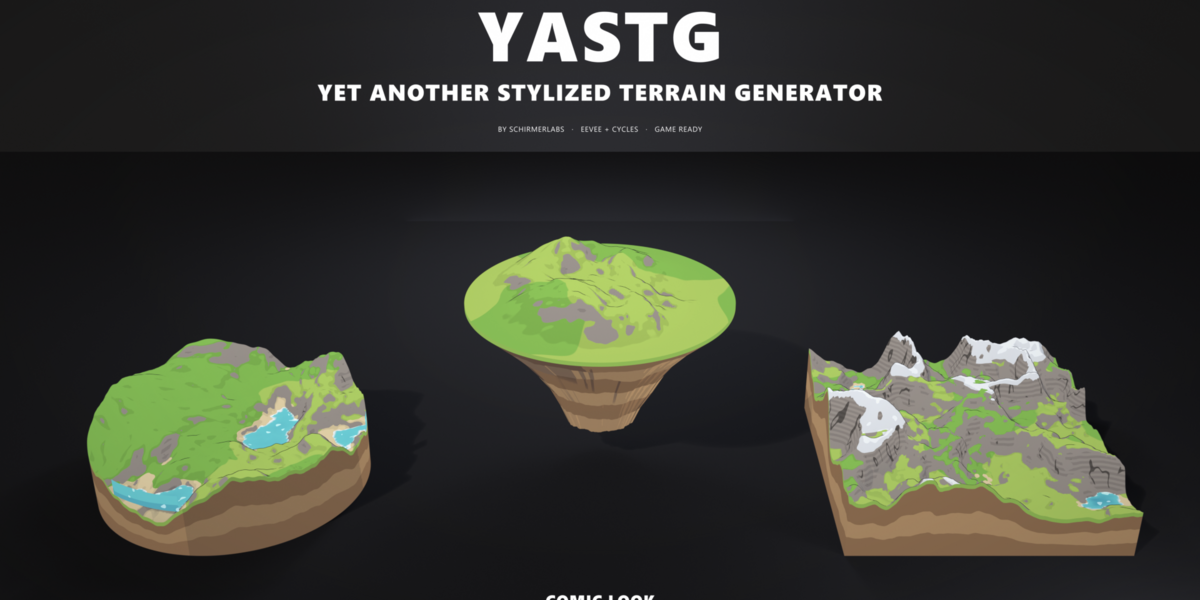
Every terrain switches between the looks with one click. The shape and the colors stay, the shading changes, and the voxel look builds it from blocks.

Comic
Cel shading with hard borders between grass, sand, rock and snow, a darker tone on steep slopes, ink on the cliffs, a crisp outline and flat water with foam. Made for toon games and renders in EEVEE.

Low Poly
Jittered triangles with one color per face and faceted water. Light and cheap, ideal for low poly worlds and mobile games.

Stylized Realistic
High resolution with soft, ragged layer borders, painted ground, layered rock, rippled sand and glossy water that turns see-through in the shallows. Fits stylized PBR projects.

Voxel
One block column per grid point, heights in whole blocks, flat colored tops and soil walls under the grass. A stepped underside for floating islands. Ready for block worlds and indie games.
14 presets, endless terrains
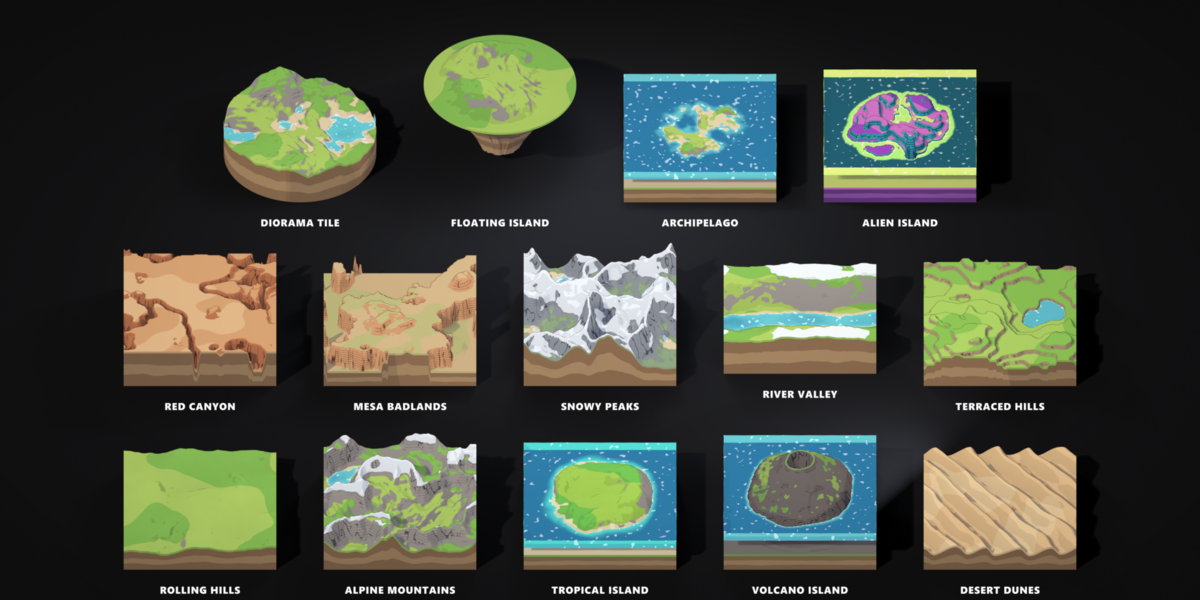
Each preset combines a terrain shape with its own colors, water, snow and edge. Change the seed for a new terrain of the same kind, or use a preset as the starting point for your own.

A whole year in one slider
Move Season from spring through summer and autumn to winter. Fresh green turns into orange and red, the snow comes down to the shore while the cliffs stay bare, and lakes and rivers freeze over. Every preset, every look.


Keyframe the slider from 0 to 4 and the year loops: for turntables, timelapses or a game menu that changes with the season.
What you can do with it
Pick a shape
Hills, ridged mountains, wind rippled dunes, carved canyons, flat topped mesas, volcanoes with a crater, U shaped valleys and alien rock spires with crater rings.
Shape it further
Feature size, roughness, ridges, warp and terraces. Water erosion lets rain carve gullies between sharp ridges, sediment fills the valleys. Height is always the real height in metres.
Islands, tiles and seamless worlds
An island falloff with a noisy coast, flat edges, round tiles with a clean rim, and seamless noise where opposite edges match exactly for endless tiling.
Paint by nature
Grass with lighter patches, beaches along the water, rock with strata bands on the cliffs and a snow line. Hard comic borders or soft blends, flat or smooth shading.
Or paint it yourself
Weight paint rock, sand, grass, paths and snow exactly where you want them. The paint stays in place when you change the shape or the look.
Sculpt it by hand
Raise a peak or dig a lake with Blender's sculpt brushes. The terrain follows after every stroke, and your sculpt stays when you change the shape, the seed or the preset.
Add water
A sea level with moving waves, depth colors, shore foam and an optional glow. Lakes fill every hollow below the water line.
Build a diorama
A closed base with soil layers and water walls at the rim. Taper the layers and the tile becomes a floating island with a rocky underside.
Use your own heightmap
Load any grayscale image and blend it with the noise. Water, colors, terraces and paths work on top of it.
Pick from variants
One click shows eight new versions of your terrain around it. Click the one you like, it takes over.
Stay non-destructive
Every terrain is a Geometry Nodes modifier. Change the seed, the preset or the look at any time.
Bring your own textures
Give grass, sand, rock and snow an image of your own in the Stylized Realistic look, box mapped so cliffs never stretch.
Paths, rivers and stamps
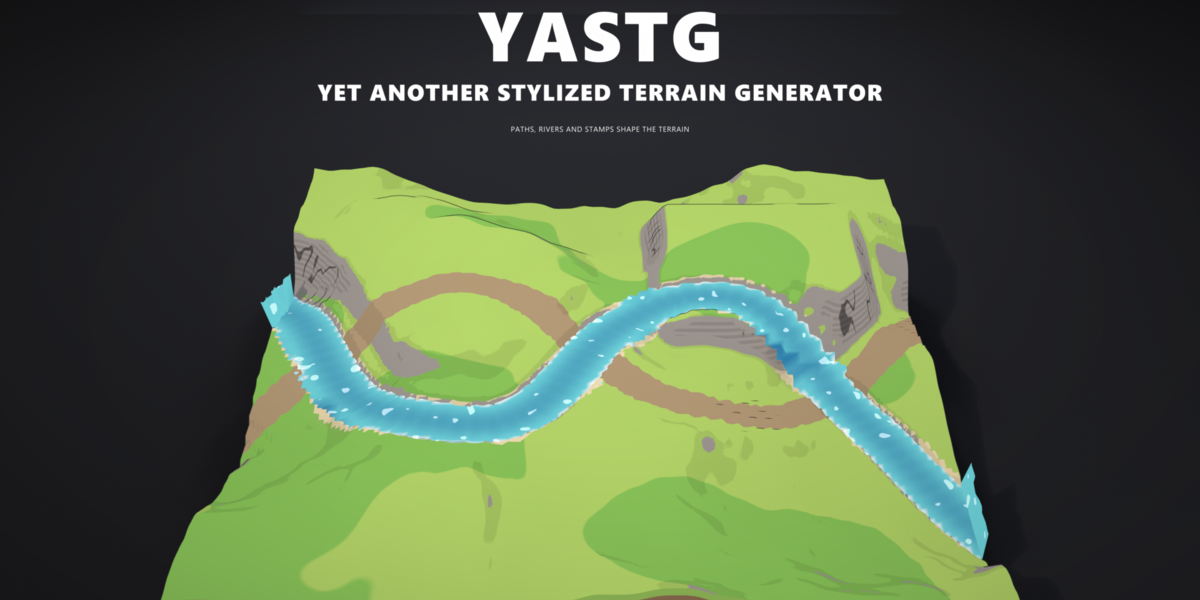
Draw a curve and the terrain follows. A Path becomes a flat dirt road, a River carves a bed and fills it with its own water, and a Stamp mesh flattens, raises or lowers the ground for building plots, plateaus and ramps. All three stay live: edit the curve and the terrain updates.

From one tile to a whole world
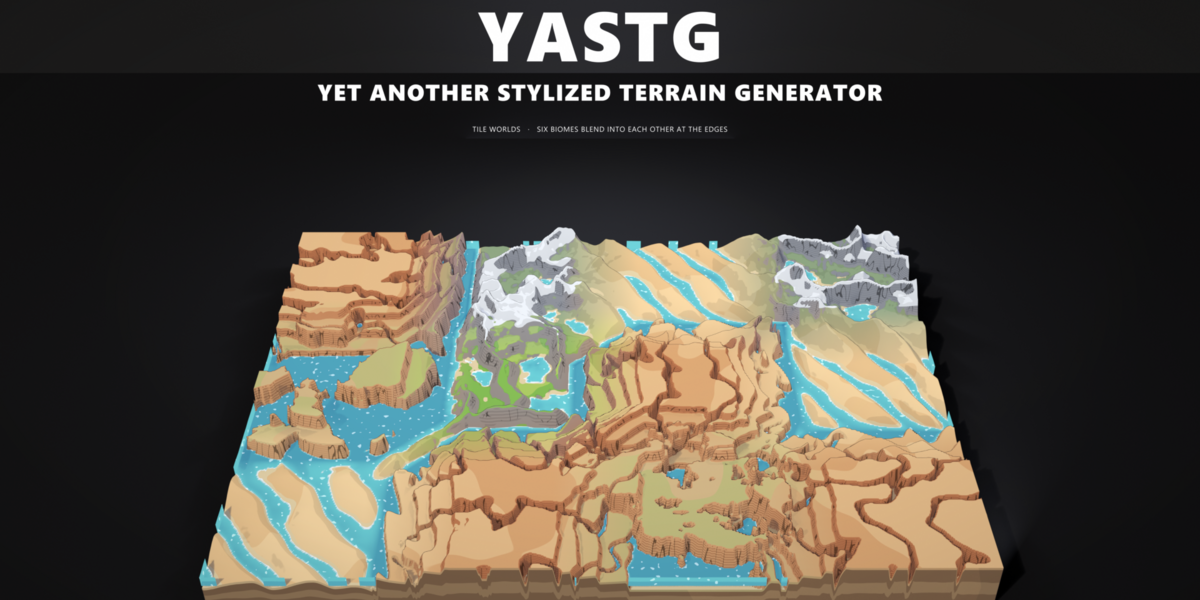
Build World lays out a grid of tiles with different biomes: desert, grassland, mountains, canyons, snow. Near the edges every tile blends its shape, height and colors into its neighbours, so dunes run into meadows and meadows climb into peaks, and the tiles meet exactly. Each tile stays its own terrain: change its biome, sculpt it, paint it and export it with chunks and LODs.

Worlds that are not of this world
The Alien Island preset grows banded rock spires and crater rings on purple ground, with cyan crystal frost on the peaks, acid yellow shores and a glowing lagoon. Every color is a setting, so lava worlds, frozen planets or candy lands are a few clicks away.


The YASTerrain tab in the sidebar: preset, look, guides and the most used settings in one place.

All presets and Tile World in Add, Mesh, YASTerrain.
Game ready, two ways
Press Export Game Ready for meshes, or Export Heightmap for your engine's own terrain system.
Meshes (GLB or FBX)
- LODs rebuilt from a coarser grid, not decimated
- Chunks for streaming large worlds, seamless at the borders
- Collision mesh named so your engine picks it up
- Vertex colors included, no textures needed
- Or baked color and normal textures with the sharp layer borders, shared by every chunk and LOD
Heightmap
- 16 bit PNG for Unreal and Godot, 16 bit RAW for Unity
- Engine sizes from 257 to 4033 pixels
- RGBA splatmap: grass, rock, sand and path, snow
- A text file with the exact import scale for both engines
| Engine | Levels of detail | Collision |
|---|---|---|
| Unity | Island_LOD0 to LODn under one parent, picked up as a LOD Group | Island_Collider |
| Unreal | Island, Island_LOD1 to LODn | Complex collision as simple |
| Godot | Island (Godot builds its own levels) | Island-colonly |
| Other | Island_LOD0 to LODn | Island_Collision |
Requirements
- Blender 4.5 LTS or newer, tested with 4.5, 5.0, 5.1, 5.2 and 5.3
- EEVEE for the comic cel shading. Cycles renders the comic look as PBR
- Nothing else to install: pure Python and Geometry Nodes, fully procedural
Installation
- Download yasterrain-1.0.0.zip
- In Blender open Edit, Preferences, Get Extensions, then Install from Disk and choose the zip
- Press N in the 3D viewport and open the YASTerrain tab