 Zanden Gremlin Studios


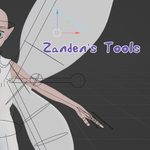
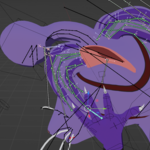
Zanden's Tools for Blender
Version 1.1.6 | Compatible with Blender 3.0+
A growing collection of practical Blender tools designed to eliminate repetitive tasks and speed up character creation, rigging, weight painting, morph management, and everyday workflow.
Why You'll Want It
Spend less time clicking through repetitive menus and more time creating.
Zanden's Tools combines dozens of common production tasks into a single sidebar panel, letting you perform complex operations with only a few selections and a click.
Highlights include:
- Transfer shape keys to clothing and hair, even with different topology
- Transfer vertex groups to multiple objects without leaving temporary modifiers
- Create and manage bone constraints in bulk
- Automatically weight selected bones instead of an entire armature
- Instantly switch Blender modes
- Quickly reconnect shader node groups
- Refresh linked assets without reopening your file
Every tool exists because it solved a real problem during production.
Features
Character & Morph Tools
Morph Transfer
Transfer all relative shape keys from a character to selected clothing or hair, even when the meshes have different topology.
Features:
- Supports multiple target objects simultaneously
- Updates existing shape keys with matching names
- Creates missing shape keys automatically
- Preserves names, slider limits, interpolation settings, and relative-key relationships
- Leaves transferred values at zero so clothing doesn't automatically morph
Simply select the clothing or hair first, Shift-select the character last, then click Morph Transfer.
Group Transfer
Transfer all vertex groups from a character to clothing or hair using Blender's Nearest Face Interpolated method.
Features:
- Supports multiple target meshes
- Creates missing vertex groups automatically
- Permanently applies transferred weights
- Removes temporary Data Transfer modifiers automatically
Select the clothing first, Shift-select the source character, and click Group Transfer.
Rigging & Animation
Bulk Constraint Creation
Create Copy Rotation, Copy Location, and Copy Scale constraints across multiple bones in one operation.
Constraint Settings Manager
Copy and apply consistent constraint settings to selected bones.
Transform Lock Manager
Quickly lock, unlock, reset, or copy Location, Rotation, and Scale settings for pose bones.
Custom Shape Manager
Bulk-edit custom bone shapes with transform overrides.
Weight Painting
Auto Weight Selected Bones
Apply automatic weights to only the bones you choose instead of recalculating the entire armature.
Weight Transfer Tool
Transfer vertex weights from one mesh to multiple target meshes simultaneously.
Workflow Tools
Quick Mode Switching
Instantly switch between:
- Object
- Edit
- Sculpt
- Vertex Paint
- Weight Paint
- Texture Paint
- Pose
Reload Linked Assets
Refresh linked assets without reopening your project.
Node Linker
Automatically connect shader node group outputs to matching material inputs, making large shader setups much faster to build and maintain.
Included Panels
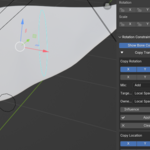
All tools are located inside the Zanden's Tools tab in Blender's 3D Viewport sidebar.
Press N to open the sidebar.
Panels include:
- General Tools
- Weight Tools
- Rotation Constraints
- Lock/Unlock Transforms
- Custom Shape Settings
Perfect For
Zanden's Tools is especially useful for:
- Character artists fitting clothing and hair
- Riggers managing large armatures
- Technical artists working with shader node networks
- Animators creating and managing constraints
- Blender users looking to replace repetitive setup with one-click operations
Installation
- Download the ZIP file.
- Open Edit → Preferences → Add-ons.
- Click Install and select the ZIP file.
- Enable Zanden's Tools.
- Open the 3D Viewport sidebar with N and select the Zanden's Tools tab.
Requirements
- Blender 3.0 or newer
- No external dependencies
Ongoing Development
Zanden's Tools is actively developed and used in real production workflows. Every feature is created to solve a practical problem, thoroughly tested before release, and future updates will continue adding new workflow improvements.
Support
Questions, bug reports, and feature requests are always welcome.
Created by Zanden
Built by an artist, for artists who'd rather spend time creating than repeating the same clicks.
