 WMDev
WMDev



Zeed Tools is a Blender toolkit featuring precise mesh cutting and slicing tools, efficient organization by material groups, advanced crease control, and fast panels creation — all designed to speed up and enhance your workflow.
📢 v1.0.7 Release – 2026-01-21
- Added an "Auto Fix Overlap" option to the Panel Loops Menu.
When enabled (default), it automatically fixes bevel artifacts on very dense meshes.
Video tutorials
👉 Dynamic Subdivision demonstration (added in 1.0.6)
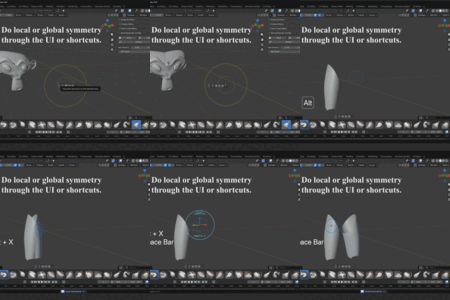
👉Symmetrize Tool demonstration (added in 1.0.4) - Added a new tool for performing **local and global mesh symmetrization** in Object Mode, Edit Mode, and Sculpt Mode.
👉Full video tutorial here ( Tutorial for 1.0.3)👈
👇👇👇See the Tools in Action 👇👇👇
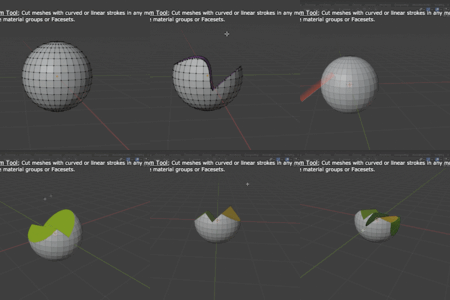
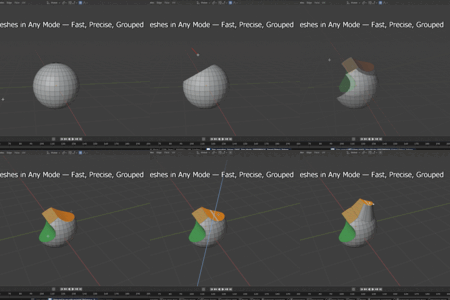
Curve TrimCut meshes with curved or linear strokes in any mode (object mode, edit mode, sculpt mode) and create material groups or Facesets.
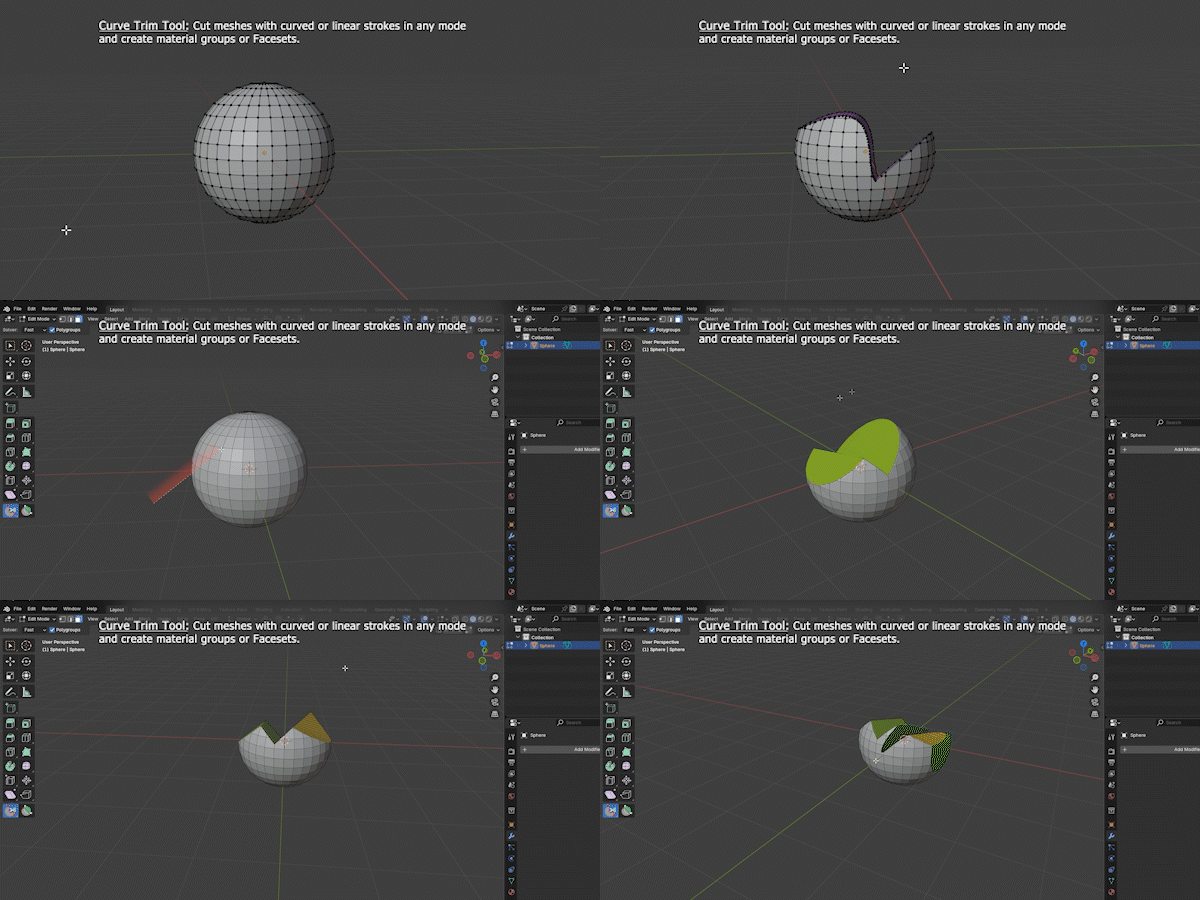
Curve Trim(classic Blender style)
Besides cutting the mesh and creating groups in any mode, it can be used in Union mode (generates a mesh in the shape of the drawing and merges it with the current mesh) or Intersect mode (removes all mesh areas outside the drawing).
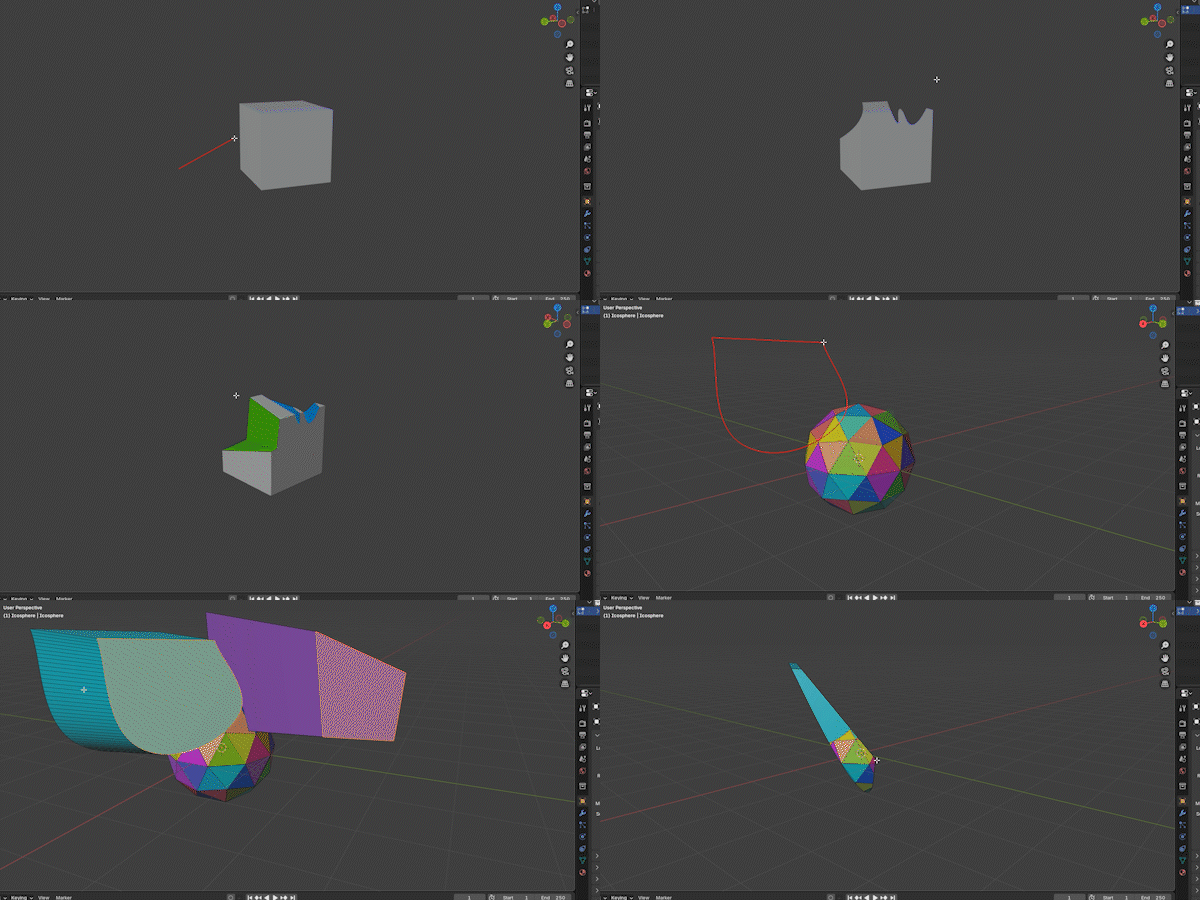
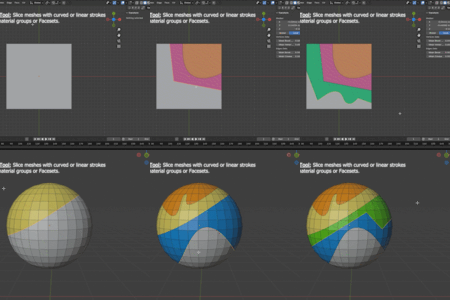
Slice Curve Tool
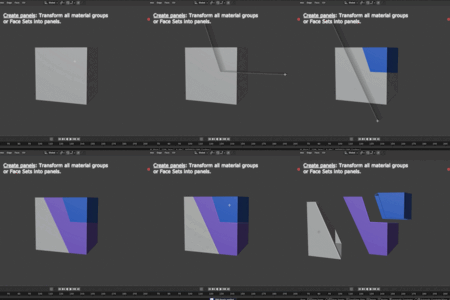
Slice the mesh with curved or linear strokes and create material groups or Face Sets.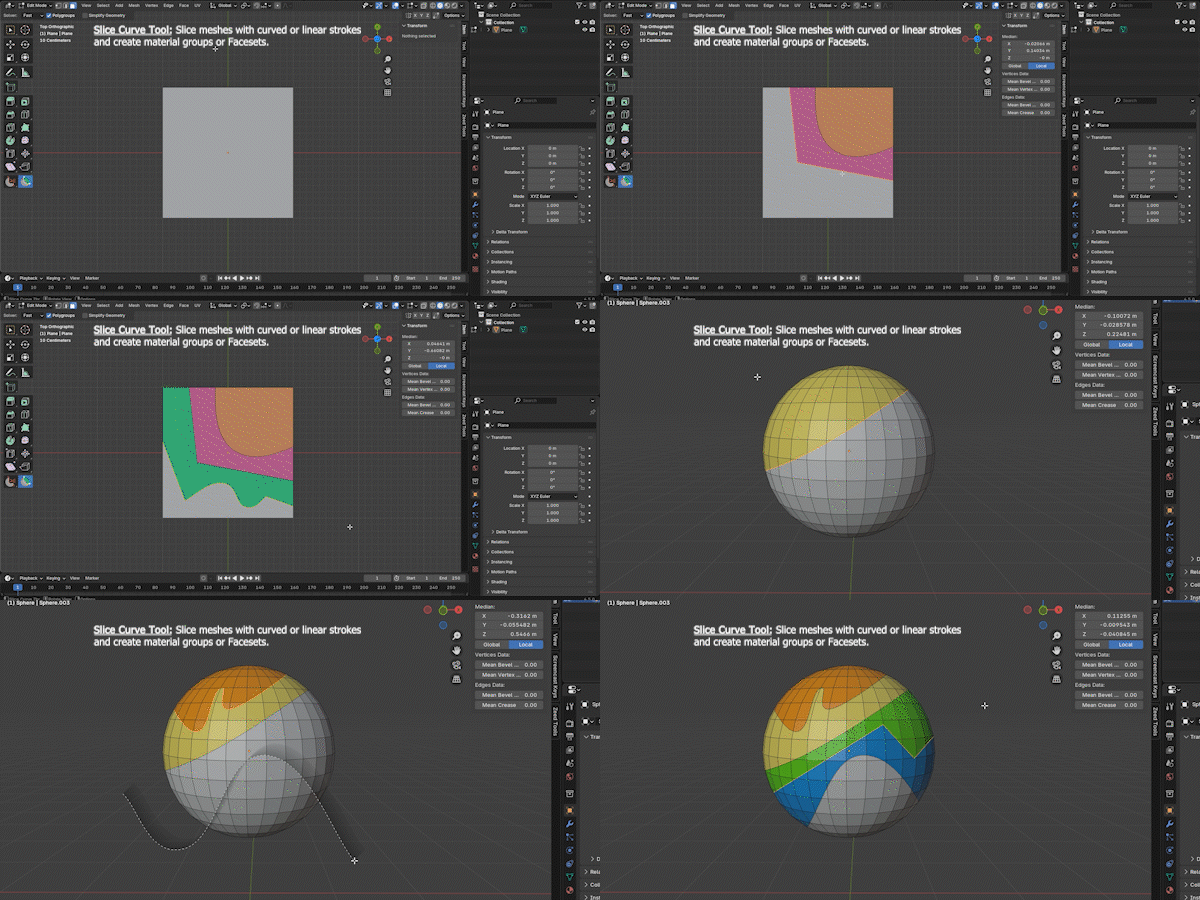
Panels
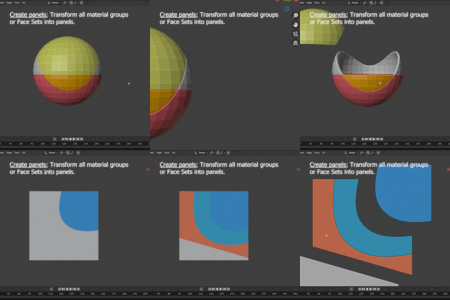
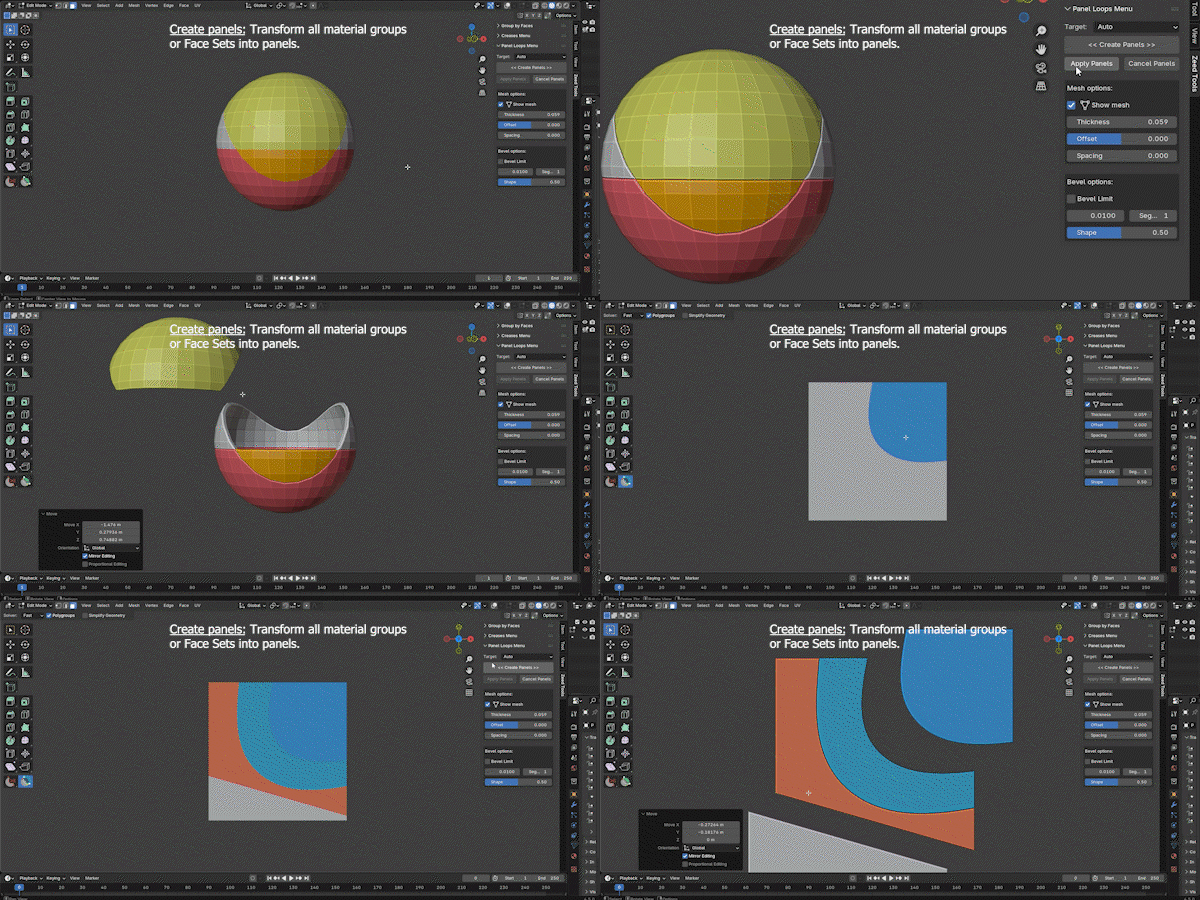
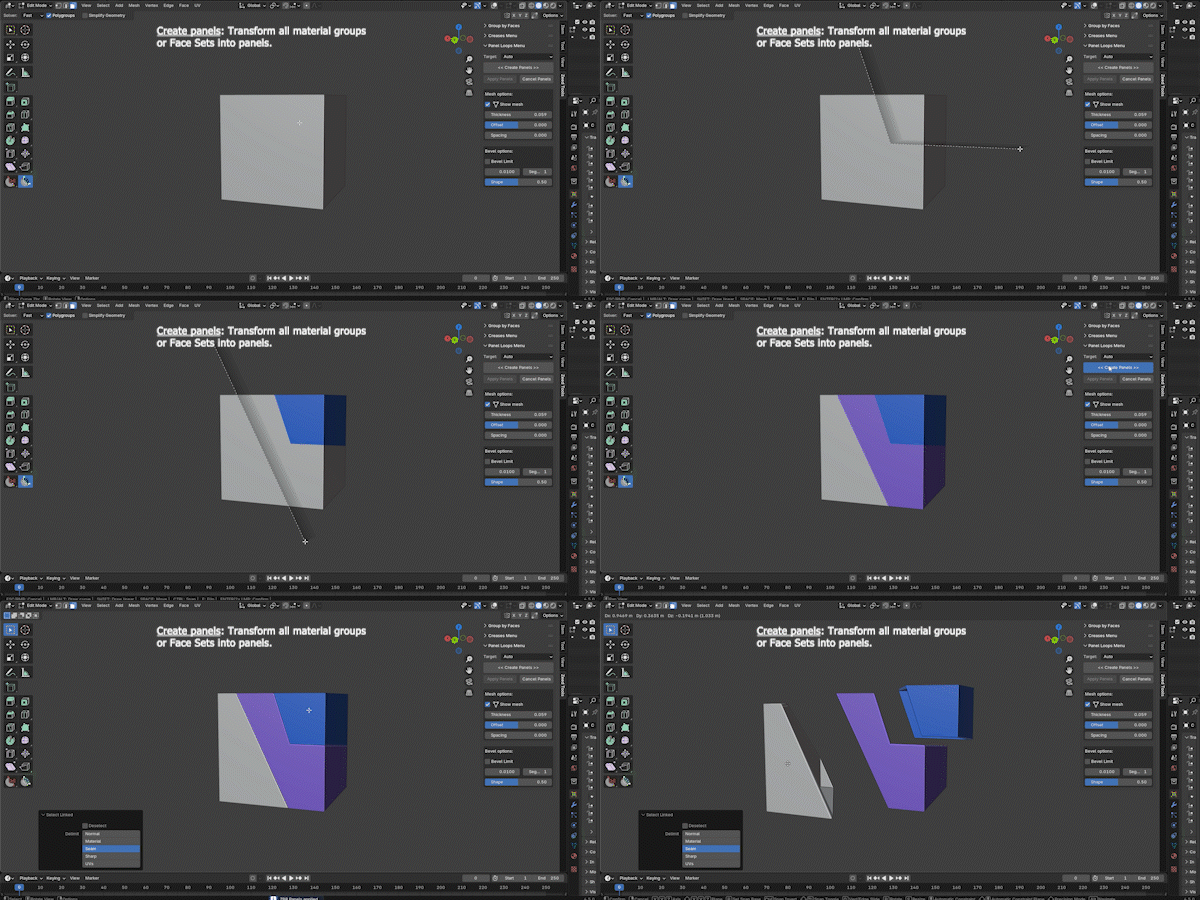
Create panels with a single click — turn material groups or Face Sets into panels. You can also use the Slice Curve Tool to slice the mesh and instantly convert it into panels.
Group faces
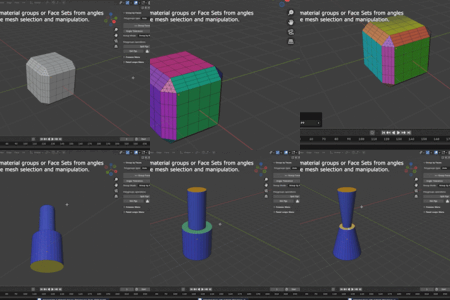
Generate material groups or Face Sets based on edge angles, allowing you to select and edit the mesh with precision and speed.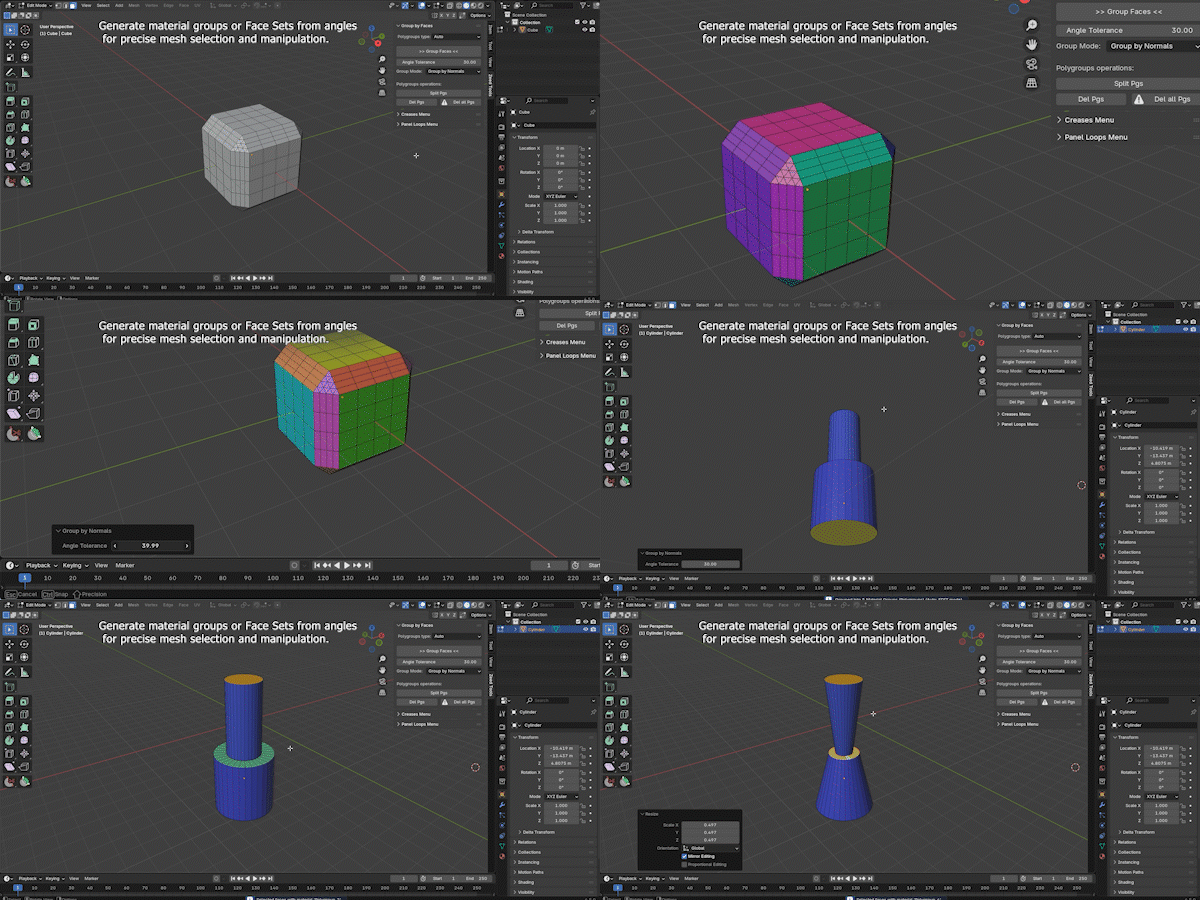
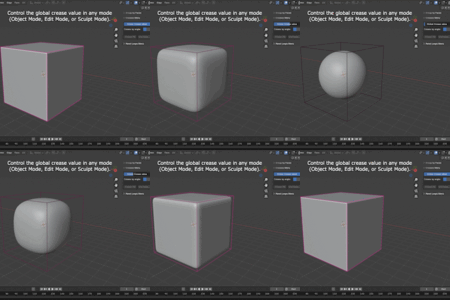
Global crease control
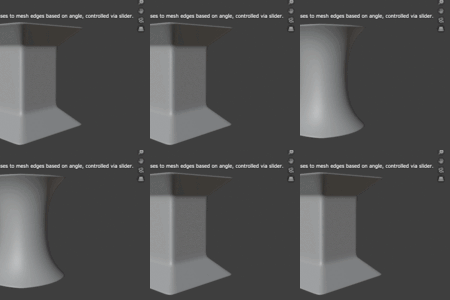
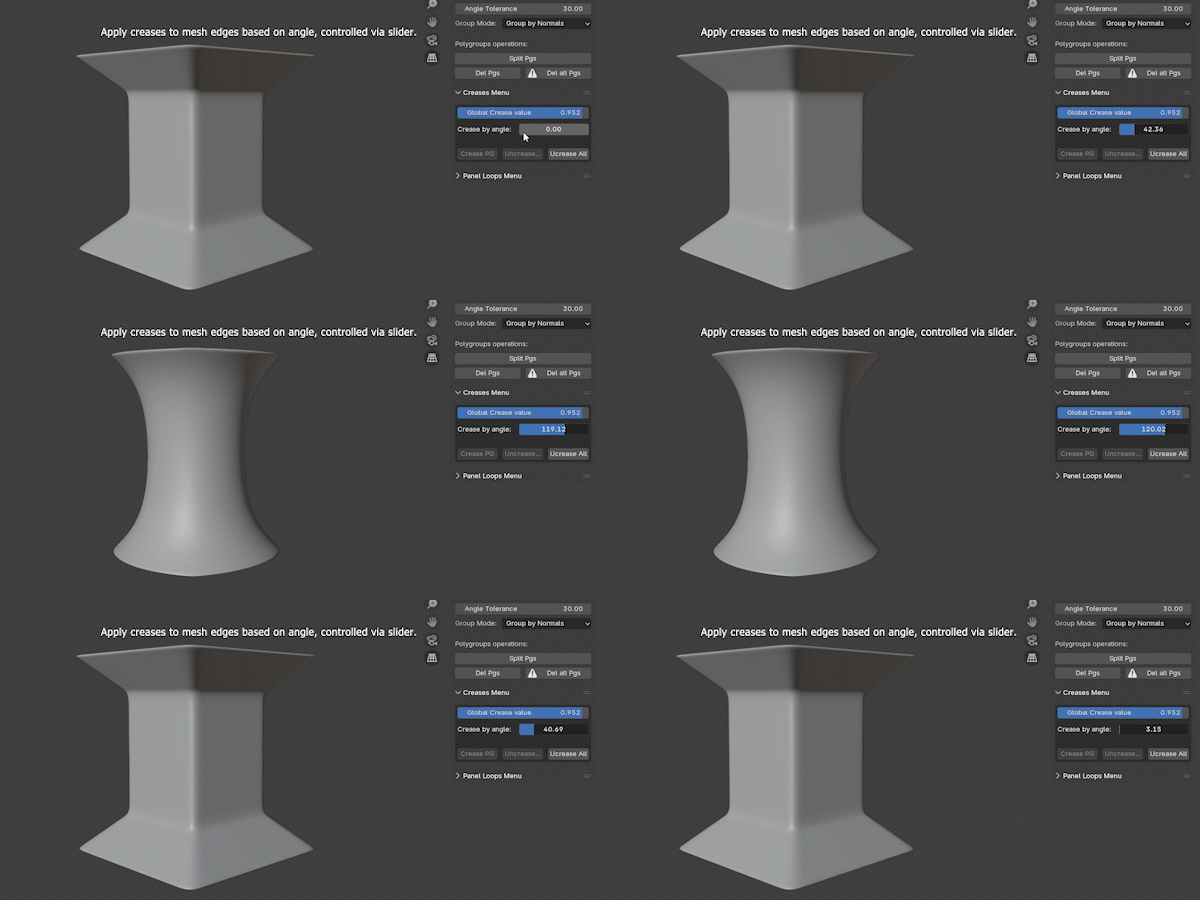
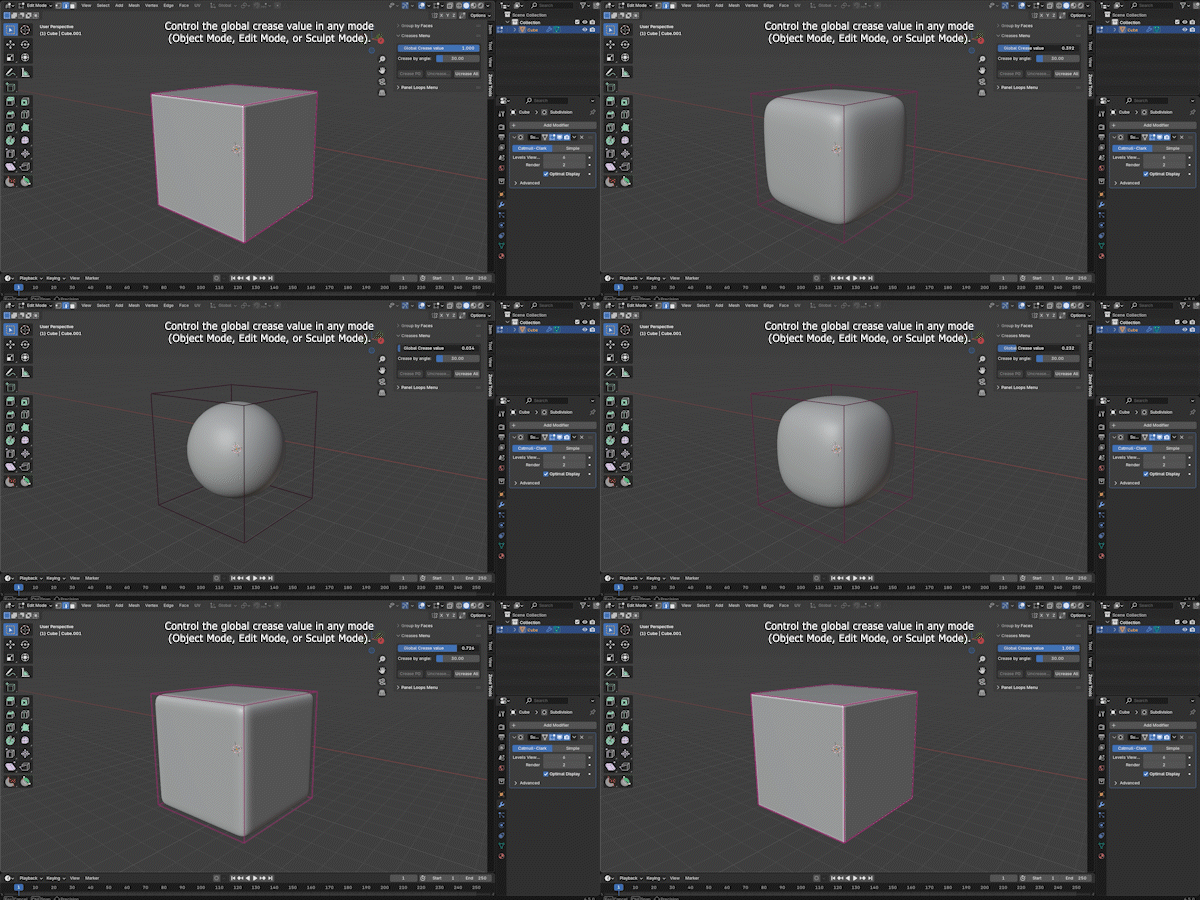
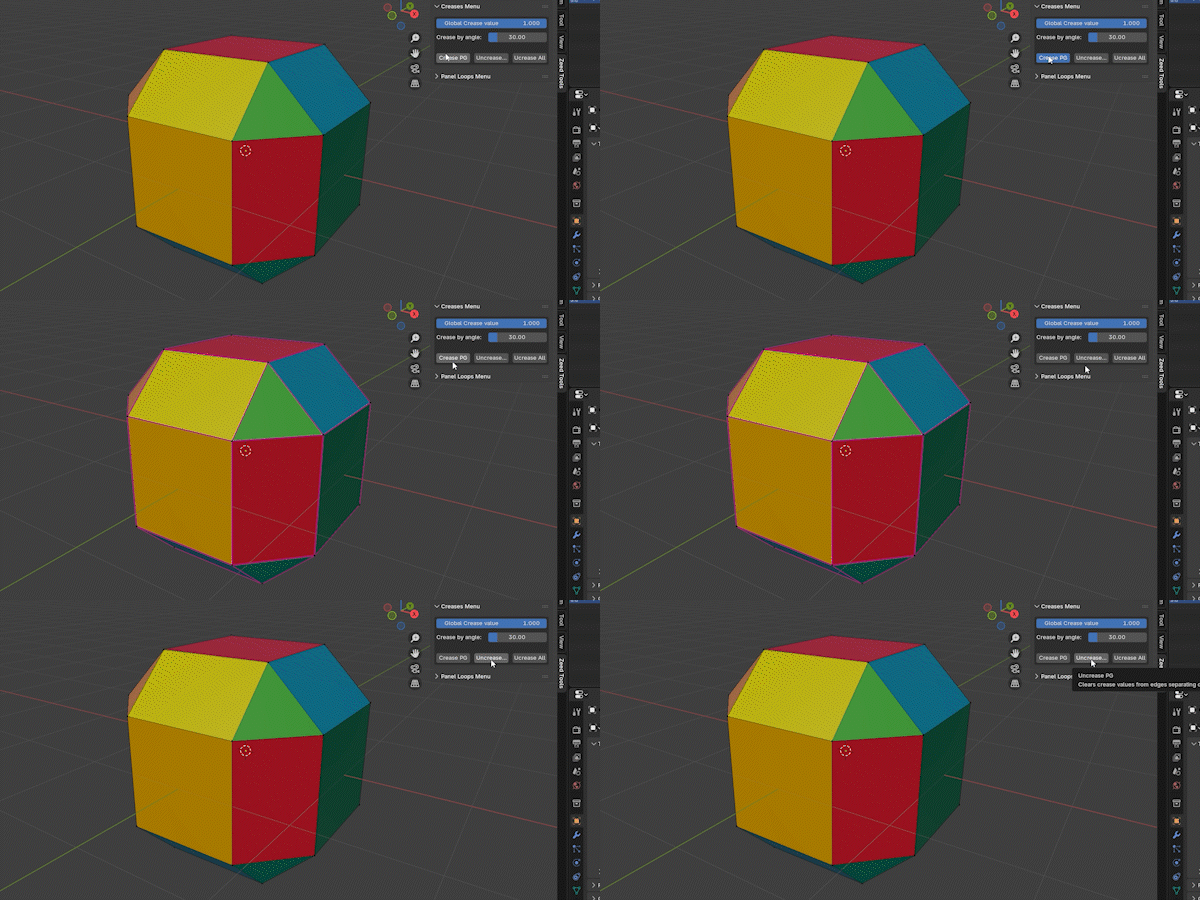
Control the global crease value and add or remove creases on an object based on edge angles. You can also apply creases directly to material groups and Face Sets.
Local & Global Symmetry — via UI or hotkey
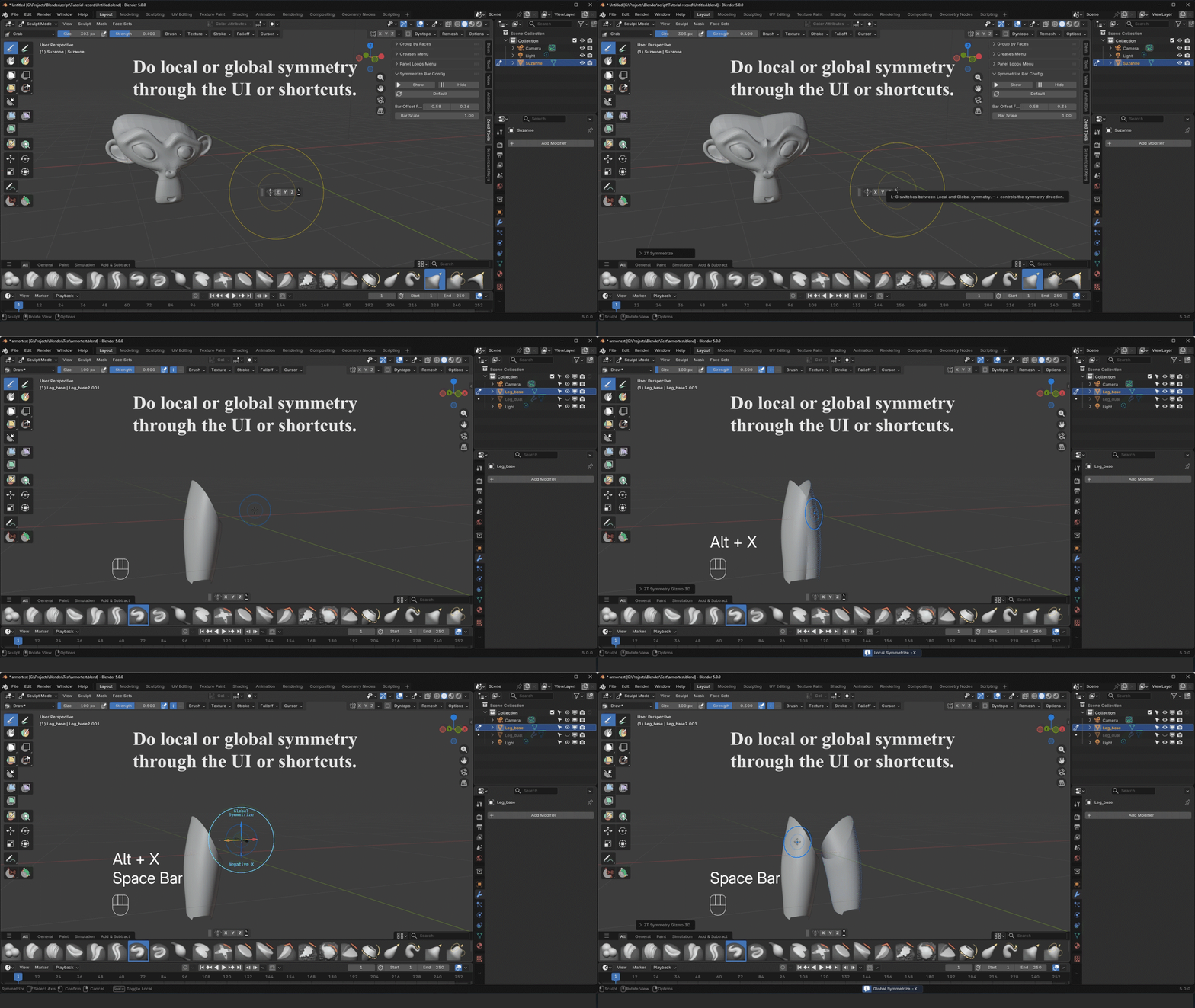
Make local and global symmetry available in Object, Edit, and Sculpt mode, accessible through the symmetry bar or a hotkey.
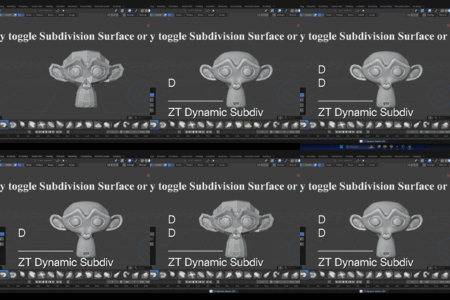
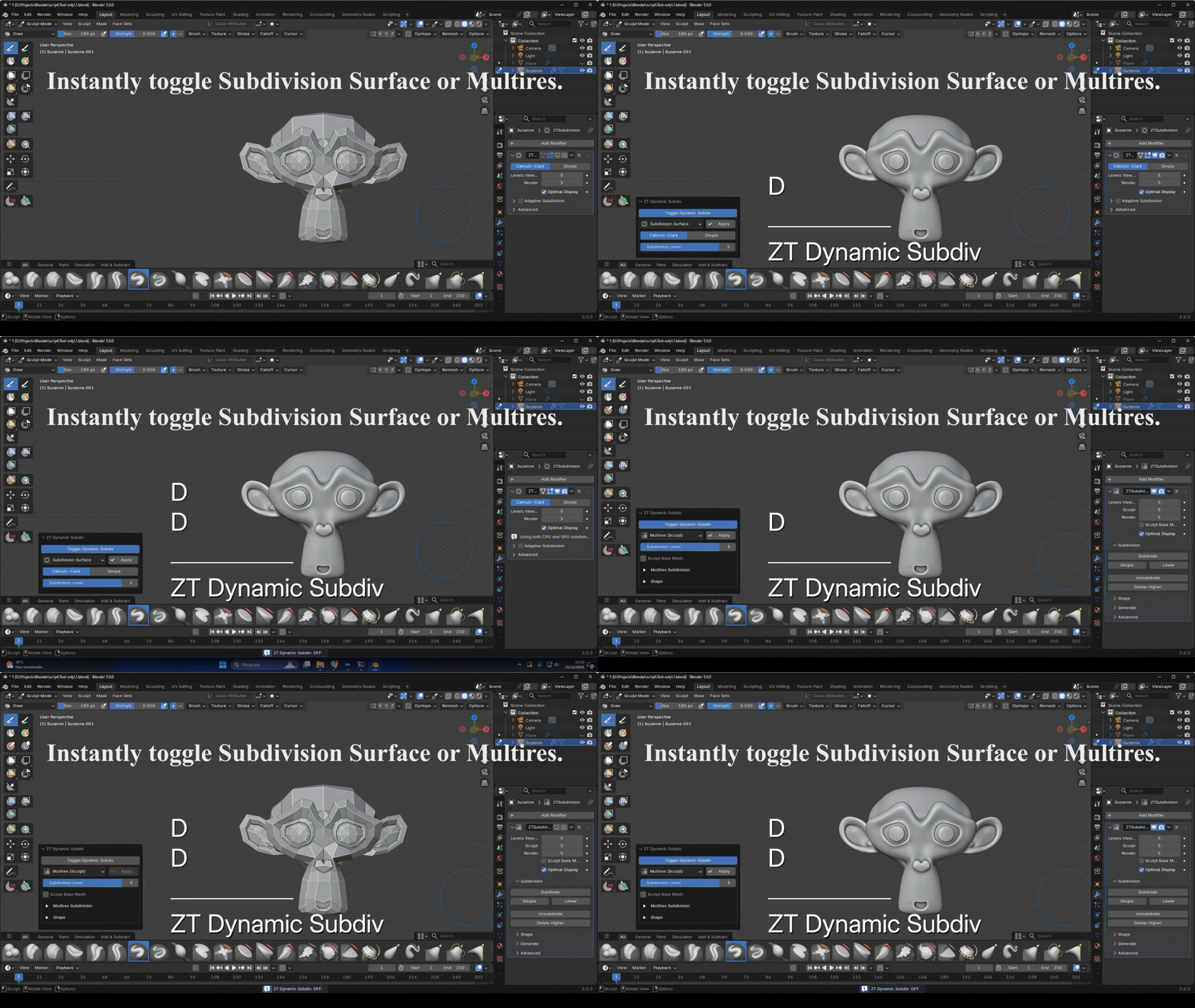
Dynamic Subdivision
Instantly toggle Subdivision Surface or Multires to sculpt with speed and flexibility..
## Zeed Tools - Changelog
v1.0.7 (2026-01-21)
Added
Added an "Auto Fix Overlap" option to the Panel Loops Menu.
When enabled (default), it automatically fixes bevel artifacts on very dense meshes.
v1.0.6 (2025-12-12)
Added
Added a Dynamic Subdivision module inspired by ZBrush, allowing quick toggling of Blender’s Subdivision Surface or Multiresolution modifiers.
Fixed
Fixed an issue where enabling the 2D Symmetry Gizmo caused conflicts with Blender’s Orientation Gizmo.
v1.0.5 (2025-11-29)
Fixed
Fixed global symmetrization in Sculpt Mode when the active object was not selected in the Outliner
Fixed Curve Trim (Blender Style), Curve Trim ZBR and Slice Curve not working on objects with Shape Keys
v1.0.4 (2025-11-22)
Added
Compatibility with Blender 5.0
Local and global mesh symmetrization in Object, Edit and Sculpt Mode (default shortcut: Alt+X)
Outdated version indicator (red "Z") when "Check on boot" is enabled in preferences
v1.0.3 (2025-08-29)
Added
Support button in preferences that opens the support channel
Fixed"Group by Normals" operator not working when called from the Last Operator panel in Sculpt Mode
v1.0.2 (2025-08-23)
Added
Automatic update checker in preferences
New operators: Convert Materials ↔ Face Sets (Sculpt Mode → Face Sets menu)
Icons for all toolbar buttons/shortcuts
v1.0.1
Fixed
"Group Faces by Normals" failing on high-poly meshes after applying Solidify modifier
v1.0.0
Initial release
Initial release