 Sergey Tyapkin
Explore Zen Masters Add-ons






Build clean bevels without rebuilding your topology
Zen BBQ gives you precise, non-destructive bevel control, real-time shader previews, and a complete map-baking workflow directly inside Blender.
01
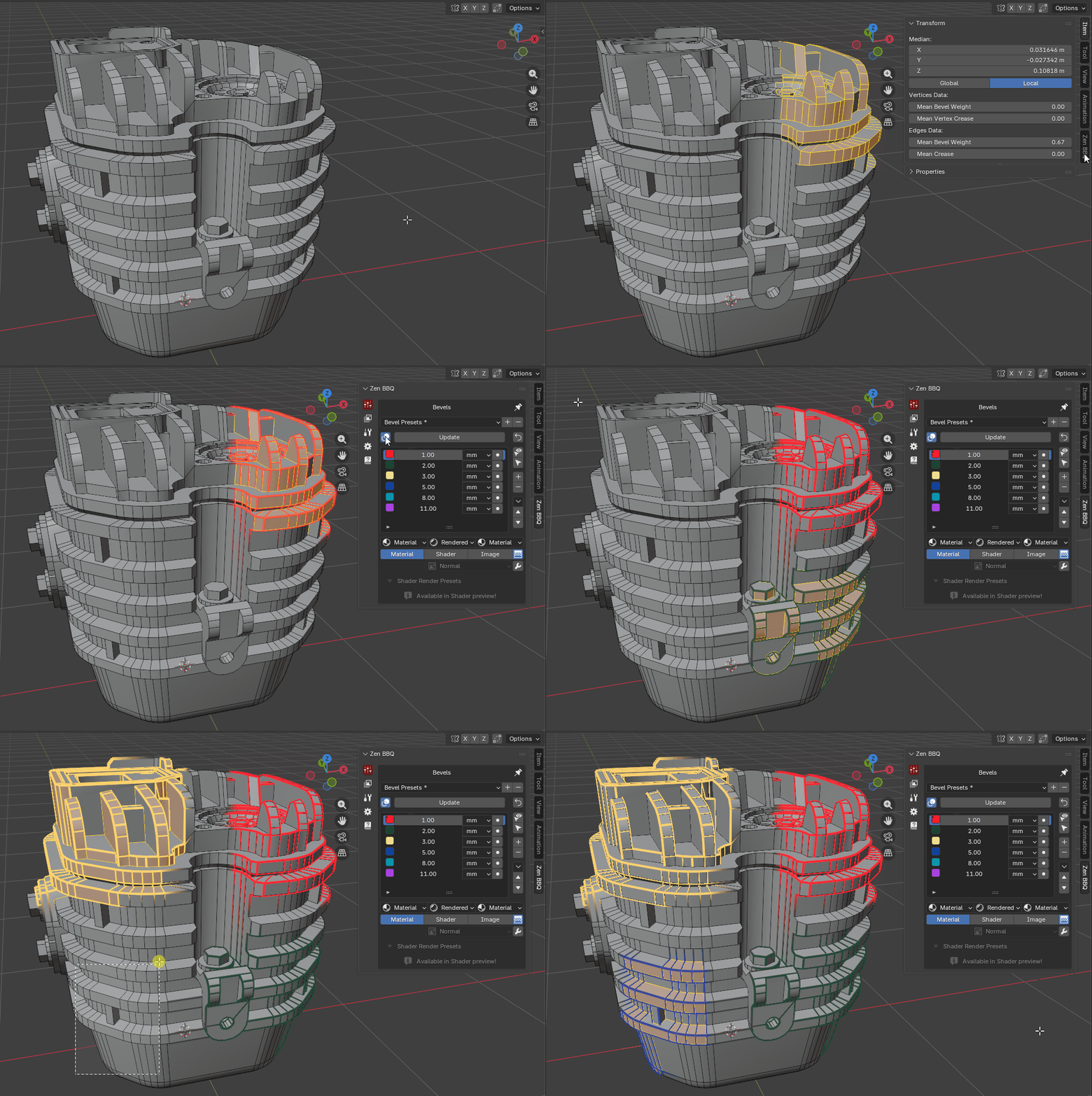
Assign precise widths
Control bevels per object, selected edges, or individual vertices using real-world units.
02
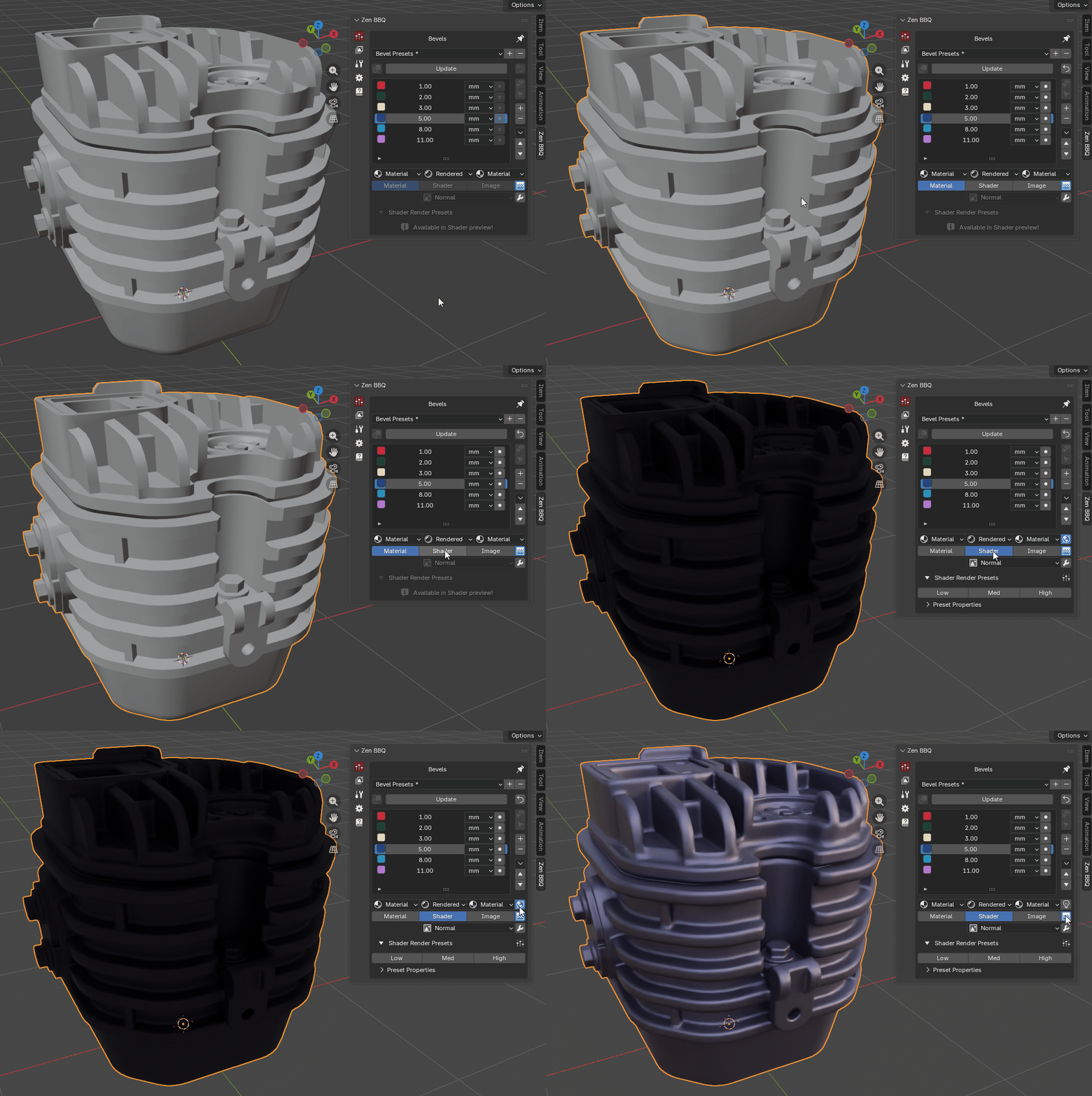
Preview instantly
Inspect procedural bevels, materials, diagnostic shaders, and baked images in the viewport.
03
Bake production-ready maps
Generate Normal, AO, Curvature, ID, bevel masks, and other maps without leaving Blender.
Core workflows
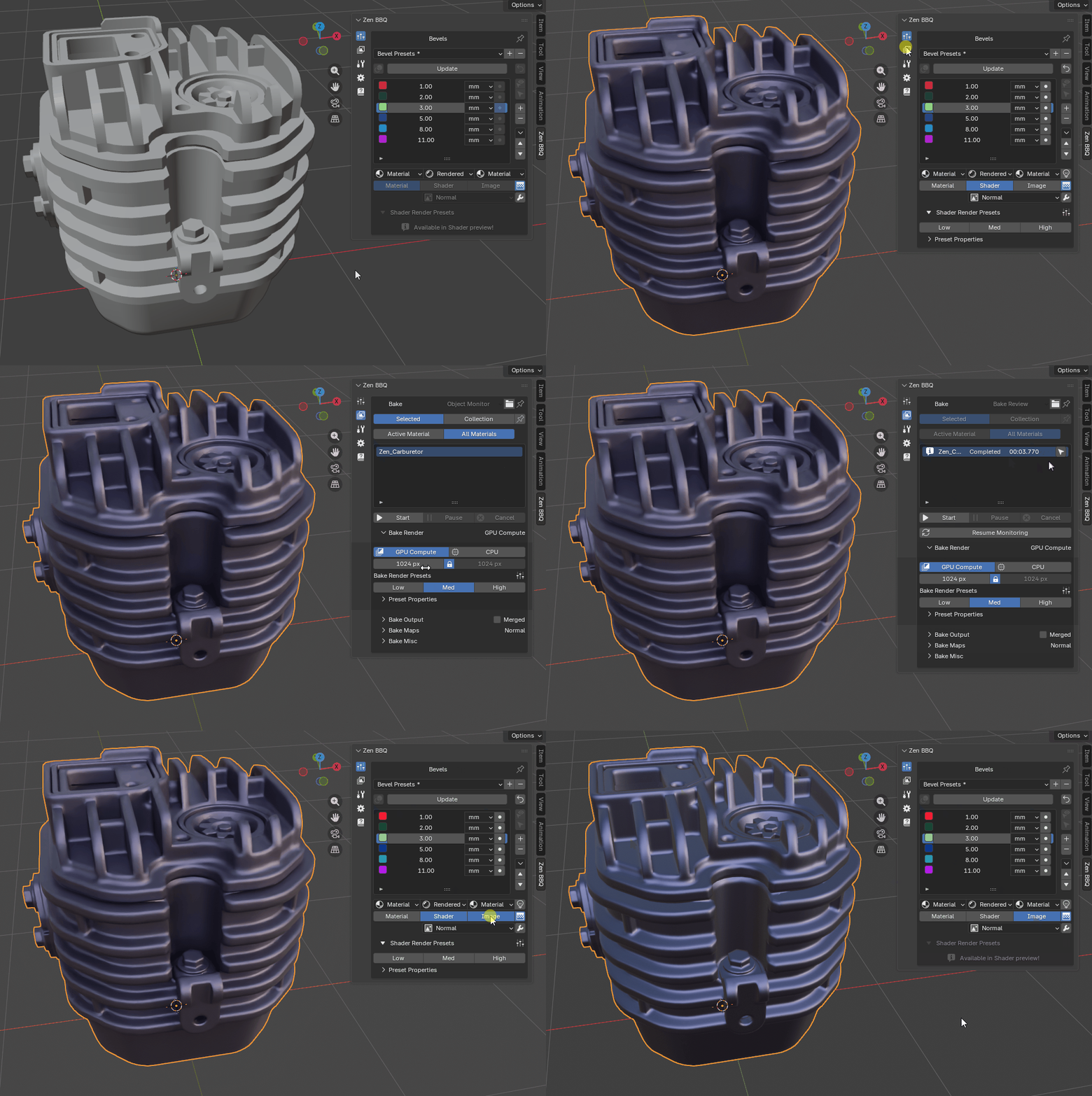
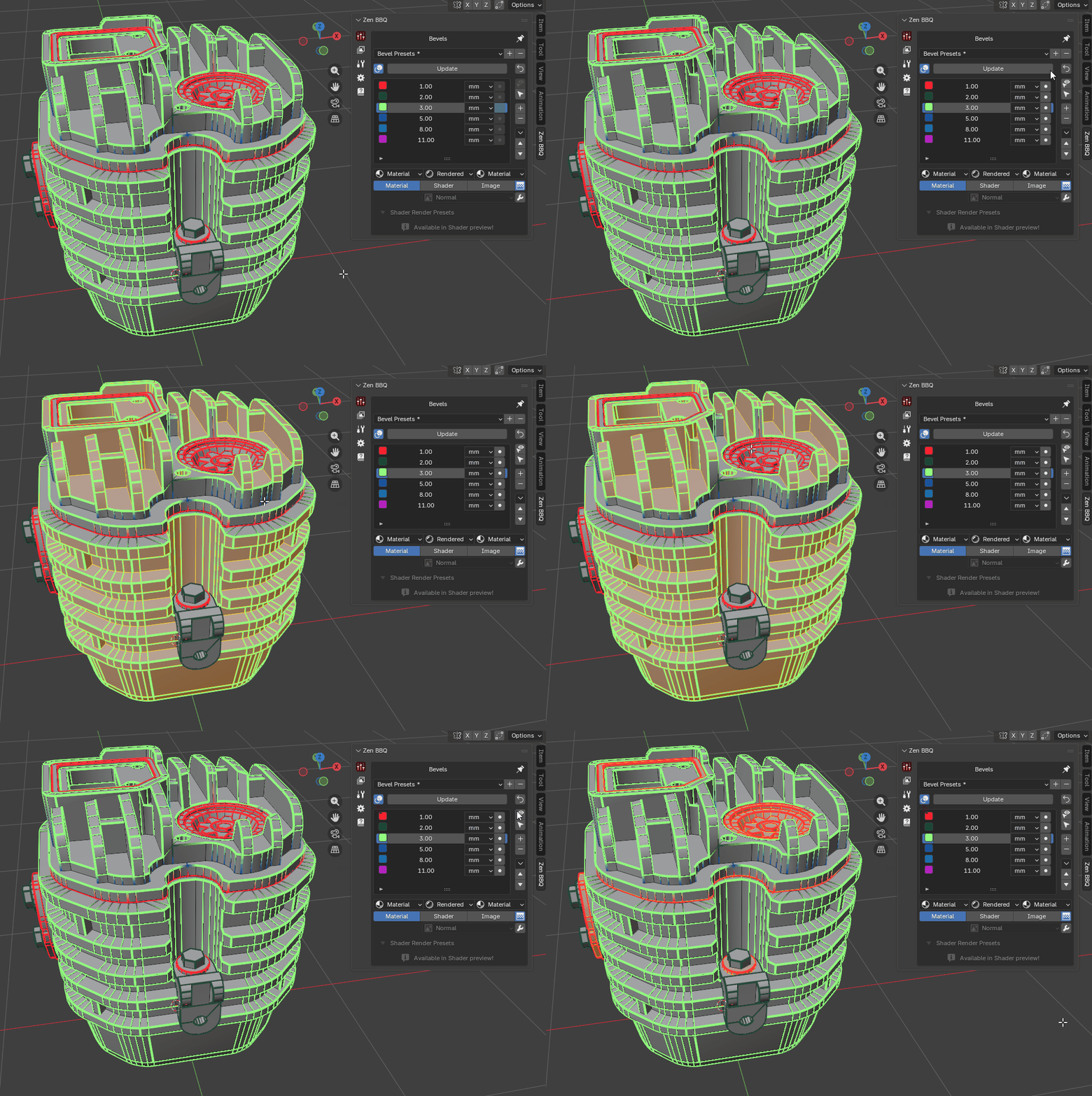
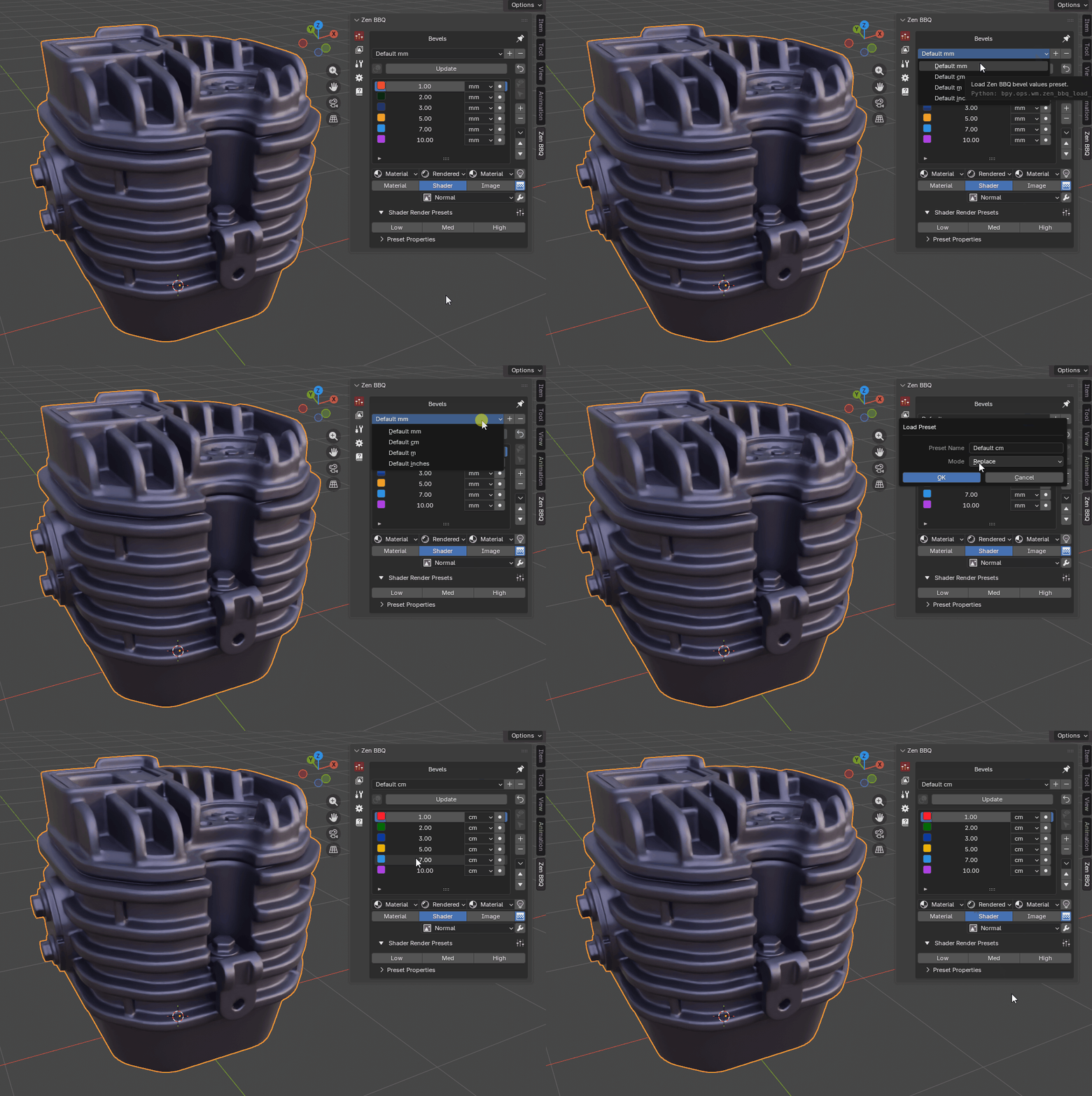
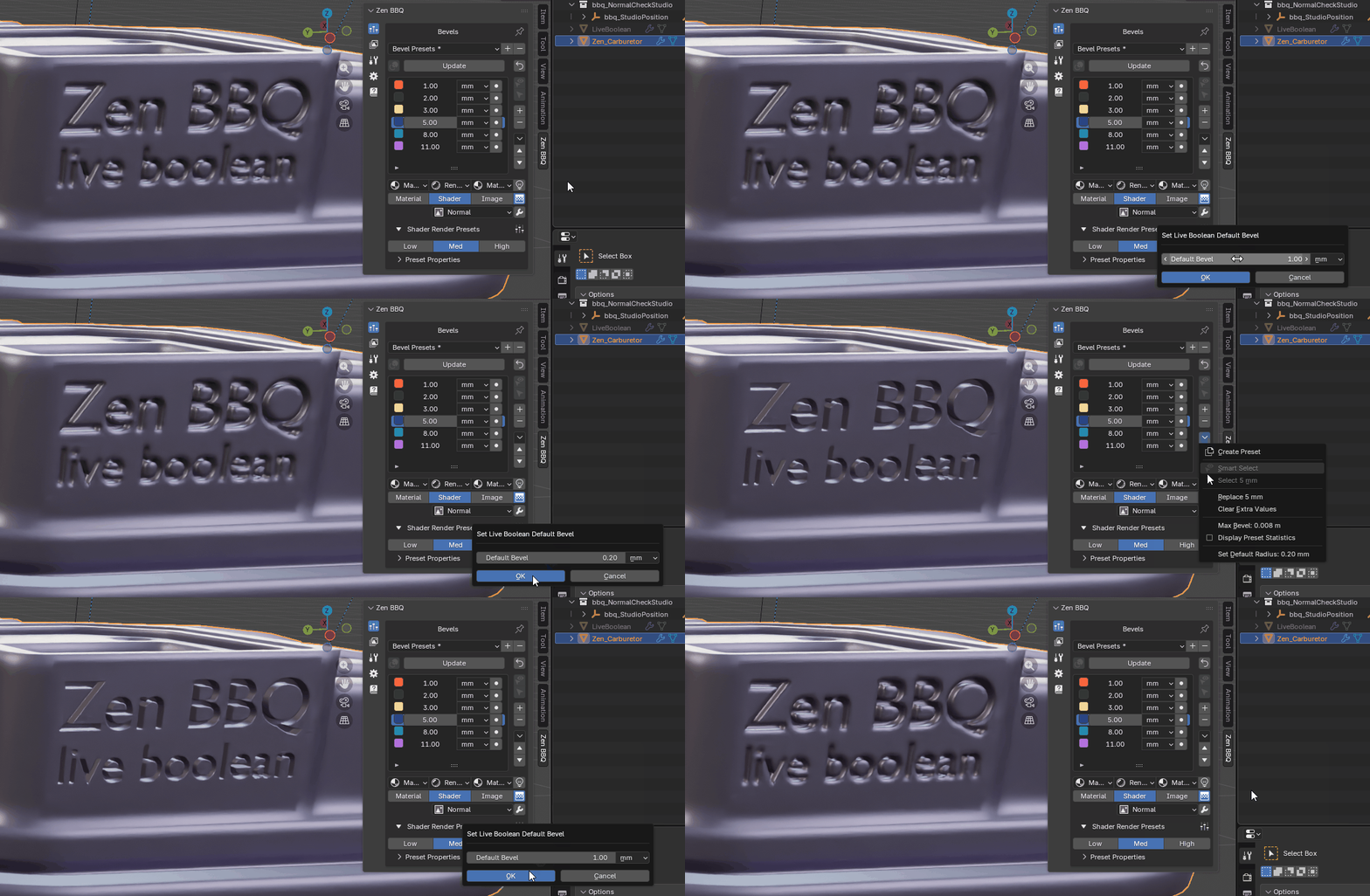
A complete bevel and baking toolkit
Move from fast bevel assignment to final texture maps without breaking your modeling workflow.
Bevel Control
Apply and edit non-destructive bevel values precisely while keeping the underlying geometry lightweight.
Object / Edge / Vertex Widths · Preset Groups · Real-World Units · Pie Menu · Smart Select
Viewport & Diagnostics
Preview the final look, inspect bevel assignments, and catch problems before baking.
Material Mode · Shader Mode · Image Mode · Color-Coded Overlay · Object Monitor
Baking Pipeline
Bake individual objects, collections, or shared texture sets with configurable quality and output rules.
Normal Maps · AO & Curvature · Convexity & Concavity · Bevel Mask · Parts & Material ID · Naming Templates
Normals & Export
Prevent bake artifacts, combine normal details, and carry variable bevel widths into external tools.
Explode System · Weighted Normals · Normals Mixer · Vertex Color Mask · Marmoset Toolbag Integration
Workflow Utilities
Keep hard-surface iteration fast from Boolean modeling through final presentation.
Live Boolean · Real Geometry Bevels · Studio Preview · Zen Multi-Panel · Mesh Tools
Latest Updates
See the redesigned Zen BBQ 2.0 workflow, baking system, preview modes, and production tools in action.
Help and resources
Explore tutorials and release notes, install Zen BBQ, browse the complete manual, or get help from the support forum.
YouTube Playlist
Watch release videos, feature overviews, and workflow demonstrations.
Quick Start Guide
Learn how to assign bevels, preview the result, select presets, and bake maps.
Full Changelog
Browse the complete history of new features, improvements, compatibility updates, and fixes.
Installation
Install or update Zen BBQ and confirm that the add-on is ready in Blender.
Documentation
Browse every bevel, preview, baking, normals, and export workflow in the manual.
Support
Find answers, report issues, and get help from the Zen Masters support forum.
Looking for tools that work well alongside Zen BBQ? See the Zen Masters team's recommended add-ons.