 Sergey Tyapkin
Explore Zen Masters Add-ons






WINDOWS ONLY
Keep Blender’s System Console where you can see it
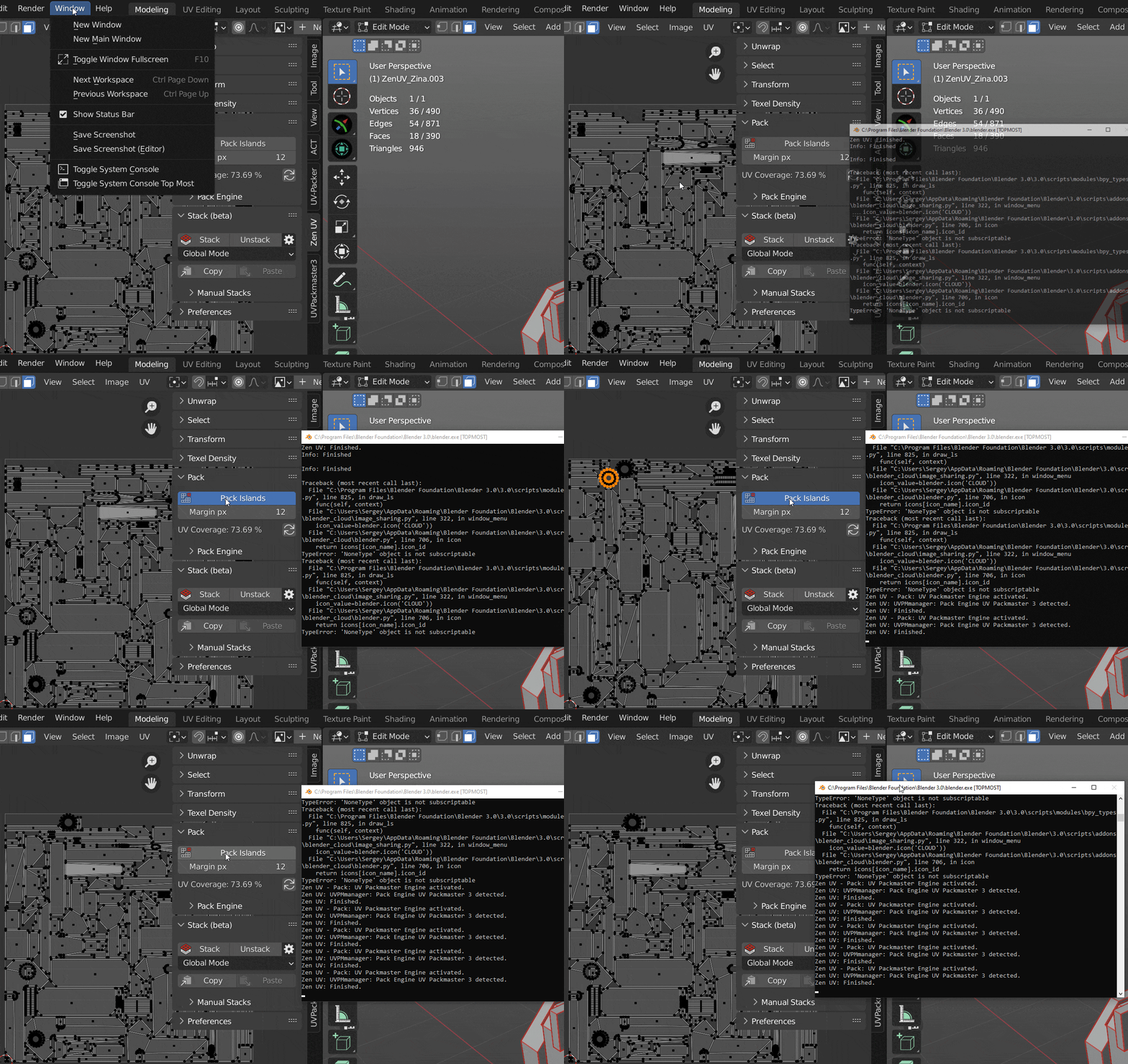
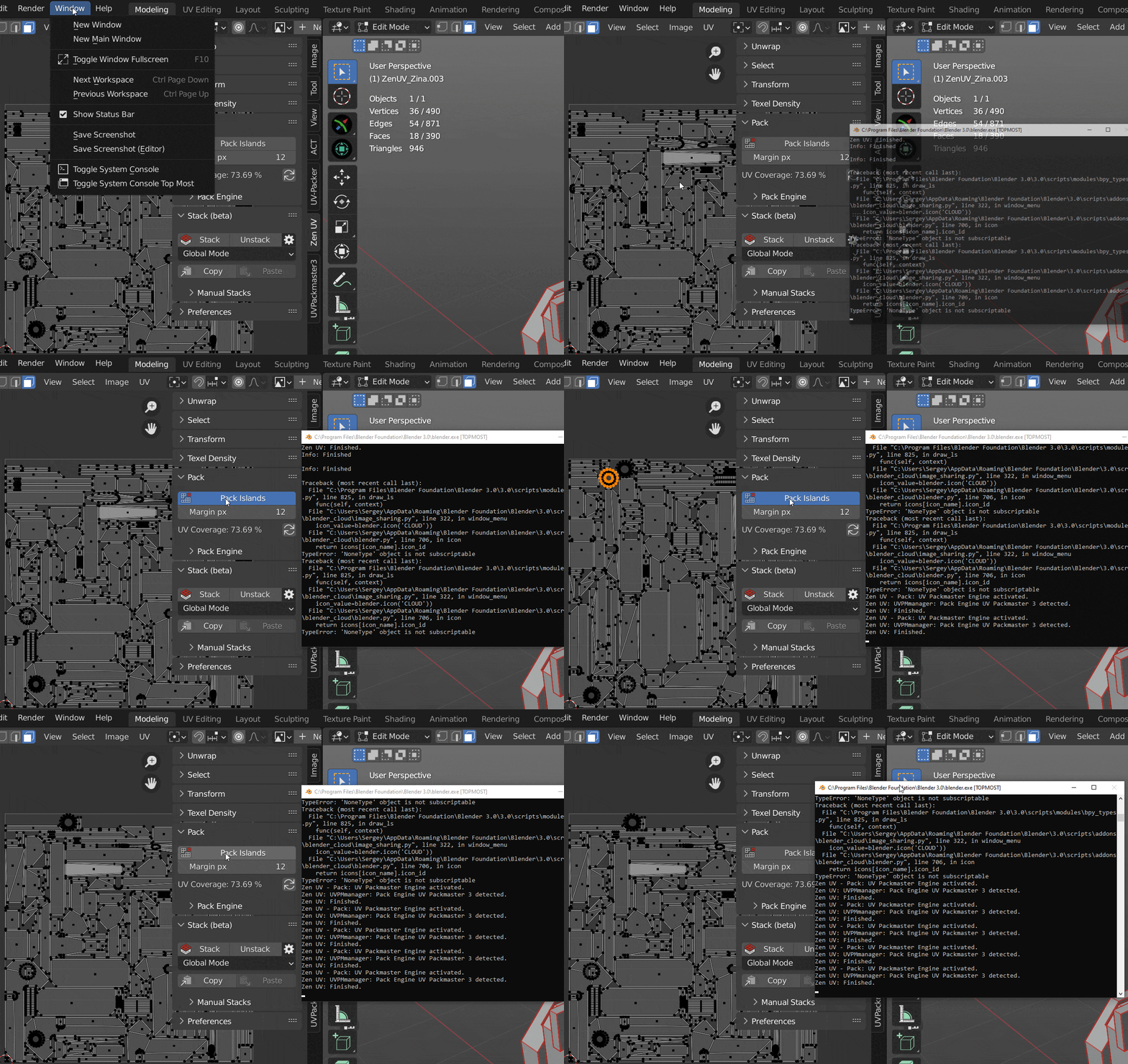
Console Top Most keeps the System Console above other windows and can restore saved Blender window dimensions when you switch scenes.
01
Console always visible
Keep logs, errors, and script output in view while you continue working in Blender.
02
Restore window layouts
Save and restore the size and position of the main Blender and Preferences windows.
03
Two direct commands
Both tools live in Blender’s Window menu and stay out of the way until you need them.
See it in action
How to use
Toggle the console
Use Window → Toggle System Console Top Most.
Save window dimensions
Use Window → Save & Restore Dimensions.
Take control of the rest of Blender
Pair this small Windows utility with focused Zen Masters workflow tools.
Zen Dock
Manage Blender areas with fast editor toggles and familiar window controls.
Help and resources
Recommended Add-ons
Discover Blender tools recommended by the Zen Masters team.