 chamiseul


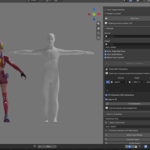
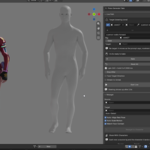
Type what a character should do. Get an animation in Blender.
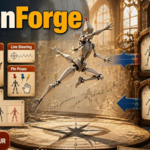
MotionForge runs NVIDIA's ARDY motion model next to Blender and keys the result onto a rig you can edit like any other. You can also steer the character live, pin poses it has to hit, move the motion onto your own character, and hand it straight to Cascadeur.
MotionForge Guide
What's new in 0.6.0
Updating from 0.5.0 or older: after installing 0.6.0, press Install / Update Engines in the add-on's preferences once. The MotionBricks runtime comes inside the add-on, and that button is what copies the new one into your Engine Folder; the person (SOMA Human) also needs it for its model and styles.
Updating from 0.5.0 or older: after installing 0.6.0, press Install / Update Engines in the add-on's preferences once. The MotionBricks runtime comes inside the add-on, and that button is what copies the new one into your Engine Folder; the person (SOMA Human) also needs it for its model and styles.
New
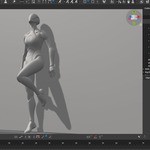
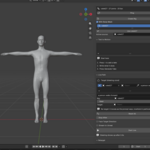
A person joins MotionBricks - The + in the MotionBricks panel asks for a SOMA Human or the Unitree G1 Robot. The person has the same Style, Go, Speed, Generate Motion, Bake, Live and Retarget as the robot, and it works from Blender 5.0. - A person's 14 styles - the robot's names, from idle and walk to injured, zombie, boxing and crawling - come with Install Engines. Make Missing in the Styles box makes any that are missing with Kimodo, and Save as Style adds your own from a baked or generated take. - The Styles box lists the styles, and a click gives the selected character that one. - Install Engines also fetches the person's model (380 MB) with NVIDIA's licence. It runs on the CPU.
Takes, for the person and the robot - Every character has a list of takes, the way ARDY has. A take has its own style, direction or target, speed, seed and length. - The takes run one after the other on one timeline - for example frames 1-30, 31-90, 91-135 - and Generate Motion makes all the ticked ones at once, each starting where the one before ended. - Bake writes them into one animation, and the play button on a take shows its stretch.
Pose to pose - Tick End on Pose Key on a take of a person. Move, turn and pose the character and key it on the frames it should arrive at - say 50 and 100 - and the first take is made up to 50 and the next up to 100, each from the pose it starts on. - The keys stay as they are, and Bake marks the frames made as generated. Keys can be 19 to 59 frames apart at 30 fps.
Flowing through the poses - Poses to Use (1 to 4) gives the target a speed instead of a stop, and Transition Early By lets the next take start on the way to the key instead of at it, so the character moves through its poses without halting - the way NVIDIA's Inbetweener does it. - Arrive in a Clip Pose makes a take end in a pose of a style's clip, placed at its Target or 2 m ahead, and lets the model pick how long it takes.
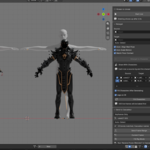
MMD characters join the Retarget panel - A PMX model brought in with mmd_tools is recognised as MMD (PMX) and takes a take like any other character: pick it as the Target and press Retarget to Character. - Japanese names as they are, with .L / _L endings, or through mmd_tools' English dictionary - Auto-Detect reads all of them. - The legs are switched to FK for the bake, so the foot IK no longer holds them still; the feet stay on the floor and the whole body, D-bone legs included, follows.
