 chamiseul


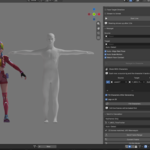
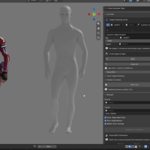
Type what a character should do. Get an animation in Blender.
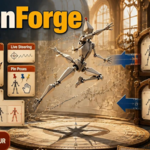
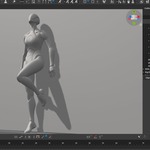
MotionForge runs NVIDIA's ARDY motion model next to Blender and keys the result onto a rig you can edit like any other. You can also steer the character live, pin poses it has to hit, move the motion onto your own character, and hand it straight to Cascadeur.
MotionForge Guide
What's new in 0.5.0
New
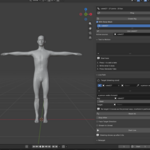
MotionBricks characters stand like people - A new MotionBricks character stands the way the idle style stands, arms down, instead of in the robot's zero pose.
A converted style follows its clip - Import FBX / BVH fills in Speed with the speed the clip was performed at, and allows every generation length. - Picking an armature already in the scene as Source fills in Speed the same way, so a dance done on the spot stays on the spot. - A character walking the style plays the clip through in order, instead of circling its first few frames. - Measured frame by frame against the source: a drunk walk comes out 13 cm from it instead of 18, and a taunt performed on the spot 8 cm instead of 15 - and it now stays on the spot.
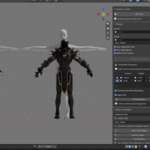
An FBX or BVH becomes a MotionBricks style - Import FBX / BVH in the MotionBricks panel brings a mocap or animation file into the scene and points the converter at it. Convert to Style moves the clip onto the skeleton MotionBricks walks and writes the file. - No MotionBricks character has to exist first and none is left behind afterwards: a file goes in and a .mbstyle comes out, in the folder beside walk and the rest. - Rig Type says what the file calls its bones - Mixamo, UE4, UE5 Mannequin, Fortnite, MetaHuman, Rigify, the metarig, TF2, SMPL-X and more - and Auto-Detect reads them, so the usual cases need no choice at all. Mixamo names without the mixamorig: in front, which is what CMU's converted takes and most BVH exports carry, are recognised too. - A BVH's own frame rate is read from the file and the scene set to match, and whatever the rate the clip is re-timed to the runtime's 30 fps - a 120 fps take keeps its length instead of playing four times fast. - Style Name, Speed and Allowed Durations are yours to change; Import fills in the last two from the clip. Everything the runtime tests is tested before the file is written, so a style it would refuse is refused here instead, with the reason, and nothing half-written is left in the folder.
Styles from the scene as well - An animation that is already on a MotionBricks character can be saved out the same way with Save as Style.
Changed
A new style shows up at once - Converting or saving re-reads the styles folder. Before, the engine kept the list it loaded at startup, so a style replaced under the same name kept its old motion.
UE4 joins the rig types - The UE4 and UE5 mannequins share one skeleton - UE5 only added IK bones to it - so both are in the list and both map the same way.
Fixed
- A style converted from a Mixamo download no longer throws the character tens of metres through the floor.
- A style converted from a character with longer legs than the robot - a Fortnite dance - no longer hovers and bobs; its feet stay on the floor.
- The check after Convert to Style walks the style at its own Speed, so a clip performed on the spot is no longer reported as running away.
Removed
- Pull the Arms Back if Refused - the clips it rescued convert properly now, with their arms.
