Craftsman Cabinet Creator Interview: How CCC Brings Parametric Cabinet Design to Blender
-
 Written by Wes Burke
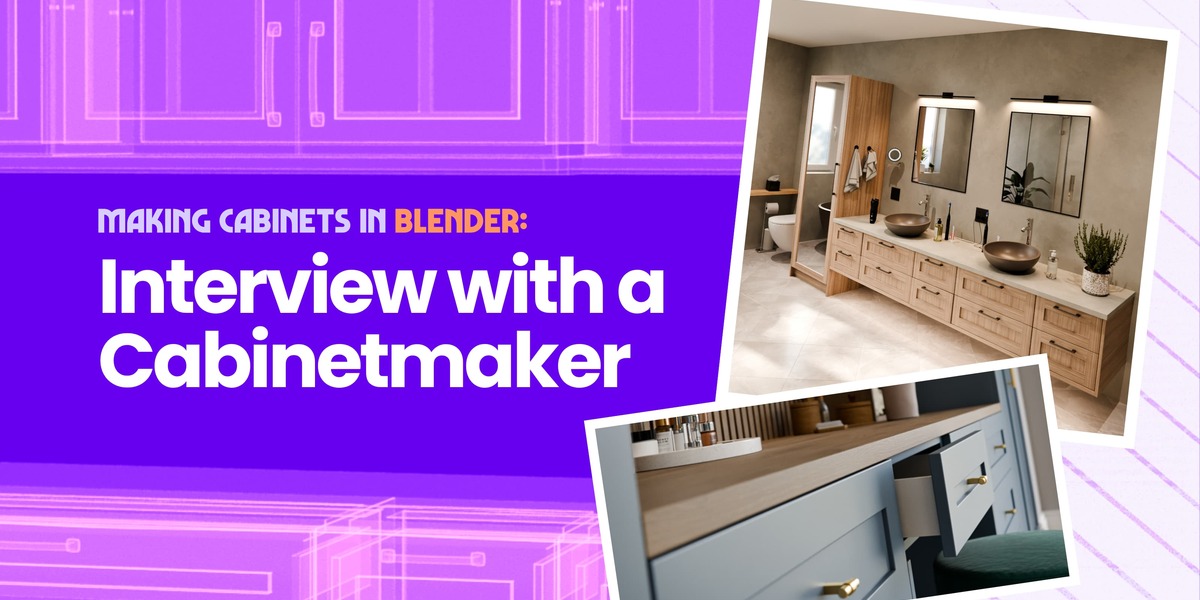
I had the chance to sit down with the creators (Sascha and Ahmad) of Craftsman Cabinet Creator (CCC) to learn what actually goes into building a tool like this, and why it needed to exist in the first place.
In this conversation, Sascha brings the perspective of a cabinetmaker who’s lived the manual, tangible workflow and knows where precision actually matters. Ahmad comes at it from the systems side, focused on where the workflow breaks, where it can be improved, and how procedural tools help remove that friction.
Let’s dive in.
If you had to describe CCC in one sentence to a Blender user who’s never modeled cabinetry before, what would you say?
Sascha: CCC gives you the ability to create any cabinet you need in seconds and lets you adjust every possible parameter at any time, from size to doors and drawers and anything internal, with a high level of precision.
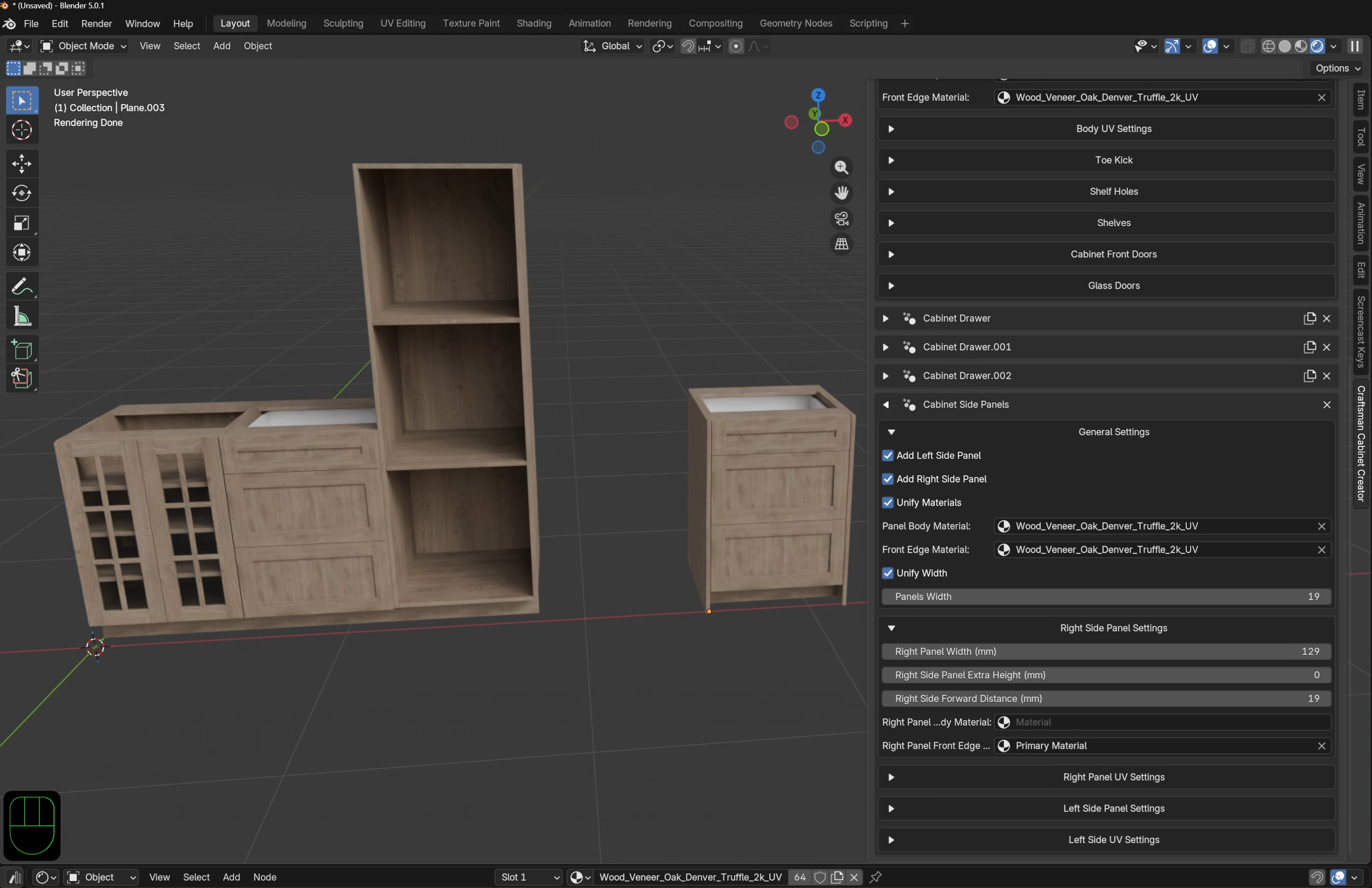
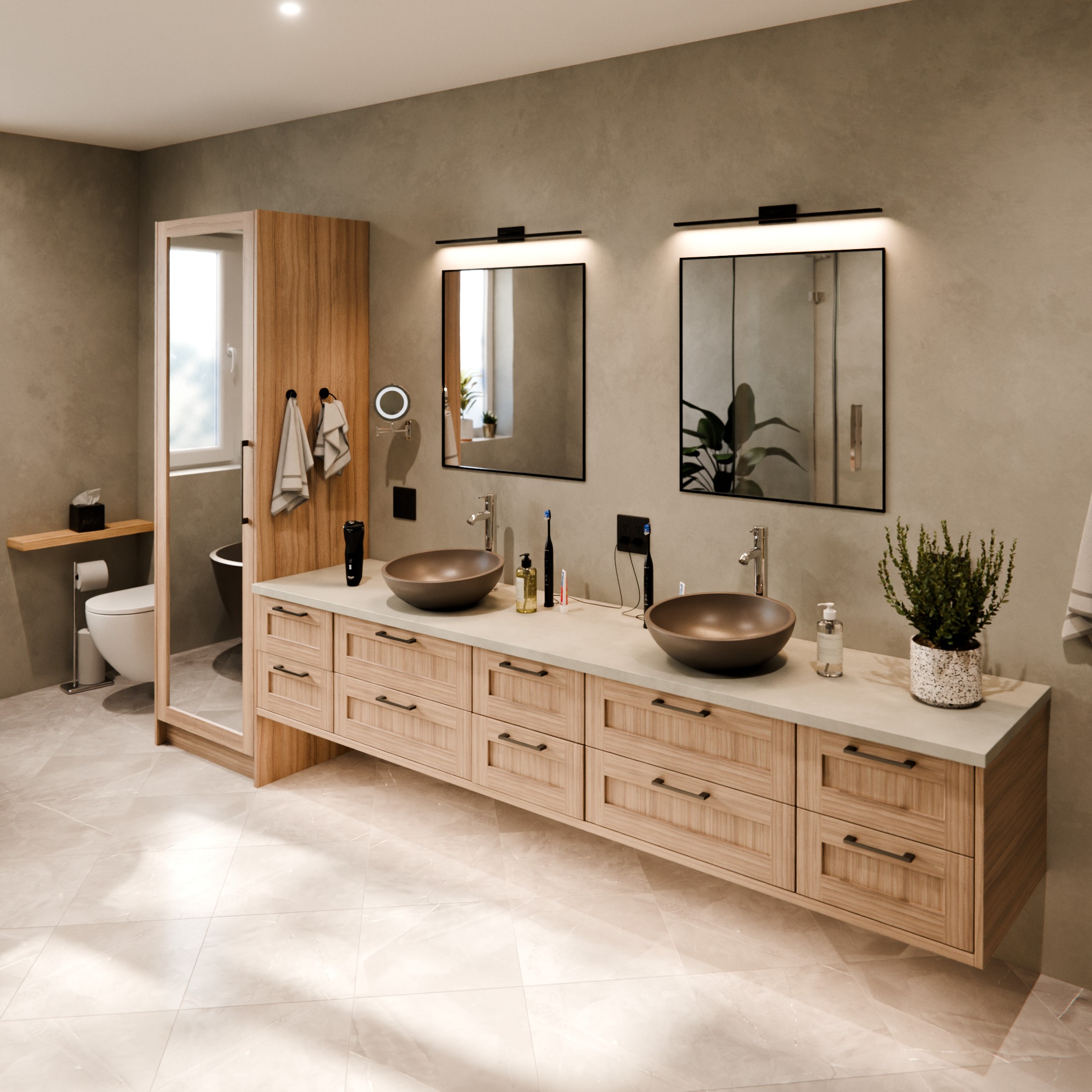
Ahmad: CCC is a parametric cabinet generator for Blender that lets you design fully customizable, production-ready cabinets, with drawers, shelves, doors, and panels — by adjusting sliders, without ever touching a single vertex.
Before building CCC, how were you modeling cabinets in Blender?
Sascha: Manually, using the same workflow I teach in the Craftsman course on CG Cookie. It starts with a cube and involves a lot of extruding and insetting faces, while keeping accuracy in mind and always considering material thickness and which material is used for which part. And by material, I’m talking about the real stuff in the workshop, which influences, for example, how thick I have to model certain parts of the cabinet.
Eventually, I saved a few base models to the Asset Browser, but every new project involves new dimensions or something else that needs tweaking, new designs. So even with the saved ones, I still had to hand-model certain aspects of the cabinets all the time.
Ahmad: Honestly, precise cabinet modeling wasn't part of my personal workflow. My background is more on the development side. But I took Sascha's Craftsman Cabinet course, and watching how much manual effort goes into building cabinets traditionally was the spark. I could feel the friction: every dimension change, every variation, done by hand. That's what made me want to build a procedural solution. The real question was whether I could meet the precision standards that real-world cabinetry demands. Thankfully, working closely with Sascha throughout the development phase, we got there.
What specific workflow frustration made you decide cabinet modeling needed a procedural tool instead of traditional modeling or asset kits?
Sascha: With the constant need for adjustments and different designs, resizing was perhaps the most tedious part of it all. I constantly had to jump back and forth between Object Mode and Edit Mode, select different vertices, and then use the advanced mode to let Blender calculate by how much they must be moved. Then, once the body was done, the fronts had to follow and needed the proper reveal. All that took so much time.
I had a setup with hook modifiers tied to empties, but in the end, I had to pay so much attention to my selections when I copied cabinets around the scene. Every time I missed an empty or made a linked duplicate, thinking I didn’t need to change it, things got messy when I ended up having to make changes after all. Eventually, it turned back into doing it the manual way.
I’ve long wanted a procedural way to do all this because it’s a repetitive workflow, but I lack the knowledge in Geometry Nodes, and learning enough will take me forever due to time constraints. Needless to say, when Ahmad approached me with his Geometry Nodes setup, I jumped on it.
Ahmad: The core frustration is the rigidity of traditional modeling. Every time a dimension changes — the cabinet needs to be 20mm wider to fit a wall, or a client wants an extra drawer — you're essentially starting over, or doing tedious manual adjustments across multiple components.
Cabinetry is inherently parametric in real life: a craftsman works from measurements, not from sculpted forms. The workflow in Blender didn't reflect that reality, so I built a tool that does.
In your own projects, where does CCC save the most time compared to traditional cabinet modeling?
Sascha: In a word: iterations. Designing a project for clients is never a one-shot thing. Usually, I give them a base to work with, and then we adjust from there. This means iterations are a big part of it. And being able to make changes so fast without manually reshaping models and adjusting meshes turns the whole process into a breeze. For example, the ability to change from drawers to doors to show the client what it would look like with just a few clicks is a huge time-saver. And that’s just a small example.
Ahmad: As the technical co-founder, Sascha is better placed to answer this from a craftsman's perspective; he's the one who has lived both worlds. But from a systems standpoint, the answer is always the same with procedural tools: you eliminate repetitive work. Every variation, every design iteration, every client revision that would normally mean rebuilding from scratch becomes a slider adjustment. That's not just a time-saver; it fundamentally changes how confidently you can explore a design space.
What’s one feature in CCC you’re personally most proud of?
Sascha: How accurate it is.
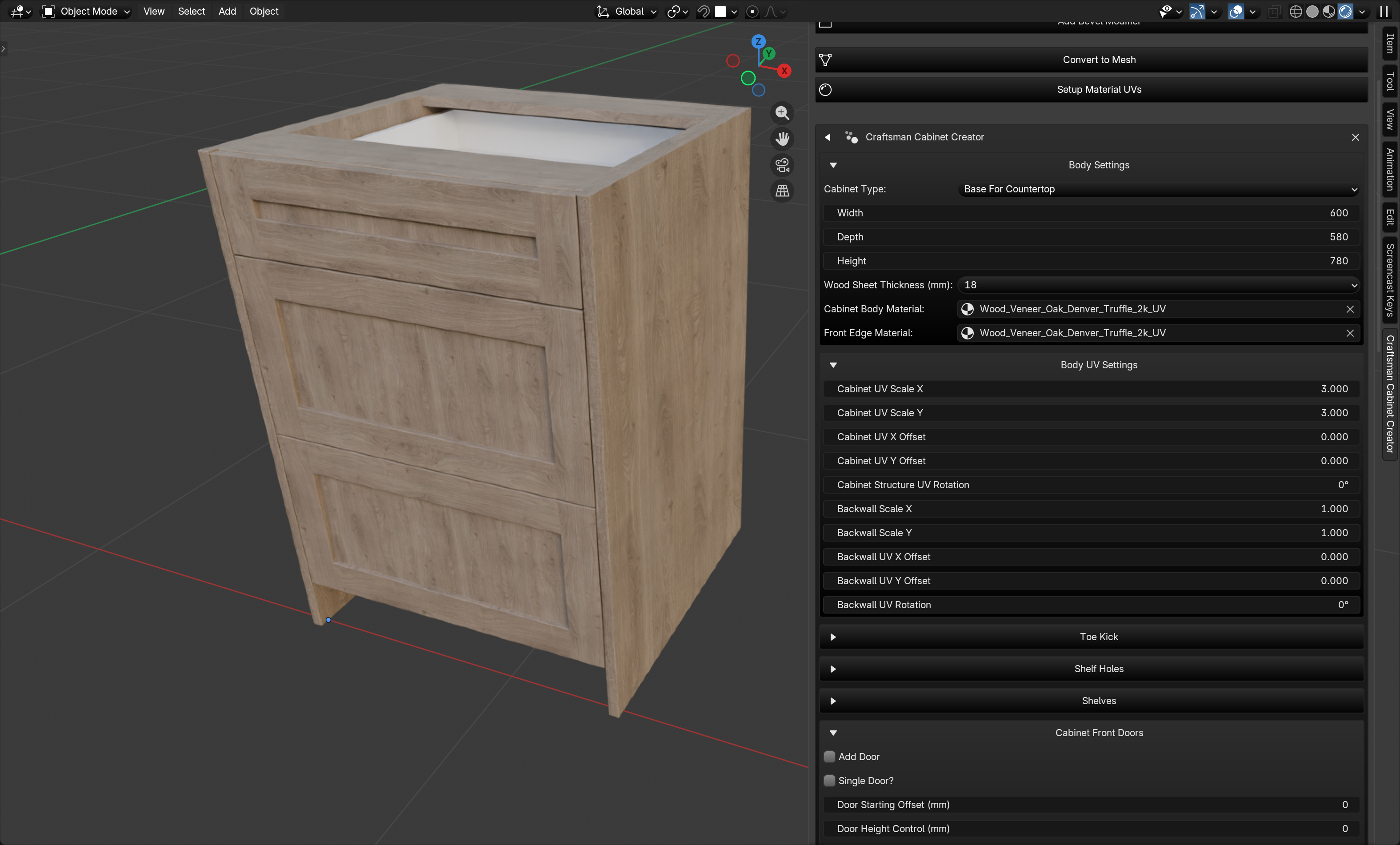
For testing purposes, I recently rebuilt an older client project of mine to assess its accuracy against the manually modeled version, which turned out to fit perfectly. And the result was basically a perfect copy. This makes me super confident in the add-on, and I will use it for the next real-life project, which is coming up soon. The new feature, being able to export cut lists, will make an even bigger impact.
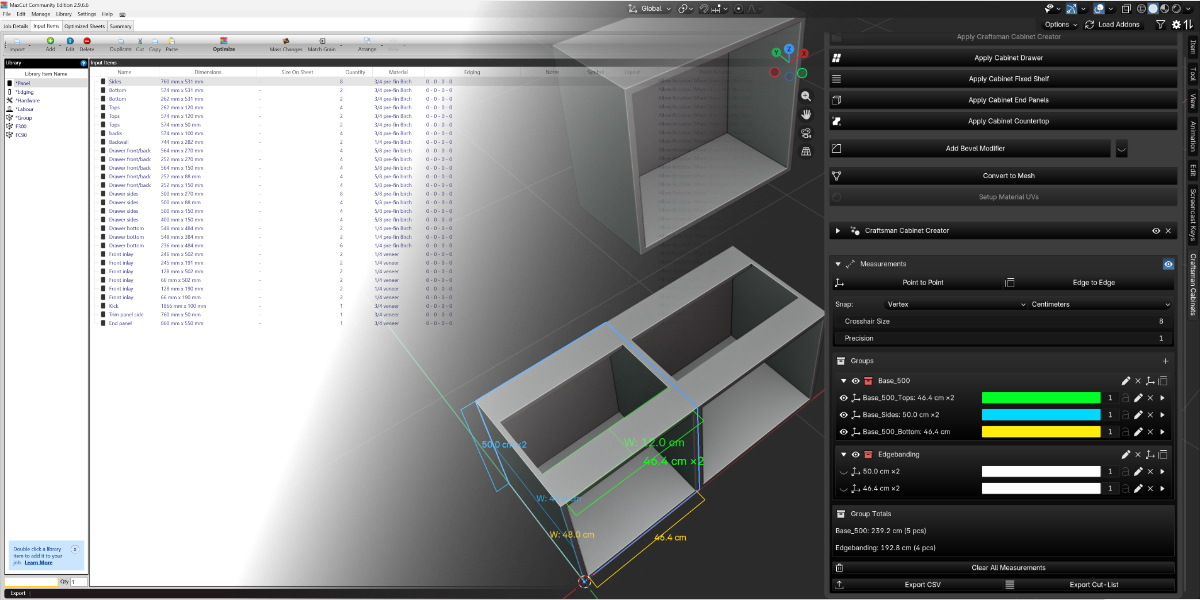
Ahmad: Actually, two. The first is the level of precision we achieved. When we started, that was genuinely an open question: can Blender, driven by Geometry Nodes and Python, meet the millimeter-level accuracy that real cabinet manufacturing demands? We proved it can. The second is the measurement and cut-list export feature in the new release. That's the bridge between a 3D model and something a workshop can actually build. It's the feature that makes CCC a production tool rather than just a visualization tool.
Technically speaking, how is CCC built under the hood: pure Python, Geometry Nodes systems, or some hybrid architecture?
Sascha: That’s a question for Ahmad, for sure. I can’t say much about that. It’s originally based on Geo Nodes, but the add-on part is Python, I believe.
Ahmad: CCC uses a hybrid architecture. The geometric intelligence lives in a Geometry Nodes tree, which handles all the procedural construction: building the carcass, positioning drawers, placing shelves, generating the countertop, and constructing side and back panels.
On top of that, I wrote a Python layer that reads the Geometry Nodes modifier parameters and surfaces them through a clean, purpose-built UI panel, so users never need to touch the node editor.
For the latest release, I added a fully Python-native feature that reads the cabinet's measurement data and exports it directly to cut-list software, bridging the gap between 3D design and real-world fabrication.
What’s one Geometry Nodes trick you learned while building this that changed how you think about procedural tools?
Sascha: I learned that what I dreamed of is actually possible; that’s the trick for me. Lol.
Ahmad: Something that almost every Geometry Nodes user struggles with early on is selecting specific vertices, edges, and faces procedurally — doing it through nodes rather than by hand in Edit Mode.
That was honestly my first fear when I started building CCC. It feels unintuitive at first because you're used to just clicking geometry to select it. But once it clicked for me, it became the backbone of almost everything CCC does.
Nearly every parameter change in the tool — adjusting a dimension, repositioning a drawer, shifting a panel — ultimately comes down to procedurally identifying a specific vertex group and moving it to exactly the right place. Once I mastered that pattern, the rest of the system started to fall into place.
Blender is often maligned as an incompetent CAD alternative. While this may be true by default, do you think tools like CCC can flip this narrative?
Sascha: I certainly hope so. I’ve long said that Blender can be used as an alternative and proven it many times.
Yes, there are certainly differences, and given the nature of a polygon modeler, there are limitations, but they only really get noticeable at a certain scale. Some tools by default are not ideal for CAD-like modeling, that’s true. But that doesn’t mean it’s impossible, and with tools like CCC, the accuracy needed for CAD workflow is definitely there on the scale needed for bespoke cabinetry and design.
Ahmad: Blender was never designed to be CAD software, and I don't think it needs to be. But what tools like CCC demonstrate is that Blender's procedural systems are powerful enough to solve real-world production problems with genuine precision.
When you can design a cabinet down to the millimeter, export a cut list that a workshop can act on, and do it all non-destructively inside the same tool you're rendering in, that's a legitimate production workflow, not a workaround. CCC doesn't try to make Blender into a CAD application. It makes Blender the right tool for a specific, well-defined job.
Where do you see CCC evolving over the next few years: remaining a focused cabinet system or expanding into a broader parametric interior toolkit?
Sascha: I think it should be focused on cabinetry. We have a long list of features we want to introduce to the add-on: more customizability, more styles, and so on. We want to get it to a point where the user can create virtually any type of cabinetry with the add-on.
The problem I see with add-ons that want to do too much at once is that they get convoluted and complicated. I think a tool is at its best when it serves a specific purpose, rather than trying to do it all. A multi-tool is good at a bunch of things but doesn’t excel at anything. I can get a screw into a board using a hammer, but it’s better to use a power drill.
Maybe we’ll develop separate tools for different elements of the design pipeline down the stretch, and those tools could then interact with and build on one another. Basically, build a toolbox full of different tools for different purposes.
Ahmad: I cannot disagree with Sascha on this.
Thanks for reading this interview with Ahmad and Sascha, creators of Craftsman Cabinet Creator. Sascha is also the instructor behind the Blender Course Craftsman - Precision Modeling With Blender For Real World Application for those interested in diving in further.
Happy Blending!