 CG Cookie




Model Like a Master Craftsman in Blender
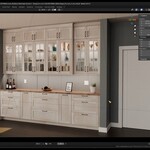
Discover how to transform Blender into a precision design tool for real-world woodworking, cabinetry, and DIY builds. In this hands-on course, professional carpenter Sascha Feider walks you through every step of designing a custom built-in, from site measurements to production-ready plans.
❤️ CG Cookie, a project of Autotroph , contributes to Blender development through Autotroph’s Corporate Gold sponsorship of the Blender Development Fund. Your support of CG Cookie helps make this possible!
Why Take This Course?
- Precision Without CAD – Learn how to configure Blender for millimeter accuracy.
- Professional Workflow – Based on a real commissioned project, with every decision explained.
- Buildable Designs – Extract exact measurements for fabrication.
- Stunning Visuals – Present photorealistic renders that win client approval.
- Full Process – Site assessment, design, modeling, texturing, lighting, and presentation.
What You’ll Learn
- Set up Blender for real-world scale precision modeling.
- Conduct a professional site assessment to identify constraints.
- Design cabinetry using standardized measurements.
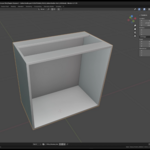
- Model components for real-world construction: cabinet bodies, fronts, drawers, hardware pulls, glass shelving, live-edge countertop.
- Apply realistic materials for wood, melamine, glass, and metals.
- Light and render for a polished client-ready presentation.
- Extract accurate measurements from your Blender file for the physical build.
Course Curriculum
Chapter 1 – Planning: Assess the site, identify constraints, apply standardized measurements, and set Blender up for real-world scale.
Chapter 2 – Modeling the Built-In: Model every part as it will be built in reality — cabinet bodies, fronts, drawers, hardware, glass shelves, and a live-edge countertop.
Chapter 3 – Texturing & Materials: Apply realistic textures and create materials for wood, melamine, glass, and metal finishes.
Chapter 4 – Presentation & Conclusion: Light and render your project for a polished client-ready visualization. Learn how to extract detailed measurements and drawings for the shop.
Who This Course is For
- Woodworkers and cabinetmakers looking to use Blender for real-world designs.
- Blender artists wanting to add precision modeling skills.
- DIYers who want to design and build their own projects with professional results.
About the Instructor

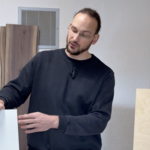
Sascha Feider is a professional carpenter with nearly 20 years in the trade. He’s built a thriving business using Blender for project visualization and design, and shares his expertise on YouTube and CG Cookie.
FAQs
Is Blender really accurate enough for woodworking?
Yes, when set up correctly, Blender can achieve sub-millimeter precision, more than sufficient for furniture, cabinetry, and most construction projects.
Do I need CAD experience?
No. This course shows how to achieve CAD-like accuracy in Blender without switching tools.
Can I use this workflow for other projects?
Absolutely — the methods apply to any real-world scale project, from shelving units to full kitchens.
I'm new to Blender, can I still follow along?
A basic understanding of Blender is recommended. If you’re new, check out our Blender Basics course.