1-Click Product Render Pro For Blender
 Rana Abdullah


What is One-Click Product Render Setup?
One-Click Product Render Setup is a Blender addon that instantly sets up a professional 3-point lighting rig and a tracking camera optimized for Cycles rendering. It’s designed to save you time on tedious lighting and camera positioning, so you can focus on showcasing your 3D models, product designs, or prototypes.
Installation in Blender
-
Open Blender
-
Go to Edit → Preferences
-
Select Add-ons
-
Click Install… (top right)
-
Select the downloaded .zip file
-
Click Install Add-on
-
Enable the addon by checking the box:
1-Click Product Render Pro
-
Close Preferences
How to Use
-
Select your product object
-
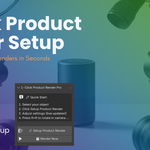
Open the panel:
View3D → Sidebar (N key) → Product Render
3. Click Setup Product Render
4. Your scene is ready
Update Instructions
When a new version is released:
-
Download the new .zip
-
In Blender: Preferences → Add-ons
-
Disable and remove the old version
-
Install the new zip using the same steps
Troubleshooting
-
If the addon does not appear:
-
Restart Blender
-
-
Make sure you installed the zip file, not extracted contents
-
Supported versions: Blender 3.0 – 5.0+
Have questions about this product?
Login to message
| Published | about 1 year ago |
| Blender Version | 3.0 - 5.1 |
| Extension Type | N/A |
| Render Engine Used | Cycles, Eevee, Freestyle |
| License | GPL |
