103 Creature & Character Teeth Imm Brush Pack – ZBrush Tool + OBJ + FBX – Vol 15
 Mona-Ghafourian


Documentation
What's Included
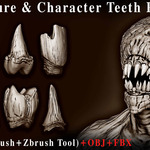
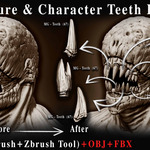
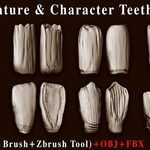
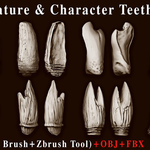
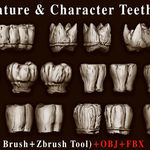
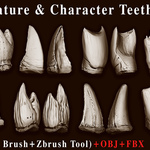
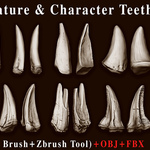
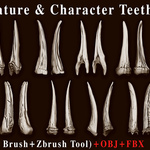
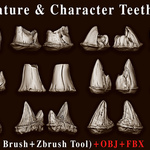
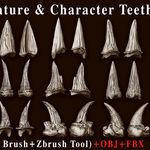
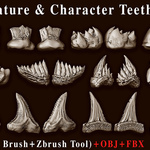
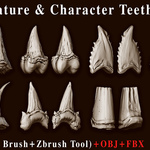
103 Creature & Character Teeth
103 ZBrush IMM Brushes
103 ZBrush Tool (ZTL) files
103 OBJ files
103 FBX files
Blender Asset Library with 103 drag-and-drop assets
Preview images
ZBrush IMM Brushes
The IMM brushes allow you to quickly insert different teeth shapes into your character or creature sculpt.
Open ZBrush.
Load the desired IMM brush.
Select the tooth you want to use.
Draw it onto your model.
Move, rotate, scale, and sculpt the inserted geometry as needed.
ZBrush Tool Files
The included .ZTL files contain individual teeth as separate ZBrush tools.
Load the required .ZTL file in ZBrush and use the tooth directly or incorporate it into your character or creature sculpt.
OBJ & FBX Files
OBJ and FBX versions are included for each tooth.
These files can be imported into compatible 3D software for further editing, sculpting, positioning, or use as part of a larger character or creature model.
Blender Asset Library
The pack includes 103 drag-and-drop assets for Blender's Asset Browser.
To use the assets:
Open Blender.
Go to Edit > Preferences > File Paths > Asset Libraries.
Add the included Asset Library folder.
Open the Asset Browser.
Drag and drop the desired tooth into your scene.
Blender Version: 4.0–5.2
Compatibility
ZBrush: The included ZBrush files require a compatible ZBrush version that supports IMM brushes and the provided ZTL files.
Blender: 4.0–5.2
OBJ & FBX: Compatible with 3D applications that support these formats.
Usage
The teeth can be resized, rotated, repositioned, and further edited to fit different character and creature designs.
They can be used for:
Creature and monster characters
Fantasy and demon designs
Stylized or realistic characters
Character sculpting
Kitbashing
3D modeling and further customization
Have questions about this product?
Login to message
Includes an Asset Library
103 drag-and-drop assets for Blender’s Asset Browser.
Browse included assets| Downloads | 1 |
| Published | about 1 year ago |
| Blender Version | 4.0 - 5.2 |
| License | Royalty Free |