 Frenora


Documentation
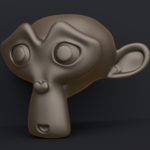
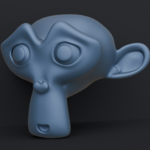
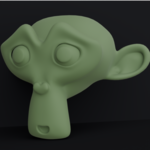
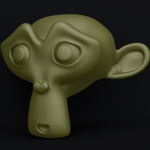
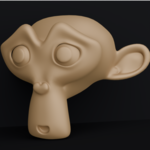
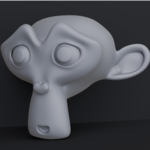
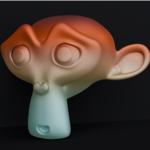
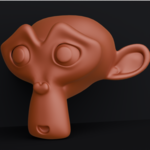
12 Stylized & Clay MatCap Pack (4K Resolution)
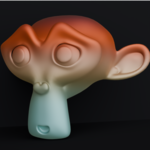
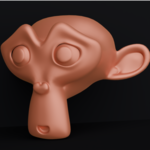
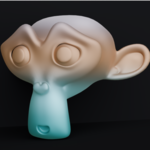
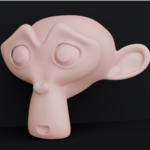
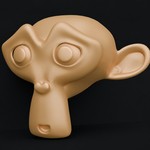
Enhance your digital sculpting, character modeling, and look-dev workflow in Blender with ultra-crisp 4K MatCaps. Designed to highlight surface curvature, forms, and subtle planar details without distracting lighting interference.
What’s Included
12 High-Resolution MatCaps (4096 × 4096 PNG format)
Handcrafted stylized, clay, and studio lighting setups for sculptors and 3D concept artists.
How to Install in Blender
Open Blender.
Go to the top menu and select Edit > Preferences.
In the Preferences window, select Lights from the left sidebar.
Expand the MatCaps category and click the Install... button.
File navigate to the extracted folder containing your downloaded MatCap
.pngfiles.Select all 12 images and click Install MatCaps.
How to Apply in the Viewport
In the 3D Viewport, switch to Solid Shading Mode (the white circle icon in the top-right corner).
Click the Viewport Shading drop-down menu (small down arrow next to the shading modes).
Under the Lighting section, select MatCap.
Click the preview sphere directly below to open your custom MatCap library and select any of your installed 4K clay setups.
Pro-Tips for Sculptors
Combine with Cavity: For maximum form clarity while sculpting fine wrinkles or seams, open the Viewport Shading menu and check Cavity. Set Type to Both and boost World or Screen intensity.
Combine with Viewport Shadows: Toggle Shadows on in the Viewport Shading menu to get immediate spatial depth while blocking out high-frequency forms.
Have questions about this product?
Login to message
| Published | about 2 months ago |
| Blender Version | 3.0 - 5.2 |
| Render Engine Used | Cycles |
| License | Royalty Free |
Discover more products like this
blendermarket viewport 4k asset pack Shader sculpting matcap stylized Material clay