 0
0


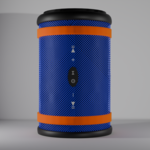
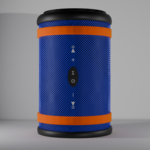
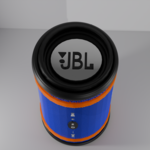
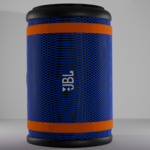
Documentation for 3D Blender High Poly Speaker Model
Overview
This document provides an overview of the 3D Blender high poly speaker model designed for use in various projects, including animations and visualizations.
Features
- High Poly Count: The model features a high polygon count for enhanced detail and realism.
- Realistic Design: Accurately represents a modern speaker, complete with intricate details.
- File Formats: The model is provided in .blend format, as well as additional formats such as STL, OBJ, MTL, GLB, and FBX, making it compatible with various software.
Installation
-
Download the Model:
- Purchase and download the model from Blender Market.
-
Open in Blender:
- Launch Blender and go to
File > Open. - Navigate to the downloaded .blend file and open it.
- Launch Blender and go to
Usage
- Animation: The model can be animated using Blender’s animation tools. You can create movement or sound effects to enhance your projects.
- Rendering: Utilize Blender’s Cycles or Eevee rendering engines to achieve realistic outputs.
- Modification: Feel free to modify the model as needed, including changing colors, textures, or shapes.
Licensing
This model is sold under a Royalty Free license, allowing you to use it in commercial and non-commercial projects without additional fees. Please refer to the license terms for specific details.
Support
For any inquiries or support related to the model, please contact the seller on Blender Market.
Conclusion
This high poly speaker model is a versatile asset for 3D artists and developers. Its realistic design and ease of use make it an excellent addition to any project requiring audio equipment. Enjoy creating with this model!
Have questions about this product?
Login to message
| Published | over 1 year ago |
| Blender Version | 4.0 - 4.4 |
| Render Engine Used | Cycles, Eevee |
| License | Royalty Free |
Discover more products like this
visualizations realistic-render blender high poly speaker 3d model product Design jbl royalty-free audio-equipment