 wantshot


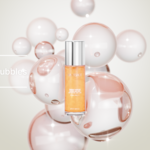
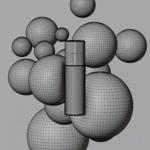
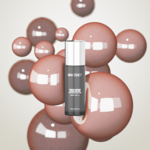
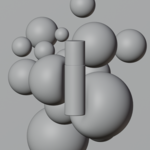
### Getting Started
Thank you for purchasing! Follow these simple steps to set up and render your scene:
1. **Open the File:**
* Open the provided `.blend` file using ** 4.5, or later**.
2. **Render Engine Setup:**
* This scene is optimized for **Cycles**. Ensure your Render Engine is set to `Cycles` and Device is set to `GPU Compute` for optimal performance and rendering speed.
3. **Replacing the Model & Label:**
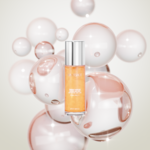
* To use your own product model, simply hide or delete the default perfume bottle and place your mesh in the center frame.
* To change the label design, navigate to the **Shader Editor** for the label material and replace the image texture node with your own graphic file.
4. **Lighting & Camera:**
* The camera view (`Numpad 0`) and studio lights are pre-configured. You can tweak light intensity or angles depending on your object's shape and glass thickness.
5. **Render:**
* Press **F12** to render the final image!
Have questions about this product?
Login to message
| Published | 2 months ago |
| Blender Version | 4.5 - 5.2 |
| Render Engine Used | Cycles |
| Misc Data | Uvs-Unwrapped |
| License | Royalty Free |

Discover more products like this
product-visualization Cycles bubbles cosmetic packaging bottle mock-up Studio Lighting cosmetic rendered scene