 ThreeDee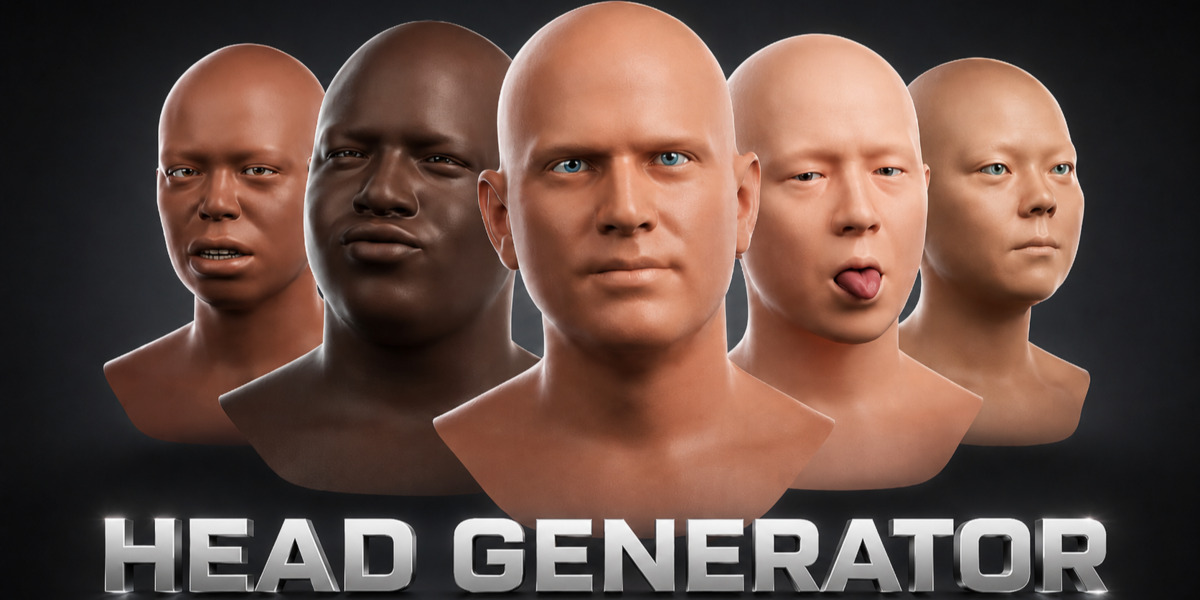





Requirements
- Blender 4.5 LTS or newer
- Windows, macOS, and Linux
- Works offline
Installation
- Download the ZIP without extracting it.
- Open Blender.
- Go to Edit → Preferences → Extensions.
- Choose Install from Disk.
- Select
threedee_head_generator-0.3.47.zip. - Open the 3D Viewport sidebar with
N. - Select the ThreeDee tab.
Quick Start
- Click Create Head.
- Generate or customize an identity.
- Add an expression and pose.
- Adjust skin and eyes.
- Open Finish and bake the head.
Workflow Tabs
- Face: identity generation, 16 shape controls, regional randomization, Favorite Faces
- Match: front/side references, alignment, wireframe comparison
- Expression: expression generation, blending, neutral reset
- Pose: head direction, gaze, and eye convergence
- Materials: skin, iris, pupil size, and roughness
- Advanced: 253 identity and 383 expression controls
- Finish: reset, bake, and export preparation
Regional Generation
Explain that users can select Eyes, Nose, Mouth, Jaw, or Rest and click Randomize Selected while preserving other facial regions.
Favorite Faces
Explain saving, naming, loading, replacing, deleting, and using a portable JSON library between Blender projects.
Baking Options
- Rig Only
- Rig + 20 Expressions
- Technical 383 Axes
GLB/FBX Preparation
Support
[email protected]- Discord community
- Blender version, add-on version, operating system, and reproduction steps required for bug reports
 Included
Includes 12 months of
- Support from ThreeDee
- Product updates
Extend this product’s Support Period +12 months: 50% of product price
Have questions before purchasing?
Login to message
| Blender Extension Compatible | Yes |
| Sales | 70+ |
| Dev Fund Contributor | |
| Published | 3 months ago |
| Blender Version | 4.0 - 5.2 |
| Extension Type | Add-on |
| Render Engine Used | Cycles, Eevee |
| License | GPL |
