3D Text Animator
 Joben
Joben


How to install?
- Open the .blend file and change the font to something nice to be used as a default (please don't use Blender's default font 😭)
- Save it to your Asset Library folder to make it work in Asset Browser
...or just start working in the .blend file!
Changing the font
Go to the geometry node editor and find green box called "TEXT SETTINGS".
You can change the font, and change the text alignment here.
Modifiers panel
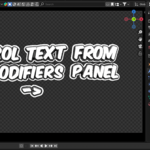
You can find most of the relevant settings in the modifiers panel. Here are all the settings explained:
Text
This is your text, write anything
Replace as Line Break
There is no option to have multiline text fields in geometry nodes so this lets you use anything to be replaced as a line break.
Text Resolution
Sampling resolution for the text. Increase if needed.
Character/Word/Line Spacing
Spacing between characters/words/lines.
Core Material
Material to be used in the core of the text.
Outline Material
Material to be used everything else (outline, extrusion, backside)
Extrude
Typical 3d effect for text
Outline Thickness
Add round outline effect to the text
Roundness
Set this to 0 to make the outline flat or 1 to make it fully round.
Rounding resolution
Amount of the subdivisions in the rounding.
Start frame
When the animation starts appearing
End Frame
When the animation starts disappearing
Wiggle Speed
Speed of the wiggly motion
Wiggle Amount
Scale of wiggly movement of characters
Wiggle Scale
Scale of the texture. The smaller scale affects the letters in a more uniform way.
Intro/Outro Animation
Select a preset for character appearing/disappearing animation
Intro/Outro Character Delay
How many frames are between appearing/disappearing characters
Intro/Outro Animation Speed
How fast the animation itself happens
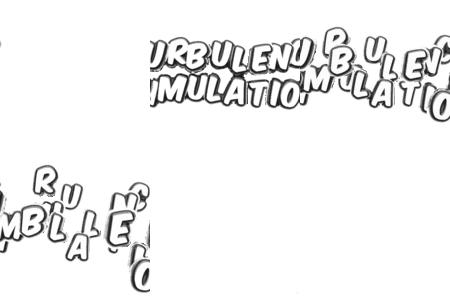
Turbulence Simulation
Enable turbulence simulation (You may want to set the wiggle amount to 0 when using this)
Turbulence Speed
Speed for character movement
Turbulence Delay
Delay after Start frame before turbulence starts happening
Seed
Random seed to get different results
Custom Intro/Outro Animations
There is a preset called "custom" that lets you manually create Intro/Outro animations for translation, rotation and scale of letters appearing/disappearing.
- Select custom preset for Intro/Outro
- Open Geometry node editor
- Find three green boxes called "TRANSLATE/ROTATE/SCALE CUSTOM IN/OUT"
- Adjust the curves to your liking. Make sure that IN animation ends to the middle of the curve (0.5) and that OUT animation starts at the middle of the curve (0.5) to make sure that animation happens as expected.
Have questions about this product?
Login to message
| Sales | 10+ |
| Published | about 1 year ago |
| Blender Version | 4.0 - 5.1 |
| Render Engine Used | Cycles, Eevee |
| License | Royalty Free |
Discover more products like this
3DMotionGraphics motiongraphics text geometry nodes Text animation