 3DPRS
3DPRS



Advanced
Curve Control
A more flexible way to deform geometry and move objects along curves in Blender—without fighting the limitations of the standard Curve modifier.
CURVES WITHOUT THE FRICTION
One curve system.
Two completely different workflows.
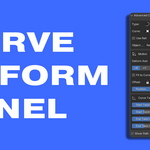
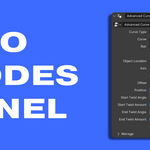
Choose whether your object should bend along a spline or travel along it as a rigid object. The important controls stay close in a minimal sidebar, while the complete procedural setup remains accessible inside Geometry Nodes.
Follow Path
Move and rotate an object along a curve while preserving its exact geometry. Ideal for vehicles, cameras, props, motion graphics, and other rigid objects.
Curve Deform
Bend geometry along the curve using the axis you define. Create cables, roads, belts, trims, pipes, architectural details, and curved procedural assets.
BUILT FOR REAL WORKFLOWS
Useful controls without unnecessary clutter
A focused interface for everyday work, backed by an editable Geometry Nodes system.
QUICK ACCESS + FULL CONTROL
Work quickly in the sidebar. Go deeper in Geometry Nodes.
Adjust the most important properties from a compact 3D View panel, or open the generated node group to inspect, edit, and extend the procedural system.
Designed for spline-based workflows
A BETTER CURVE WORKFLOW
Spend less time fighting curves and more time shaping the result.
One self-contained Blender extension. No external .blend files and no hidden asset dependencies.
