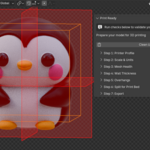
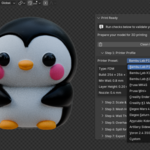
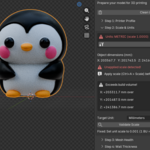
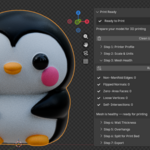
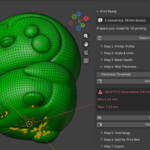
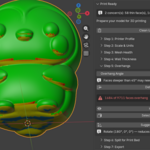
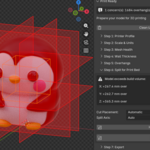
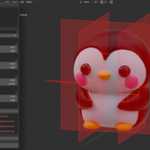
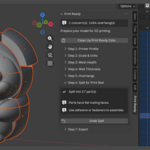
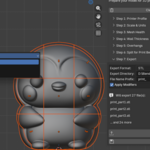
The ProblemEvery Blender-to-printer workflow has the same frustrating loop: export, open slicer, discover problems, go back to Blender, guess what's wrong, fix blindly, export again, repeat. Wrong scale. Flipped normals. Thin walls that collapse. Models that don't fit the print bed. You've been there.Blender's built-in 3D Print Toolbox checks a few things, but it doesn't guide you. It doesn't know your printer. It doesn't fix anything. And it definitely doesn't help you split an oversized model into printable pieces.The SolutionPrint Ready is a complete preparation pipeline built into a single N-panel sidebar. It walks you through 7 steps — top to bottom — so your model is print-ready before it ever leaves Blender.What It DoesStep 1 — Printer ProfileSelect your printer from built-in presets (Bambu Lab P1S, Prusa MK4S, Creality Ender 3, Elegoo Mars, and more) or enter custom specs. Your build volume, nozzle size, and minimum wall thickness feed into every check that follows.Step 2 — Scale & UnitsInstantly see if your scene is configured correctly for printing. One click shows your object's real-world dimensions in mm, flags if units are misconfigured, and tells you whether the model fits your printer. Hit "Fix" and it corrects everything — unit system, scale factor, applied transforms.Step 3 — Mesh HealthRuns five checks in one click: non-manifold edges, flipped normals, zero-area faces, loose vertices, and self-intersections. Every issue shows a count and a Fix button. Or just hit "Fix All" and let Print Ready repair them in the correct order.Step 4 — Wall ThicknessA visual heatmap painted directly on your model shows exactly where walls are too thin for your printer. Red areas are below your printer's minimum wall thickness. Select the thin faces with one click and fix them manually — no more guessing which part of the mesh will fail.Step 5 — Overhang DetectionHighlights faces that exceed the safe overhang angle and would need support material. Adjustable angle threshold. Includes a "Suggest Best Orientation" feature that tests six rotations and tells you which one minimizes supports.Step 6 — Split for Print BedIf your model exceeds the build volume, Print Ready shows a wireframe preview of your printer's bed size and red cut planes where the split will happen. Choose the axis, number of pieces, or let Auto figure it out. One click splits the model into clean, watertight parts with capped faces, ready to print and glue together.Step 7 — ExportOne-click export with the correct format (STL / 3MF / OBJ), correct scale, and applied modifiers. If your model was split, every part exports as a separate file with clear naming. No more wrong-scale surprises in the slicer.What Makes Print Ready DifferentThis isn't another mesh checker with a few buttons. It's a guided workflow. Each step builds on the one before it. Your printer profile informs the wall thickness check. The scale validator feeds the split calculator. The health check ensures the splitter produces clean cuts. Everything is connected.Built-in Printer PresetsBambu Lab P1S · Bambu Lab X1 Carbon · Bambu Lab A1 · Prusa MK4S · Prusa Mini+ · Creality Ender 3 V3 · Creality K1 Max · Elegoo Mars 4 Ultra · Elegoo Saturn 4 Ultra · Anycubic Kobra 3 · Artillery Sidewinder X4 Plus · Voron 2.4 350 · CustomCompatibilityBlender 4.5 LTS and above (new extension format)Works with Eevee and CyclesNo external dependencies — pure Python, installs in secondsGPL-3.0 licensedWho Is This For3D printing hobbyists tired of failed prints from bad geometryProduct designers who prototype in Blender and print on FDM/resinMiniature and figurine artists who need clean, manifold meshesJewelry designers working with precise tolerancesAnyone who has ever exported an STL and found it's 1000x too small in the slicer
 3DQuads