 3DQuads


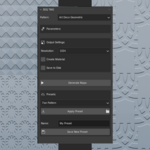
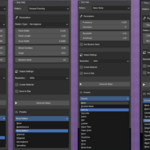
# 3DQuads Texture Maps Generator
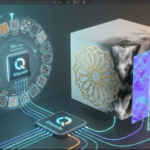
Generate unique procedural PBR textures that you can't create with Blender's built-in nodes.
A Blender extension (4.5+) featuring 8 powerful pattern generators, 80+ presets, and automatic PBR map generation. All textures are 100% seamlessly tileable.
## Pattern Generators
| Pattern | Description | Use Cases |
|---------|-------------|-----------|
| **Reaction-Diffusion** | Gray-Scott model organic patterns | Fingerprints, coral, maze structures, cellular patterns |
| **Truchet Tiles** | Randomized geometric tile patterns | Decorative tiles, maze designs, abstract art |
| **Weave/Fabric** | Mathematical over-under interlacing | Cloth, canvas, burlap, denim, silk textures |
| **Gabor Noise** | Anisotropic directional noise | Brushed metal, wood grain, scratches, leather |
| **Islamic Stars** | Geometric star patterns (8, 12, 16-point) | Architectural decoration, ornamental designs |
| **Japanese Wagara** | Traditional Japanese patterns | Asanoha, Seigaiha, Shippo, Kikko, Sayagata, Kumiko |
| **Art Deco** | 1920s geometric designs | Sunburst, Chevron, Fan, Stepped, Zigzag, Skyscraper |
| **Parquet Flooring** | Wood floor layouts | Herringbone, Chevron, Basketweave, Versailles, Diagonal, Brick |
## Key Features
- **100% Seamlessly Tileable** — All patterns tile perfectly without visible seams
- **Automatic PBR Maps** — Generates Height, Roughness, and Normal maps
- **One-Click Materials** — Creates ready-to-use PBR materials with Principled BSDF
- **80+ Built-in Presets** — Instant results for common materials
- **PNG Export** — Save maps for use in other applications
- **No Dependencies** — Works without external packages (SciPy optional)
## Installation
### Blender Extensions (Recommended)
1. In Blender, go to `Edit > Preferences > Get Extensions`
2. Click the dropdown menu (v) in the top-right
3. Select `Install from Disk...`
4. Select the `.zip` file or `procedural_pattern_generator` folder
5. The extension will be installed and enabled automatically
### Manual Installation
1. Copy `procedural_pattern_generator` folder to:
- **Windows**: `%USERPROFILE%\AppData\Roaming\Blender Foundation\Blender\4.5\extensions\user_default\`
- **macOS**: `~/Library/Application Support/Blender/4.5/extensions/user_default/`
- **Linux**: `~/.config/blender/4.5/extensions/user_default/`
2. Restart Blender
## Usage
### Accessing the Panel
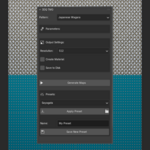
1. Open the **3D Viewport** or **Shader Editor**
2. Press `N` to open the sidebar
3. Click the **"3DQuads"** tab
4. Find the **"3DQ TMG"** panel
### Generating Patterns
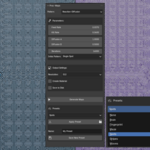
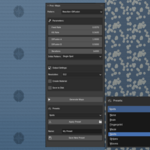
1. Select a pattern type from the dropdown
2. Adjust parameters or select a preset
3. Choose output resolution (512 - 4096)
4. Enable "Create Material" for auto PBR material
5. Enable "Save to Disk" to export PNG files
6. Click **"Generate Maps"**
## Pattern Parameters
### Reaction-Diffusion
- **Feed Rate** (0.01-0.1): Pattern size — lower = larger patterns
- **Kill Rate** (0.01-0.1): Pattern type (coral, spots, worms)
- **Iterations** (5000-30000): More = more developed patterns
### Truchet Tiles
- **Tile Size** (16-256): Size of each tile in pixels
- **Pattern Type**: Quarter Circles, Diagonal Lines, Curves
- **Line Thickness** (0.1-0.9): Pattern element thickness
### Weave/Fabric
- **Warp/Weft Threads** (2-20): Thread count
- **Thread Thickness** (0.1-0.9): Thread width
- **Weave Type**: Plain, Twill, Basket
### Gabor Noise
- **Frequency** (0.01-0.5): Detail frequency
- **Orientation** (0-360°): Directional angle
- **Anisotropy** (0.1-10.0): Directional strength
### Islamic Stars
- **Star Type**: 8-point, 12-point, 16-point
- **Grid Spacing** (32-256): Distance between stars
- **Interlace**: Overlapping depth effect
### Japanese Wagara
- **Pattern Type**: Asanoha, Seigaiha, Shippo, Kikko, Sayagata, Kumiko
- **Scale** (0.5-3.0): Pattern density
- **Fill Pattern**: Outline or filled shapes
### Art Deco
- **Pattern Type**: Sunburst, Chevron, Fan, Stepped, Zigzag, Skyscraper
- **Scale** (0.5-3.0): Pattern density
- **Symmetry** (2-32): Ray count for sunburst/fan
### Parquet Flooring
- **Pattern Type**: Chevron, Herringbone, Basketweave, Versailles, Diagonal, Brick
- **Plank Width/Length**: Plank dimensions
- **Wood Variation**: Random brightness per plank
## Presets
80+ built-in presets organized by pattern type:
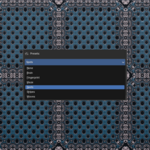
- **Reaction-Diffusion**: Fingerprint, Waves, Stripes, Maze, Brain, Spots
- **Truchet**: Classic, Diagonal, Curves, Maze, Geometric, Retro
- **Weave**: Plain, Twill, Canvas, Burlap, Silk, Denim, Linen, Satin
- **Gabor**: Brushed Metal, Wood Grain, Scratches, Leather, Stone, Paper
- **Islamic Stars**: Alhambra, Persian, Ottoman, Zellige, Interlace
- **Japanese Wagara**: Asanoha, Seigaiha, Shippo, Kikko, Sayagata, Kumiko
- **Art Deco**: Sunburst, Chevron, Fan, Stepped, Zigzag, Skyscraper
- **Parquet**: Chevron, Herringbone, Basketweave, Versailles, Diagonal, Brick
## Technical Details
### Seamless Tiling
All patterns use mathematically precise tiling techniques:
- **Normalized coordinates** [0,1) with `endpoint=False`
- **Periodic distance calculations** for wrapped boundaries
- **Grid alignment** ensuring pattern periods divide evenly
- **Modulo arithmetic** for seamless wrapping
### Output Maps
- **Height Map**: Grayscale displacement data (0-1 range)
- **Roughness Map**: Derived from height for realistic materials
- **Normal Map**: Calculated using Sobel operator
### Resolution Options
| Resolution | Generation Time | Recommended Use |
|------------|-----------------|-----------------|
| 512px | Instant | Previews, low-poly |
| 1024px | 1-5 seconds | General use |
| 2048px | 5-20 seconds | High quality |
| 4096px | 20-60 seconds | Production |
### Dependencies
- **NumPy** — Required (included with Blender)
- **SciPy** — Optional (included with Blender 4.5+)
No external installation required.
## Troubleshooting
### Pattern doesn't look right
- Try different presets for your pattern type
- Adjust scale/frequency parameters
- Increase resolution for fine details
### Generation is slow
- Lower resolution (1024 instead of 4096)
- Reduce iterations for Reaction-Diffusion
- Close other applications
### Material not created
- Ensure "Create Material" is enabled
- Check Shader Editor for material nodes
- Material is named "[Pattern]_Material"
## License
GPL-3.0-or-later
## Credits
Developed by **3DQuads**
### References
- Gray-Scott Reaction-Diffusion: Pearson, J. E. (1993)
- Truchet Tiles: Sebastien Truchet (1704)
- Gabor Noise: Dennis Gabor (1946)
- Islamic Geometric Patterns: Traditional Islamic Art
- Japanese Wagara: Traditional Japanese Textile Patterns
- Art Deco: 1920s-1930s Architectural Movement
---
**Version**: 1.1.0
**Blender Version**: 4.5+
**Maintainer**: 3DQuads
Have questions about this product?
Login to message
| Blender Extension Compatible | Yes |
| Dev Fund Contributor | |
| Published | 9 months ago |
| Blender Version | 4.5 - 5.2 |
| Extension Type | Add-on |
| Render Engine Used | Cycles, Eevee |
| License | Mit |
Discover more products like this
2k-textures Heightmap normal map 3D Pattern Design 4k texture seamless