64 Dragon & Reptile Scale VDM Brushes (Zbrush+Blender) - Vol05
 Mona-Ghafourian


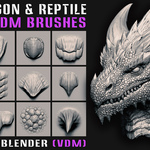
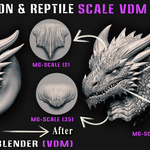
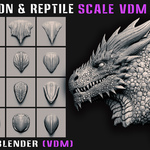
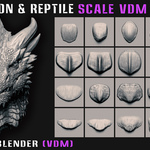
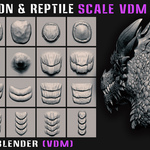
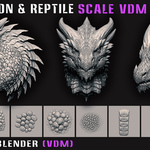
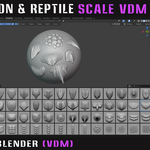
Included
- 64 ZBrush VDM Brushes (.ZBP)
- 64 Blender VDM Brushes (.blend)
- Preview Images
- Short Blender VDM Workflow Tutorial
Compatibility
- ZBrush 2023.2.2 or later
- Blender 4.5 or later
Blender Installation
1. Open Blender and go to:
Edit → Preferences → File Paths
2. Under Asset Libraries, click Add.
3. Select the included Blender Asset folder.
4. Click Save Preferences.
5. Open the Asset Browser and drag the VDM brush you need into your scene.
ZBrush Installation
1. Copy the included .ZBP brushes.
2. Paste them into the ZBrushes folder of your ZBrush installation.
3. Restart ZBrush.
4. The brushes will be available in the Brush palette.
The installation path may vary depending on your ZBrush version and installation location.
Workflow
Use the VDM brushes to quickly sculpt dragon, reptile, and creature scale details directly onto your mesh.
Suitable for:
- Dragon and reptile sculpting
- Creature design
- Monster characters
- Skin and scale detailing
- Digital sculpting
Have questions about this product?
Login to message
Includes an Asset Library
64 drag-and-drop assets for Blender’s Asset Browser.
Browse included assets| Sales | 10+ |
| Rating | 4 ratings |
| Published | 9 months ago |
| Blender Version | |
| License | Royalty Free |
Discover more products like this
blender DragonScales blendermarket 3dmodeling zbrush ReptileScales vdmbrush fantasyart #3DAssets #DigitalSculpting creaturedesign gameart