 Tommaso Malaisi


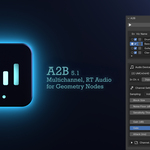
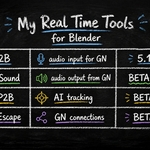
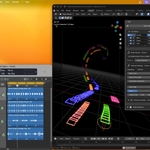
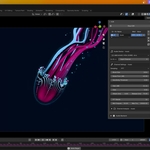
🎤 A2B 5.1 — Multichannel, Real-Time Audio → Geometry Nodes
Turn sound into motion. In real time.
https://www.youtube.com/watch?v=rbpHeKPZQ8E
A2B (Audio2Blender) converts live audio into data you can use directly inside Geometry Nodes.
No baking. No delays. Just real-time control.
⚡ What you can do
Drive animations with live audio
Use FFT bands in Geometry Nodes
Control parameters (volume, bass, mids, highs)
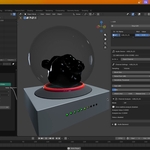
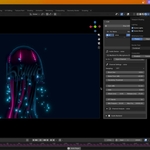
Build audio-reactive systems (particles, meshes, simulations)
Create real-time visuals in the 3D viewport
🧠 How it works
A2B writes audio into a Geometry Nodes attribute:
a2b[0]→ Volumea2b[1..N]→ FFT bands
Access via Sample Index.
👉 No drivers · No keyframes · No baking — only real-time data
🚀 What’s new in 5.1
🎛️ Multichannel system (multiple inputs)
🧪 Experimental analysis: pitch (Hz), BPM, more coming
⚡ Improved stability and responsiveness
🧩 Better architecture for complex setups
🎛️ Features
Real-time audio input (mic, system, external)
Configurable FFT bands (8, 16, 32…)
Custom frequency range (20 Hz – 20 kHz)
Multi-channel workflows
Optimized for viewport playback
Built for Geometry Nodes
🧪 Use cases
Audio-reactive visuals · Music visualizers · Procedural animation · Game and Interactive installations · Live setups
⚠️ Important
A2B is real-time only (viewport)
❌ No rendering
❌ No baking
✔️ Designed for live interaction and experimentation
🖥️ Audio drivers
Windows: ASIO recommended (best performance), WASAPI as fallback
macOS: Core Audio → works great out of the box
