 auron3d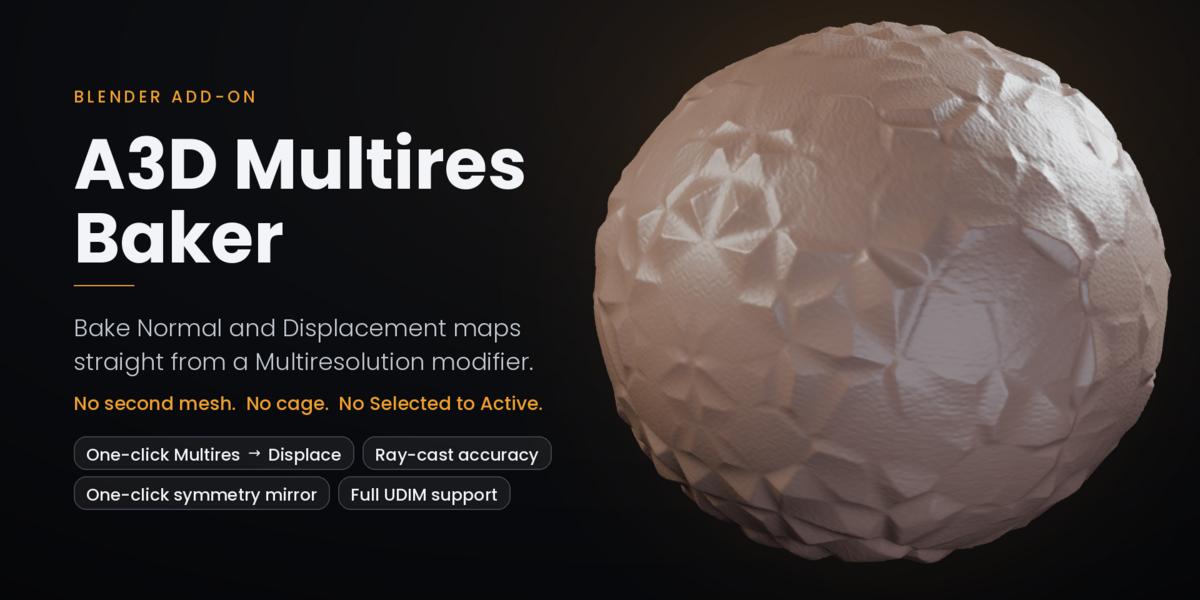
# A3D Multires Baker
**Bake Normal and Displacement maps straight from a Multiresolution modifier — no second mesh, no cage, no "Selected to Active".**
---
## What it does
Blender can bake from a Multiresolution modifier, but the feature is buried, barely exposed in the UI, and it moved to a different place in the Python API in Blender 5.x. A3D Multires Baker wraps it in a panel that makes sense, adds the validation it never had, and then goes one step further: it can **replace the Multires modifier entirely** with a Subdivision + Displace setup that looks the same — and mirror that detail to the other side of the body in one click.
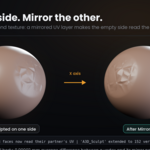
You sculpt on one side. The addon does the rest.
---
## Three tools, one panel
### 1. Bake from Multires
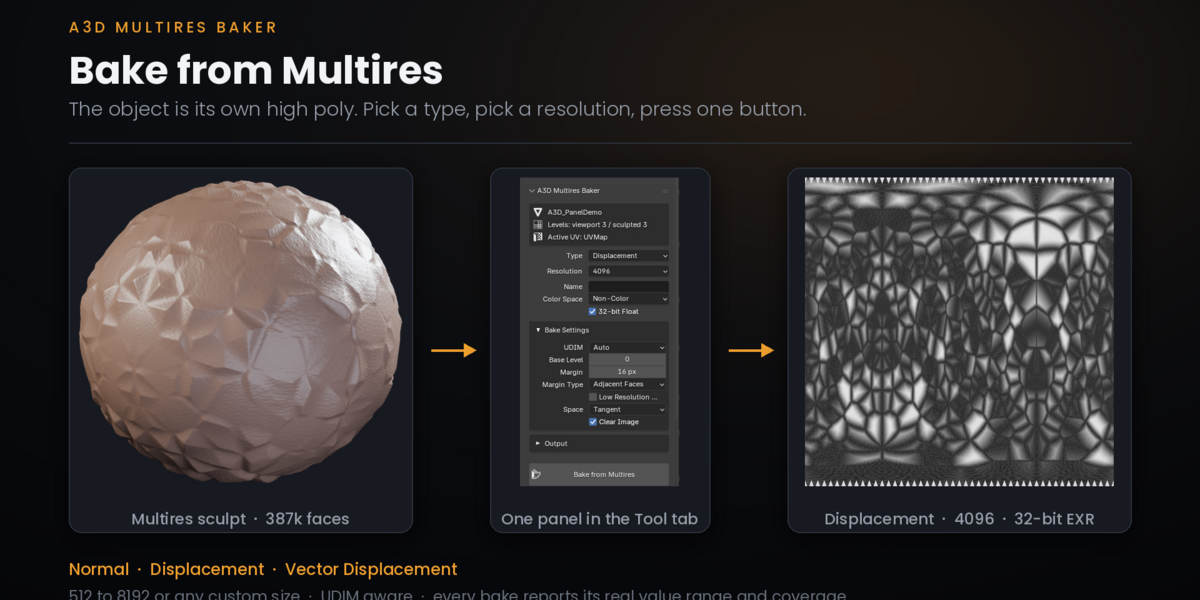
One button. Pick Normal, Displacement or Vector Displacement, pick a resolution, press it. The addon finds the Multires, sets up the target image, injects it into every material slot, runs the bake and cleans up after itself. It also tells you the truth about what came out: every bake reports the actual value range and what percentage of the map carries data, and warns you when the result is flat, when the coverage is under 1%, or when you are about to save a float displacement into an 8-bit file.
### 2. Multires → Displace
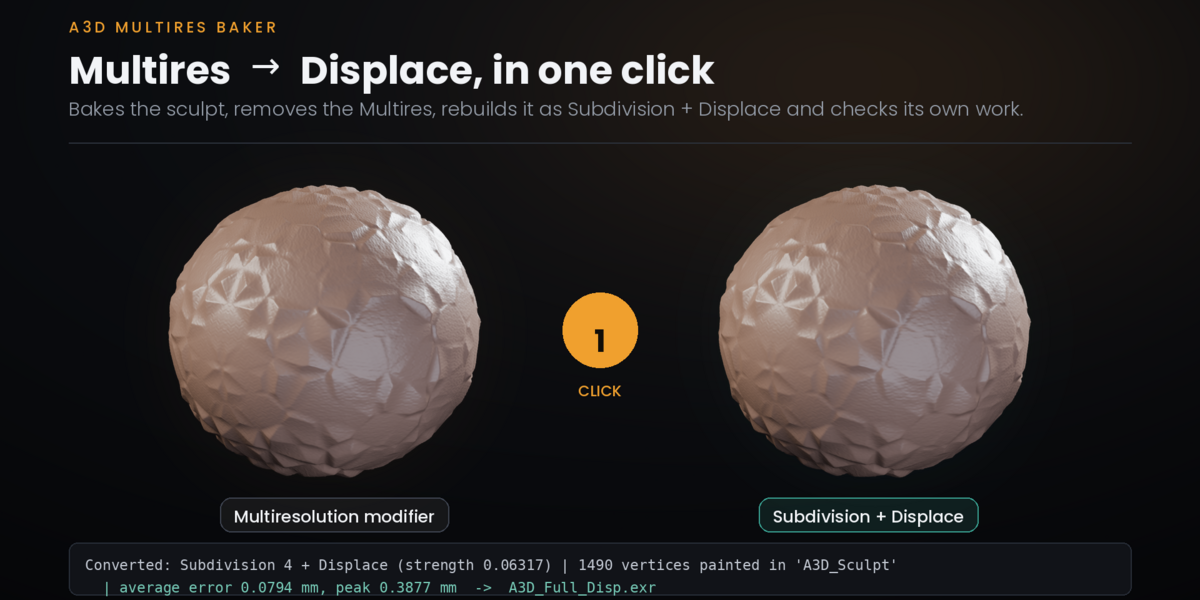
This is the one nobody else does. One click:
- bakes the sculpt to a 32-bit float EXR
- deletes the Multires modifier
- inserts Subdivision + Displace in exactly the same slot in the stack
- auto-paints a vertex group over the sculpted area, detected from the map itself
- **measures the result against the mesh the Multires produced and reports the error in millimetres**
On a real character sculpt the average deviation is **0.015 mm** and the peak is **0.45 mm** on a 3.8 mm-deep crease. You do not have to take my word for it: the operator measures it and prints the number every single time you run it. If a conversion ever goes wrong on your mesh, you will know immediately instead of discovering it three steps later.
### 3. Mirror
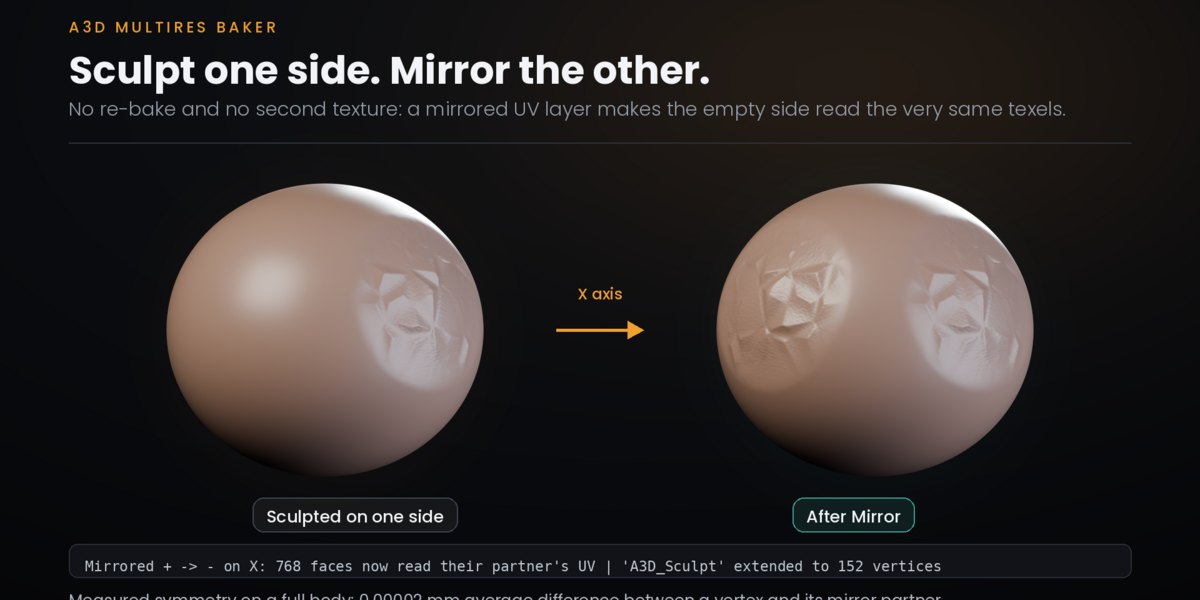
Sculpt one side, mirror it to the other. No re-bake, no new texture: the addon builds a mirrored UV layer so the empty side reads the very same texels through its symmetric twin. The result is not an approximation — it is the identical map. Measured symmetry on a full body: **0.00002 mm average difference** between a vertex and its mirror partner.
Works on X, Y or Z, and auto-detects which side you sculpted.
---
## Why it is accurate
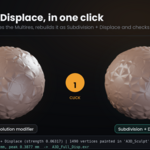
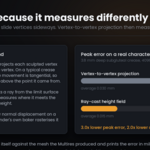
Blender's native Multires displacement bake measures each sculpted vertex against its matching base vertex. That assumption breaks the moment you use Crease, Pinch or Move: those brushes slide vertices **sideways** along the surface, so the vertex is no longer above the point it came from and the projection returns the wrong height. On a typical crease sculpt, 80% of the movement is tangential.
A3D Multires Baker measures the height with a **ray cast** from the limit surface along its normal instead. It then rebuilds a clean, purely normal displacement on a temporary copy so Blender's own baker can rasterize it without being misled.
The difference on a real sculpt:
| Method | average error | peak error |
|---|---|---|
| Vertex-to-vertex projection (native) | 0.030 mm | 1.367 mm |
| Ray-cast height field (this addon) | **0.015 mm** | **0.453 mm** |
---
## Other things it gets right
**Full UDIM support.** DAZ and Genesis figures spread the body across tiles 1001–1005. A plain bake only writes the 0–1 square and silently throws the rest away — which is why so many bakes come out flat grey. The addon detects the tiles your active UV actually uses and bakes into all of them, and warns you when UDIM is off but your UVs need it.
**EXR files that are not 2 GB.** Blender's `Image.save()` writes uncompressed RGB float with no way to configure it: an 8K displacement map lands at 805 MB per tile. The addon rewrites them as single-channel 32-bit ZIP. Same precision, typically under 2 MB.
**Blender 4.0 through 5.x from one build.** The bake settings live in a different place in 4.x and 5.x. Instead of version checks that break on every new branch, the addon detects by introspection which container exists and adapts.
**Errors you can act on.** No UV map, no sculpt levels, wrong mode, invalid base level, unsupported bake type — each one is caught before anything happens and explained in plain language.
---
## Feature summary
- Normal / Displacement / Vector Displacement bake from Multires
- 512 to 8192 or any custom resolution
- UDIM aware, automatic tile detection
- 32-bit float buffers, EXR / PNG / TIFF output
- Auto image naming, colour space handling, margin control
- Optional automatic material with the map already wired
- Multi-object batch baking
- One-click Multires → Subdivision + Displace conversion with self-verification
- Automatic vertex-group painting of the sculpted region
- One-click symmetry mirroring on any axis
- Non-destructive: nothing is applied or deleted unless you ask for it
---
## What it does not do yet
I would rather you know this before you buy than find it out afterwards.
**The conversion is extremely accurate, not bit-perfect.** Average deviation is
0.015 mm, but the peak reaches about 0.45 mm at the very sharpest point of a
deep crease. The reason is mathematical, not a bug: where a sculpted surface
folds over itself, no scalar height map can follow it. If you need the overhang
reproduced exactly, bake Vector Displacement instead — and that path is not yet
wired into the one-click conversion. It is next on the list.
**Mirroring needs a topologically symmetric mesh.** It pairs vertices by
position. On a DAZ or Genesis figure that is always true; on a heavily edited
custom mesh it may not be, and the operator will tell you rather than produce
something wrong.
**Most of my testing has been on DAZ/Genesis figures in Blender 5.2.** Support
for 4.0–4.4 is built by detecting the API at runtime rather than by version
checks, which is the robust way to do it, but I have not run every combination
of version and mesh type. If something breaks on your setup, tell me.
**The interface is dense.** There are a lot of settings because baking genuinely
has a lot of variables. The defaults are chosen to be right for the common case,
and the panel warns you when a setting is about to cost you the result — but it
is not a two-button add-on.
## Support and updates
This is a tool I use in my own production work every day, which is the only
reason it handles the awkward cases at all: UDIM tiles, tangential brush
movement, oversized EXRs, the API move between Blender 4 and 5. Every one of
those was a problem that bit me first.
That also means it keeps getting fixed. Versions 1.1 through 1.4 all came out of
real failures found in real scenes, and each one is documented in the changelog
with what was wrong and what changed. I will keep doing that.
If you hit something, send me the case. Concrete bug reports are what move this
forward fastest.
## Requirements
- Blender 4.0 – 5.x
- A mesh with a Multiresolution modifier and at least one sculpt level
- A UV map
---
*A3D Multires Baker — by Auron3D*
*https://superhivemarket.com/creators/auron3d*
