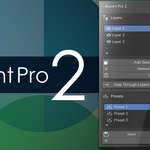
Accent Pro 2
 Minimalist Soft



Are there unlimited layers?
Yes.
Does Accent Pro damage my mesh?
No. If you don't want to use Accent Pro 2 any longer, simply deactivate in the Edit > Preferences > Addons : [Accent Pro 2] menu or uninstall it. Be sure to hit ALT + h in edit mode to display any hidden faces. Accent Pro operates above Blender's functions, so it is non-destructive and will never corrupt your mesh.
Is Accent Pro for High Polycount Modeling?
Yes. Accent Pro can handle whatever your computer and Blender can handle.
Will Accent Pro really help my workflow?
Yes. If you are a professional or beginner, you'll find that sometimes it may be difficult to access certain parts of a mesh. You might want to show only certain parts of a mesh- or hide certain parts of a mesh. If you find that one mesh hiding function is not enough, then you will love Accent Pro.
Does Accent Pro do anything else besides layers?
Accent Pro is kept purposefully very simple. So, showing/hiding layers in edit mode is what it does best.
How does Accent Pro Perform with advanced operation?
Accent Pro is transparent in operation, so feel free to use your normal workflow.
Is Accent Pro available in my language?
The menu dialogue is in English, however, Accent Pro 2 is designed with a minimalist layout. All elements contain icons so that operation is universal.
Why does it cost $1?
Because why not? ;)
$1
Have questions about this product?
Login to message
| Sales | 10+ |
| Published | 8 months ago |
| Blender Version | 4.5 - 5.0 |
| Extension Type | N/A |
| Render Engine Used | Arnold, Blender-Internal, Blender-Game-Engine, Cycles, Eevee, Freestyle, Luxrender, Mental-Ray, Octane, Vray, Yafaray |
| License | Mit |