Acs - Railing Generator
 CGI Forge

My railing looks a bit to sharp for my taste. What can I do?
You have 2 options to make the edges of the railing look more realistic:
- Use a bevel node in the material node tree and plug it into the normal input of your shader (Thats what I did in all of the preview animations on the store page)
- Bevel the edges with a bevel modifier AFTER the geo nodes modifier (depending on edge angle)
My shading looks weird, what can I do?
The system is designed to work with auto smooth. So just right click the model and choose "Auto Smooth". It should look better now!
How can I add the system to my scene?
- Save the downloaded file on your pc, where you can find it later.
- Open the blender file in which you would like to import the railing system.
- File --> Append --> ACS_Railing Generator.blend --> NodeTree --> ACS - Railing Generator
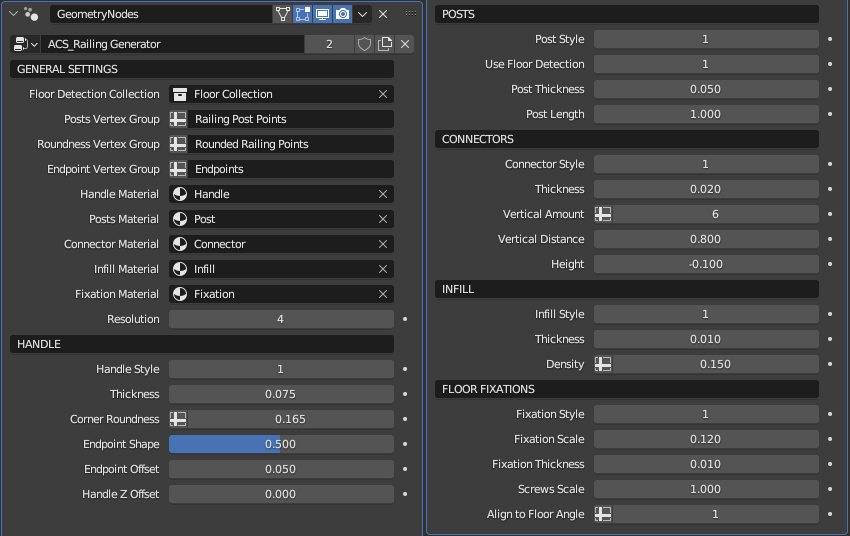
- Play with the input attributes in the modifier stack until you like how it looks.
$9.99
Have questions about this product?
Login to message
| Sales | 200+ |
| Dev Fund Contributor | |
| Published | over 3 years ago |
| Blender Version | 3.4 - 5.2 |
| License | Royalty Free |
Discover more products like this
summer24 posts bar connector Interior acs hand railings essential floor architecture ArchViz system rail room barrier bfcm24 bfcm23 Generator Glass interieur spring24 fencing balcony fence procedural architect living handrail stair geometry nodes House handle fixation winter24