Action Cleaner Pro – One-Click Empty Action Remover
 RealDevCode



📘 Documentation
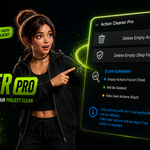
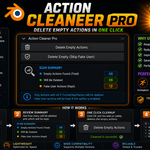
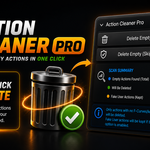
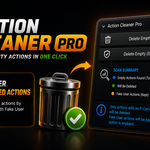
Learn how to use Action Cleaner Pro to scan, detect, and remove empty or unused Blender actions quickly with safe cleanup workflows and Fake User protection support
📦 Installation
Go to Edit → Preferences → Add-ons → Install and select the Action Cleaner Pro ZIP file.
⚙️ Main Features
- Remove empty actions instantly
- Remove unused Blender actions safely
- Fake User protection support
- Fast one-click cleanup workflow
- Quick scan summary system
- Optimized cleanup performance
- F5 shortcut support
- Lightweight and beginner-friendly interface
🎯 Workflow Usage
- Open the Action Cleaner Pro panel inside Blender
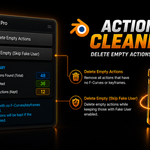
- Press the Scan button to detect empty and unused actions
- Review deletable and protected action counts
- Choose your preferred cleanup option
- Delete empty actions instantly with one click
- Use Skip Fake User mode for safer cleanup workflows
🧹 Cleanup Tools
- Scan Summary for quick action overview
- Delete Empty Actions cleanup tool
- Fake User protected action support
- Fast refresh and rescanning system
- One-click workflow optimization
🛡️ Safe Workflow
- 100% offline workflow
- No tracking or data collection
- No internet access required
- Designed for safe Blender cleanup workflows
💡 Tips
- Use Scan Summary before cleanup
- Enable Skip Fake User for safer workflows
- Refresh the scan after major animation edits
- Use the F5 shortcut for faster access
- Regular cleanup helps keep Blender projects organized
Have questions about this product?
Login to message
| Blender Extension Compatible | Yes |
| Dev Fund Contributor | |
| Published | 5 months ago |
| Blender Version | 4.2 - 5.2 |
| Extension Type | Add-on |
| Render Engine Used | Cycles, Eevee |
| License | GPL |
Discover more products like this
action cleaner cleanup tool blender tools action manager unused actions productivity workflow addon blender addon animation blender-utility fake-user Animation Workflow