Advanced Inset

Tachyon Studio in Modeling


CHANGELOG

Advanced Inset

What's new in this version

1.0.3 — 25 September 2026

Every shortcut in the editor can now be changed, and any of them can take Ctrl, Shift or Alt (or Cmd on a Mac).

Changed

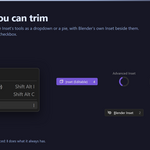
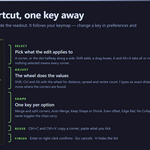
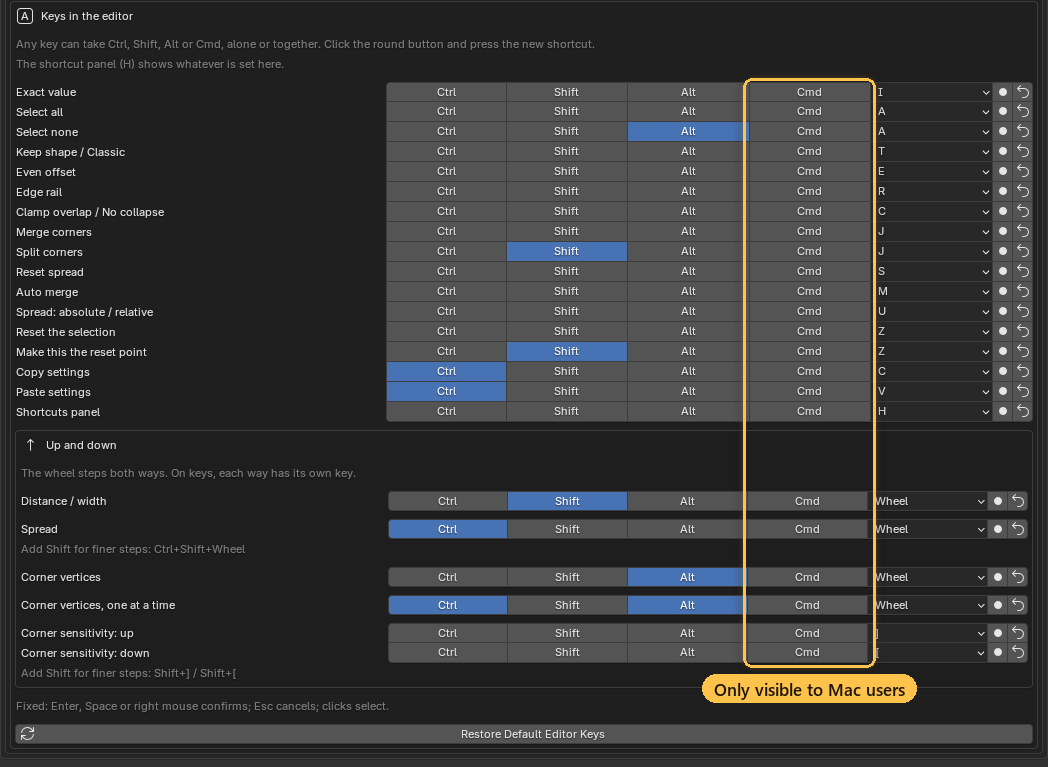
Every shortcut is yours to set. In the add-on preferences, under Keys in the editor, each action has Ctrl, Shift and Alt toggles and a key. Click the round button beside one and press the shortcut you want (Esc cancels). Any combination works, so Ctrl + Shift + D is as good as a plain letter. Two actions on the same shortcut get a warning, and the first one keeps it.

The shortcut preferences; the Cmd column only appears on a Mac

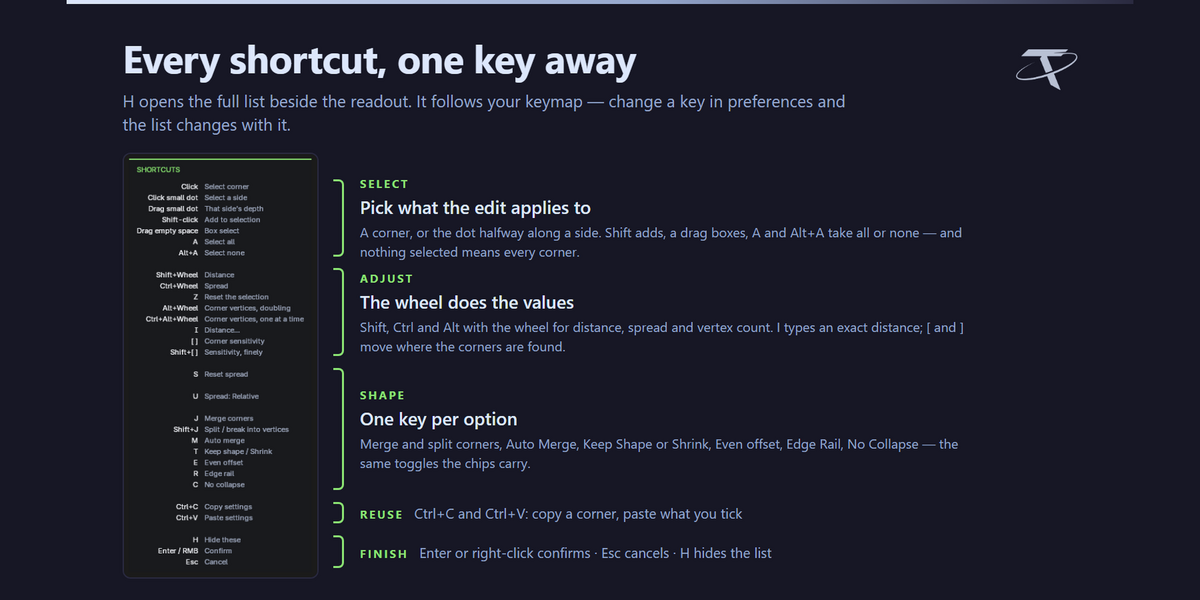

Anything that goes up and down can use the wheel or two keys. Distance, spread, corner vertices and corner sensitivity can each be the wheel with your own modifiers, or a pair of keys, one for up and one for down: letters, numbers, arrows, the numpad or the side mouse buttons. The old Spread on and Segments on only chose between Ctrl and Alt; spread and vertex count now take any modifiers you like. Shift still gives finer steps on the spread and the corner sensitivity.

The shortcuts that rode on another key have rows of their own: Select none (Alt + A), Split corners (Shift + J) and Set the reset point (Shift + Z).

On a Mac, Cmd works too. Every shortcut gets a Cmd toggle as well, and Alt is shown as Option, the way the keyboard reads.

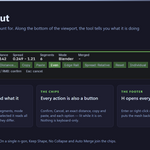
Nothing changes until you change it: every default is what it was, and a key you had already changed, or your Spread on and Segments on choice, carries over. The shortcut panel (H) shows whatever you set.

GPL-3.0-or-later · Copyright 2026 Tachyon Studio
A Blender add-on. It needs no engine, no external tool and no network access.
CHANGELOG

Advanced Inset

Every release, newest first

Every release of the add-on, newest first. One package covers Blender 3.3 – 5.2: a modern extension on 4.2+, a classic add-on on 3.3 – 4.1.

Current version:  1.0.2

Released:  24 September 2026

Blender:  3.3 – 5.2

Licence:  GPL-3.0-or-later


1.0.2 — 24 September 2026

Corners can be sent back to a point you choose, a copied corner pastes as the same size anywhere, and very wide rounds and merged corners hold their shape.

Added



A reset point for your corners. Reset (the chip, or Z) used to put a corner back to plain defaults. Now it puts it back where it was when you started the tool. Liked a shape halfway through? Click Set Reset Point (or Shift + Z) and Reset returns there instead. It works per corner, so you can reset one corner while its neighbours keep their edits.

Set Reset Point and Reset on the inset's corners

Paste a vertex count. Copy a round corner and paste its vertex count onto another. A corner that is still a single vertex takes it too and becomes a round of that many vertices. The row is labelled N vertices, so you can see what you are pasting.

The shortcuts panel sits on the left, clear of the toolbar and the sidebar. A new preference, Shortcuts panel, puts it on the right instead.

Changed

A pasted spread is the same size on any corner. Spread used to be copied relative to the corner it came from, so 0.3 copied off a round corner was a different size on a filleted sharp one. It is copied as a length now: the same number is the same size wherever you paste it.

The first drag grows outward. A preference, First drag, changes it back.

Edit Corners appears once. With Advanced Bevel installed as well, Blender's Face and Vertex menus list Edit Corners once instead of twice.

Fixed

Very wide rounds keep the inset's width. A single round that turns further than about 140 degrees (the whole top of a rounded face, say) was moved in Keep Shape as one piece. That can't keep the width, so its ends slid along the sides instead of coming in from them. Such a round now takes the parallel offset, the same distance in all the way round.

Merged corners keep their arc with Auto Merge on. A merged corner set to Keep Shape between two parallel sides could slide straight down those sides when Auto Merge was on. It now keeps the arc fitted between its sides.


1.0.1 — 21 September 2026

Fixed

The corner handles are visible again on the Vulkan backend. On Blender set to Vulkan (Preferences ▸ System ▸ Backend), the coloured dots marking each corner did not appear, while OpenGL showed them normally. The tool itself worked throughout — only the dots were missing, so an edit could be made but not aimed.

The handles are drawn as GPU points, and the Vulkan backend ignores the requested point size for the shader the add-on used, which left every handle one pixel wide. They are now drawn with Blender's dedicated point shader, which honours the size on both backends. Nothing changes if you use OpenGL: the handles are drawn exactly as before.

Reported by a customer, and confirmed by measuring what actually reaches the screen on Blender 5.2 under both backends.


1.0.0 — First release

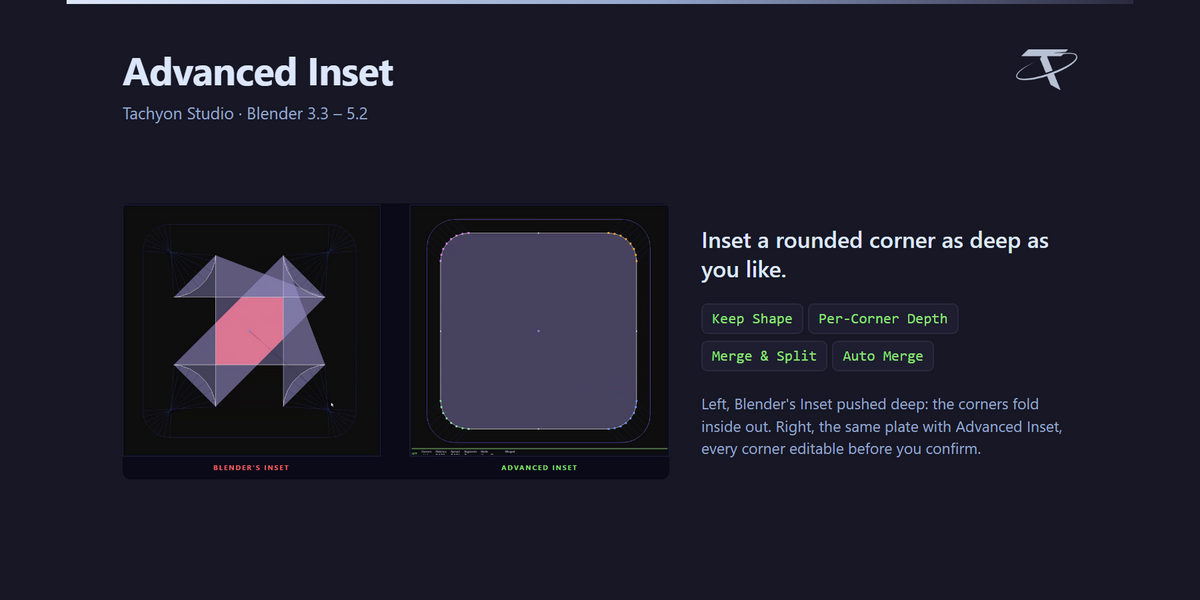
An inset whose corners never collapse.

What it does

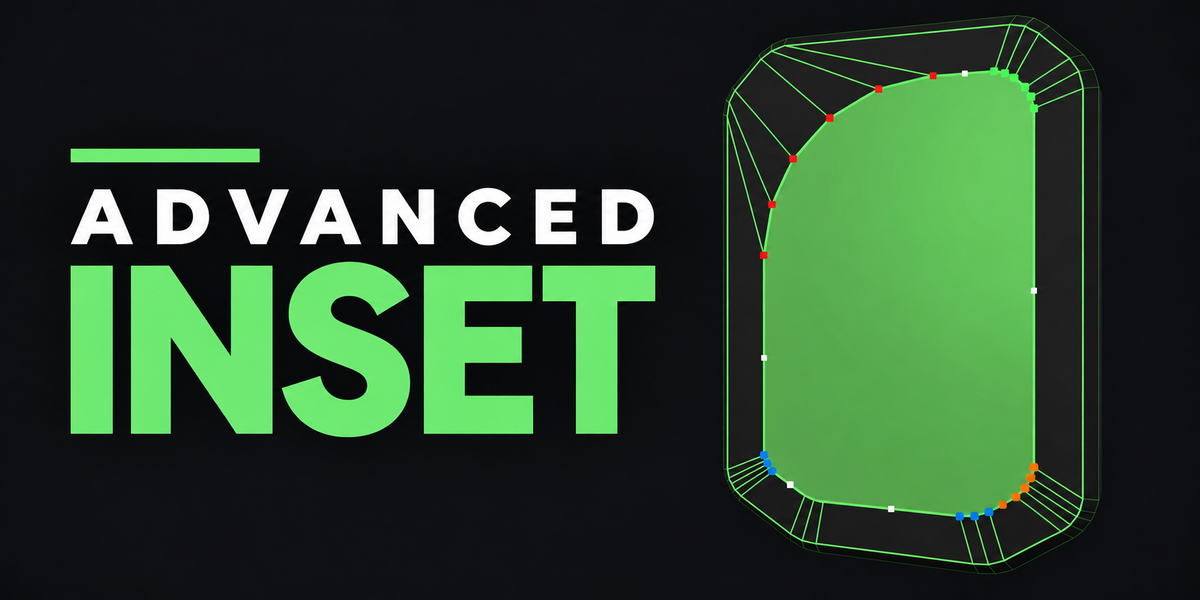


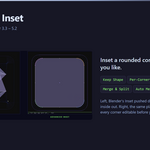
  • Blender's inset slides every vertex along the bisector of its two edges, so a rounded corner shrinks as it goes in, lands on a single point, and turns inside out past that. This finds each corner on its own and moves it as one rigid piece, so the shape survives any depth.

  • Every corner becomes a handle: its own depth, its own radius, its own vertex count, its own mode, all live in the viewport before anything is committed.

  • A side — the stretch between two corners — has its own small handle and its own depth, and follows its corners until you give it one.
  • Corners can be merged, split, and copied from one to another.
  • The same editor works on corners the mesh already has, with nothing inset at all.
  • Quads and whole regions of faces take Blender's own inset for their positions, with the corner controls on top.
  • The inset is worked out in world space, so on an object scaled in Object Mode the distance is the distance you see on screen and a round corner stays round on screen.
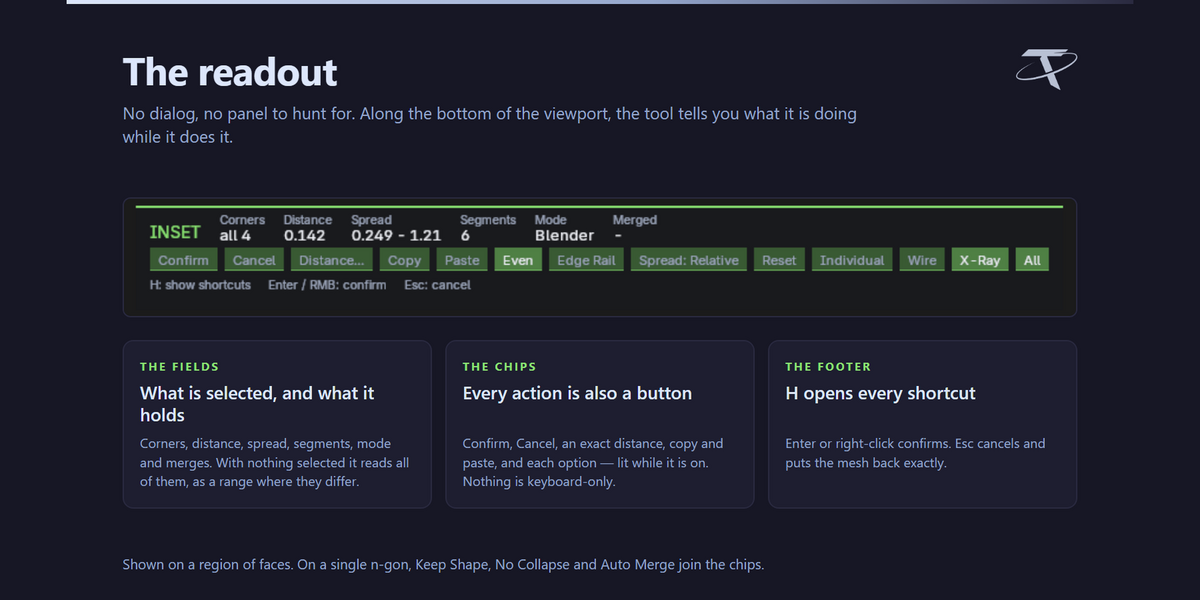
  • Nothing is committed until you confirm, and Esc puts the mesh back exactly as it was.

Pure Blender, and nothing to configure. No game engine, no external tool, and no network use of any kind: it opens no sockets, sends no telemetry and checks no licence. Blender's own Inset is untouched and still on I.

GPL-3.0-or-later · Copyright 2026 Tachyon Studio
A Blender add-on. It needs no engine, no external tool and no network access.
CHANGELOG

Advanced Inset

Every release, newest first

Every release of the add-on, newest first. One package covers Blender 3.3 – 5.2: a modern extension on 4.2+, a classic add-on on 3.3 – 4.1.

Item Detail
Current version 1.0.1
Released 21 September 2026
Blender 3.3 – 5.2
Licence GPL-3.0-or-later

1.0.1 — 21 September 2026

Fixed

The corner handles are visible again on the Vulkan backend. On Blender set to Vulkan (Preferences ▸ System ▸ Backend), the coloured dots marking each corner did not appear, while OpenGL showed them normally. The tool itself worked throughout — only the dots were missing, so an edit could be made but not aimed.

The handles are drawn as GPU points, and the Vulkan backend ignores the requested point size for the shader the add-on used, which left every handle one pixel wide. They are now drawn with Blender's dedicated point shader, which honours the size on both backends. Nothing changes if you use OpenGL: the handles are drawn exactly as before.

Reported by a customer, and confirmed by measuring what actually reaches the screen on Blender 5.2 under both backends.


1.0.0 — First release

An inset whose corners never collapse.

What it does

  • Blender's inset slides every vertex along the bisector of its two edges, so a rounded corner shrinks as it goes in, lands on a single point, and turns inside out past that. This finds each corner on its own and moves it as one rigid piece, so the shape survives any depth.
  • Every corner becomes a handle: its own depth, its own radius, its own vertex count, its own mode, all live in the viewport before anything is committed.
  • A side — the stretch between two corners — has its own small handle and its own depth, and follows its corners until you give it one.
  • Corners can be merged, split, and copied from one to another.
  • The same editor works on corners the mesh already has, with nothing inset at all.
  • Quads and whole regions of faces take Blender's own inset for their positions, with the corner controls on top.
  • The inset is worked out in world space, so on an object scaled in Object Mode the distance is the distance you see on screen and a round corner stays round on screen.
  • Nothing is committed until you confirm, and Esc puts the mesh back exactly as it was.

Pure Blender, and nothing to configure. No game engine, no external tool, and no network use of any kind: it opens no sockets, sends no telemetry and checks no licence. Blender's own Inset is untouched and still on I.

GPL-3.0-or-later · Copyright 2026 Tachyon Studio
A Blender add-on. It needs no engine, no external tool and no network access.
No versions found for this variant.
CHANGELOG

Advanced Inset

What's new in this version

1.0.3 — 25 September 2026

Every shortcut in the editor can now be changed, and any of them can take Ctrl, Shift or Alt (or Cmd on a Mac).

Changed

Every shortcut is yours to set. In the add-on preferences, under Keys in the editor, each action has Ctrl, Shift and Alt toggles and a key. Click the round button beside one and press the shortcut you want (Esc cancels). Any combination works, so Ctrl + Shift + D is as good as a plain letter. Two actions on the same shortcut get a warning, and the first one keeps it.

The shortcut preferences; the Cmd column only appears on a Mac

Anything that goes up and down can use the wheel or two keys. Distance, spread, corner vertices and corner sensitivity can each be the wheel with your own modifiers, or a pair of keys, one for up and one for down: letters, numbers, arrows, the numpad or the side mouse buttons. The old Spread on and Segments on only chose between Ctrl and Alt; spread and vertex count now take any modifiers you like. Shift still gives finer steps on the spread and the corner sensitivity.

The shortcuts that rode on another key have rows of their own: Select none (Alt + A), Split corners (Shift + J) and Set the reset point (Shift + Z).

On a Mac, Cmd works too. Every shortcut gets a Cmd toggle as well, and Alt is shown as Option, the way the keyboard reads.

Nothing changes until you change it: every default is what it was, and a key you had already changed, or your Spread on and Segments on choice, carries over. The shortcut panel (H) shows whatever you set.

GPL-3.0-or-later · Copyright 2026 Tachyon Studio
A Blender add-on. It needs no engine, no external tool and no network access.
CHANGELOG

Advanced Inset

Every release, newest first

Every release of the add-on, newest first. One package covers Blender 3.3 – 5.2: a modern extension on 4.2+, a classic add-on on 3.3 – 4.1.

Current version:  1.0.2

Released:  24 September 2026

Blender:  3.3 – 5.2

Licence:  GPL-3.0-or-later


1.0.2 — 24 September 2026

Corners can be sent back to a point you choose, a copied corner pastes as the same size anywhere, and very wide rounds and merged corners hold their shape.

Added

A reset point for your corners. Reset (the chip, or Z) used to put a corner back to plain defaults. Now it puts it back where it was when you started the tool. Liked a shape halfway through? Click Set Reset Point (or Shift + Z) and Reset returns there instead. It works per corner, so you can reset one corner while its neighbours keep their edits.

Set Reset Point and Reset on the inset's corners

Paste a vertex count. Copy a round corner and paste its vertex count onto another. A corner that is still a single vertex takes it too and becomes a round of that many vertices. The row is labelled N vertices, so you can see what you are pasting.

The shortcuts panel sits on the left, clear of the toolbar and the sidebar. A new preference, Shortcuts panel, puts it on the right instead.

Changed

A pasted spread is the same size on any corner. Spread used to be copied relative to the corner it came from, so 0.3 copied off a round corner was a different size on a filleted sharp one. It is copied as a length now: the same number is the same size wherever you paste it.

The first drag grows outward. A preference, First drag, changes it back.

Edit Corners appears once. With Advanced Bevel installed as well, Blender's Face and Vertex menus list Edit Corners once instead of twice.

Fixed

Very wide rounds keep the inset's width. A single round that turns further than about 140 degrees (the whole top of a rounded face, say) was moved in Keep Shape as one piece. That can't keep the width, so its ends slid along the sides instead of coming in from them. Such a round now takes the parallel offset, the same distance in all the way round.

Merged corners keep their arc with Auto Merge on. A merged corner set to Keep Shape between two parallel sides could slide straight down those sides when Auto Merge was on. It now keeps the arc fitted between its sides.


1.0.1 — 21 September 2026

Fixed

The corner handles are visible again on the Vulkan backend. On Blender set to Vulkan (Preferences ▸ System ▸ Backend), the coloured dots marking each corner did not appear, while OpenGL showed them normally. The tool itself worked throughout — only the dots were missing, so an edit could be made but not aimed.

The handles are drawn as GPU points, and the Vulkan backend ignores the requested point size for the shader the add-on used, which left every handle one pixel wide. They are now drawn with Blender's dedicated point shader, which honours the size on both backends. Nothing changes if you use OpenGL: the handles are drawn exactly as before.

Reported by a customer, and confirmed by measuring what actually reaches the screen on Blender 5.2 under both backends.


1.0.0 — First release

An inset whose corners never collapse.

What it does

  • Blender's inset slides every vertex along the bisector of its two edges, so a rounded corner shrinks as it goes in, lands on a single point, and turns inside out past that. This finds each corner on its own and moves it as one rigid piece, so the shape survives any depth.
  • Every corner becomes a handle: its own depth, its own radius, its own vertex count, its own mode, all live in the viewport before anything is committed.
  • A side — the stretch between two corners — has its own small handle and its own depth, and follows its corners until you give it one.
  • Corners can be merged, split, and copied from one to another.
  • The same editor works on corners the mesh already has, with nothing inset at all.
  • Quads and whole regions of faces take Blender's own inset for their positions, with the corner controls on top.
  • The inset is worked out in world space, so on an object scaled in Object Mode the distance is the distance you see on screen and a round corner stays round on screen.
  • Nothing is committed until you confirm, and Esc puts the mesh back exactly as it was.

Pure Blender, and nothing to configure. No game engine, no external tool, and no network use of any kind: it opens no sockets, sends no telemetry and checks no licence. Blender's own Inset is untouched and still on I.

GPL-3.0-or-later · Copyright 2026 Tachyon Studio
A Blender add-on. It needs no engine, no external tool and no network access.
CHANGELOG

Advanced Inset

Every release, newest first

Every release of the add-on, newest first. One package covers Blender 3.3 – 5.2: a modern extension on 4.2+, a classic add-on on 3.3 – 4.1.

Item Detail
Current version 1.0.1
Released 21 September 2026
Blender 3.3 – 5.2
Licence GPL-3.0-or-later

1.0.1 — 21 September 2026

Fixed

The corner handles are visible again on the Vulkan backend. On Blender set to Vulkan (Preferences ▸ System ▸ Backend), the coloured dots marking each corner did not appear, while OpenGL showed them normally. The tool itself worked throughout — only the dots were missing, so an edit could be made but not aimed.

The handles are drawn as GPU points, and the Vulkan backend ignores the requested point size for the shader the add-on used, which left every handle one pixel wide. They are now drawn with Blender's dedicated point shader, which honours the size on both backends. Nothing changes if you use OpenGL: the handles are drawn exactly as before.

Reported by a customer, and confirmed by measuring what actually reaches the screen on Blender 5.2 under both backends.


1.0.0 — First release

An inset whose corners never collapse.

What it does

  • Blender's inset slides every vertex along the bisector of its two edges, so a rounded corner shrinks as it goes in, lands on a single point, and turns inside out past that. This finds each corner on its own and moves it as one rigid piece, so the shape survives any depth.
  • Every corner becomes a handle: its own depth, its own radius, its own vertex count, its own mode, all live in the viewport before anything is committed.
  • A side — the stretch between two corners — has its own small handle and its own depth, and follows its corners until you give it one.
  • Corners can be merged, split, and copied from one to another.
  • The same editor works on corners the mesh already has, with nothing inset at all.
  • Quads and whole regions of faces take Blender's own inset for their positions, with the corner controls on top.
  • The inset is worked out in world space, so on an object scaled in Object Mode the distance is the distance you see on screen and a round corner stays round on screen.
  • Nothing is committed until you confirm, and Esc puts the mesh back exactly as it was.

Pure Blender, and nothing to configure. No game engine, no external tool, and no network use of any kind: it opens no sockets, sends no telemetry and checks no licence. Blender's own Inset is untouched and still on I.

GPL-3.0-or-later · Copyright 2026 Tachyon Studio
A Blender add-on. It needs no engine, no external tool and no network access.
  • For 1 person (1 seat). Commercial use included.

    $7.49 $9.99
  • For a team of up to 6 people (6 seats). Commercial use included.

    $29.97 $39.96
  • For a studio of up to 20 people (20 seats). Commercial use included. Need more than 20 seats? Contact us directly.

    $74.93 $99.90
$7.49

Support Period Included

Includes 12 months of

Extend this product’s Support Period +12 months: 50% of product price

Have questions before purchasing?
Login to message

Details
Blender Extension Compatible Yes
Rating
1 ratings
Published 7 days ago
Blender Version 3.3 - 5.2
Extension Type Add-on
License GPL