Advanced Texture Suite
 Bowstone Studios


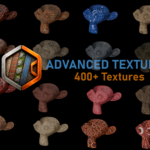
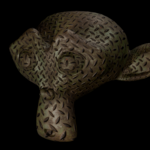
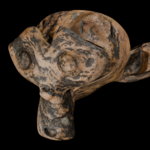
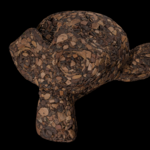
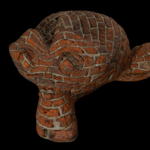
Advanced Texture Suite
Professional Texture Painting & Shading for Blender — Substance Painter–style Layering, Marmoset-style Materials, All Inside Blender
Version 2.1.2 · Blender 4.5+
Overview
Advanced Texture Suite brings a professional, non-destructive texturing pipeline directly into Blender's 3D Viewport. If you've ever wished you could stack materials like layers in Photoshop, paint their visibility with a brush, apply true triplanar projection without unwrapping a single seam, and export game-ready texture maps — all without leaving Blender or paying for a separate app — this addon is built for exactly that workflow.
It combines three things that are normally separate tools:
- A Substance Painter–style layered material system — stack multiple materials on one object and paint their opacity directly onto the mesh.
- A Marmoset Toolbag–style smart material library — drop in categorized, tweakable procedural materials in one click.
- A game-engine texture baking pipeline — turn your fully procedural, node-based material stack into flat, packed texture maps ready for Unreal Engine or Unity.
Everything is designed to be non-destructive. Your original materials are never modified in place — the addon works with editable copies and reversible node graphs, so you can always go back and adjust a setting, swap a material, or reproject a texture at any point in your workflow.
Core Features
Material Layer Stack — Photoshop-Style Layered Materials
This is the heart of the addon. Instead of manually building multi-material shaders by hand, you assemble a stack of materials — visually ordered from top to bottom, just like layers in an image editor — and paint each layer's visibility directly onto the mesh with a brush.
- Add, remove, reorder, and toggle layers from a clean list-based UI, just like a layer panel in Photoshop or Substance Painter.
- Paint layer masks directly in Texture Paint mode. Select a layer, hit "Paint Mask," and paint exactly where that material should show through — no manual UV masking required.
- Invert masks per layer with a single click.
- "Make Base" instantly promotes any layer to the always-visible bottom layer of the stack.
- Automatic UV unwrapping for mask painting — if your mesh has no UVs, the addon generates a clean smart-projected UV map for you so mask painting works immediately.
- 4K mask resolution by default, so your painted transitions stay crisp at close range.
- Fully procedural — every layer's material is built from live shader node groups, not baked textures, so you can keep tweaking materials after they're in the stack.
- Handles displacement correctly — per-layer displacement is composited through the stack alongside color, so bumpy/rocky materials layer over smooth ones the way you'd expect.
- Built for performance: the underlying node graph is updated incrementally rather than rebuilt from scratch on every change, so reordering, toggling, and tweaking stays responsive even on stacks with many layers.
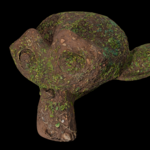
Typical use case: blend a rock material into a mossy dirt material on a cliff face, then paint snow accumulation on top — all live, all paintable, all adjustable.
Smart Materials Library
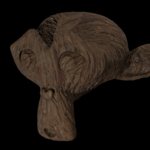
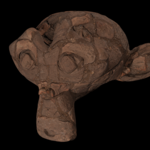
A categorized library of ready-to-use procedural materials, linked from an included preset file so your scene stays lightweight.
- Materials are organized into intuitive categories: Wood, Rocks, Metal, Concrete, Brick & Masonry, Tiles & Roofing, Ground & Terrain, Fabric & Cloth, Leather, Plastic & Rubber, Glass, Ceramic & Clay, Paper & Cardboard, Organic & Skin, Food, Paint & Coatings, and more.
- Live search filters both categories and individual materials as you type.
- One-click apply — assign a preset to the active object's slot, or directly into the active layer of your Material Layer Stack.
- Thumbnail previews generate automatically so you can browse visually, not just by name.
- Many presets expose tweakable parameters (color, scale, roughness, and more) right in the panel — no need to dive into the shader editor to make a material your own.
Non-Destructive Smart Tweak Stack
Add a layer of procedural weathering and surface detail on top of any material with a single button:
- Surface breakup — subtle procedural bump and roughness variation so materials don't look flat and computer-generated.
- Dirt, rust, and wear layers — each with its own strength slider, blended in procedurally based on noise.
- All controls are exposed as simple sliders (noise scale, detail, roughness, bump strength, and individual dirt/rust/wear amounts), and everything is built from clearly labeled, easy-to-identify shader nodes so advanced users can still open the Shader Editor and see exactly what's happening.
- Fully reversible — re-running the tweak stack updates existing nodes instead of duplicating them.
Advanced Projection System — Triplanar, Spherical & Cylindrical
Stop fighting UV seams on organic or sculpted meshes. Apply high-quality projection mapping to any material in one click:
- Triplanar projection with adjustable blend sharpness — control how hard or soft the transition is between projection axes, letting you dial in anything from a smooth painterly blend to a crisp hard-surface look.
- Spherical and Cylindrical projection modes for props, organic forms, and architectural elements.
- Adjustable projection scale to control texture tiling density independently of your mesh's UVs.
- Automatic seam-risk detection — the addon analyzes your texture for strong directional grain (like wood grain or brushed metal) and warns you if triplanar projection is likely to produce a visible seam, suggesting UV projection instead where appropriate.
- Projection is applied intelligently through the entire node graph, including inside nested node groups, so it works correctly even on complex, multi-layered materials.
- Switching back to standard UV projection at any time fully restores your original node setup — nothing is destroyed.
Interactive Face Painting & Material Slot Tools
A full suite of quality-of-life tools for managing traditional multi-material workflows:
- Paint Material to Faces — an interactive brush tool that lets you paint material slot assignments directly onto your mesh in the 3D Viewport, complete with adjustable brush radius and optional lazy mouse smoothing for cleaner strokes.
- Standard Assign / Select / Deselect face-assignment tools for Edit Mode workflows.
- Swap Materials between any two slots, preserving face assignments.
- Clean Unused Slots — instantly remove material slots with no faces assigned to them.
- Build for Export — converts a traditional face-painted, multi-slot material setup into a fully compatible Material Layer Stack (with rasterized masks), so even mesh-based material assignments can be exported through the same game-ready pipeline.
Game Engine Export — Unreal Engine & Unity
Your material stack is procedural and node-based right up until you're ready to ship — then this addon bakes it down to clean, packed texture maps for real-time engines.
-
One-click export for two target pipelines:
- Unreal Engine: BaseColor, packed ORM (Occlusion / Roughness / Metallic in a single texture), DirectX-format Normal map, and an optional Emissive map if your material uses emission.
- Unity (Standard/URP): Albedo, packed MetallicSmoothness (metallic in RGB, smoothness in alpha), Normal map, and a dedicated AO map.
- Selectable output resolution from 512×512 up to 4096×4096, with an optional 16-bit PNG mode for extra precision.
- Correctly bakes and composites each layer of your Material Layer Stack using your painted masks, so the exported textures accurately reflect exactly what you see in the viewport — including layered, weathered, projected materials.
- Multi-UDIM detection warns you before exporting if your mesh spans more than one UV tile, since the current export pipeline targets a single texture set.
- A visible progress bar keeps you informed during the bake, and all temporary bake materials, images, and node groups are automatically cleaned up afterward — your scene stays tidy.
This means you can do all of your material authoring procedurally — no manual texture painting required — and still walk away with standard, engine-ready PBR texture maps at the end.
Import Compatibility (glTF / FBX / OBJ)
Imported materials often arrive as a "flat" node graph without the group structure the Material Layer Stack expects. Advanced Texture Suite detects this automatically and offers a "Prepare for Layer Stack" button that wraps the material's existing shader graph into a compatible group — preserving every node, connection, and texture exactly as imported. This means materials brought in from other 3D applications can be layered, projected, and exported just like materials built natively in Blender.
Mixer Presets
Save an entire material combination — including all slot assignments and mixer settings — as a reusable JSON preset. Load it back onto any object with one click, making it easy to standardize looks across multiple assets or share setups between projects.
Built for Performance
Under the hood, Advanced Texture Suite is engineered to stay responsive even on complex scenes:
- Node-graph lookups are cached and only recomputed when something actually changes.
- Mask image packing is debounced so painting stays smooth instead of stalling on every brush stroke.
- Layer stack rebuilds use fast incremental updates — reordering, toggling, or editing a single layer doesn't force a full graph rebuild.
- Orphaned nodes and unused data are automatically cleaned up during rebuilds, keeping your .blend file lean.
A Typical Workflow
- Assign a base material to your object from the Smart Materials library, or use your own.
- Add a second layer from the Material Layer Stack panel and pick another material.
- Paint the mask — select the new layer, click "Paint Mask," and paint directly on the mesh where you want it visible.
- Apply projection (triplanar, spherical, or cylindrical) to any layer that needs clean coverage without UV unwrapping.
- Add weathering with the Smart Tweak Stack — dial in dirt, rust, and wear to taste.
- Repeat — stack as many layers as your asset needs, reordering and adjusting freely.
- Export for your game engine — pick Unreal or Unity, set your resolution, and bake out final texture maps in one click.
Requirements
- Blender 3.0 or newer (tested through current Blender releases)
- Works with both Cycles (used for baking/export) and EEVEE for viewport preview
- No external dependencies required; NumPy acceleration is used automatically when available for faster mask and texture compositing, with a pure-Python fallback if it isn't
What's Included
- The Advanced Texture Suite addon (
.py) - A categorized preset material library (
sample_materials.blend) - Full access to future updates and bug fixes for this version line
 Included
Includes 12 months of
- Support from Bowstone Studios
- Product updates
Extend this product’s Support Period +12 months: 25% of product price
Have questions before purchasing?
Login to message
| Blender Extension Compatible | Yes |
| Dev Fund Contributor | |
| Published | 3 months ago |
| Blender Version | 4.5 - 5.2 |
| Extension Type | Add-on |
| Render Engine Used | Blender-Internal, Blender-Game-Engine, Cycles, Eevee, Octane, Vray |
| License | GPL |