 AerisHVToolkit


Clean duplicated materials and image textures in Blender
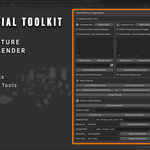
Aeris Material Toolkit is a practical Blender add-on for artists who often work with imported assets, kitbash files, game models, outsourced scenes, or production files that contain duplicated materials and image textures.
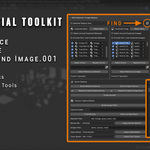
When importing multiple meshes, Blender scenes can quickly become messy with duplicated datablocks such as Material.001, Material.002, Image.001, and Image.002. This tool helps you detect, replace, and clean those duplicates faster, so your file stays lighter, cleaner, and easier to manage.
What this add-on helps with
- Find duplicate materials grouped by base name
- Find duplicate image textures grouped by base name
- Replace duplicated materials with the correct material datablock
- Replace duplicated image textures inside material node trees
- Select meshes using a specific material or image texture
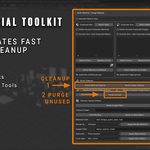
- Quick cleanup for numeric suffix duplicates such as .001, .002, .003
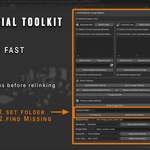
- Break image paths for texture relinking workflows
- Run Find Missing Files from a chosen texture folder
- Relink images by matching base file names
- Purge unused datablocks after cleanup
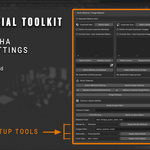
- Batch apply material render method for alpha/foliage workflows
- Batch apply image alpha mode
- Batch apply image color space
Designed for production cleanup
This tool is especially useful when working with assets that were imported from other DCC tools, downloaded from asset libraries, merged from multiple Blender files, or prepared for game production workflows.
Instead of manually checking every material slot and image texture node, you can refresh the duplicate list, inspect each group, select affected meshes, and replace duplicates directly from the N-panel.
Typical use cases
- Cleaning imported FBX or OBJ assets
- Fixing duplicated materials after appending/linking assets
- Cleaning duplicated image textures after importing multiple meshes
- Preparing cleaner Blender files for game asset workflows
- Managing foliage or alpha texture settings faster
- Relinking missing textures from a new texture folder
Included files
- Traditional Blender Add-on ZIP
- Blender Extension ZIP for Blender 4.2+
- PDF documentation
- README
- GPL license file
- Thank you note
Compatibility
- Blender 4.0 or newer for the traditional add-on version
- Blender 4.2 or newer recommended for the extension version
Installation
For the traditional add-on ZIP:
- Open Blender.
- Go to Edit > Preferences > Add-ons.
- Click Install from Disk....
- Select the add-on ZIP file.
- Enable AerisHVToolkit - Material.
After installation, open the tool from:
3D Viewport > N Panel > AerisHVToolkit > Material
Lite vs Full Version
A free Lite version is available if you want to test the basic workflow first.
The Full Version includes advanced cleanup tools such as Quick Material Cleanup, Quick Image Cleanup, batch row replacement, Find Missing, Relink by Base Name, Purge Unused, render method utilities, alpha mode utilities, and color space utilities.
Documentation
A PDF documentation file is included in the download package. It covers installation, quick start workflow, feature explanations, recommended use cases, troubleshooting, GPL license information, and AI disclosure.
AI Disclosure
AI tools were used as development assistance for this product, including code structuring, debugging, refactoring, packaging, and documentation support.
The product idea, workflow design, Blender testing, feature decisions, and final review were completed by the creator.
License
Aeris Material Toolkit is distributed under the GNU General Public License v3.0 or later.
The full source code is included in the package.
Support
If you find any issue or have suggestions for future updates, please contact me through the product page.