Aeris Material Toolkit
 AerisHVToolkit


Aeris Material Toolkit Documentation
Aeris Material Toolkit is a Blender add-on designed to help artists clean duplicated materials and image textures in imported or production scenes.
Installation
- Download the product files.
- Choose either the Traditional Add-on ZIP or the Blender Extension ZIP.
- In Blender, go to Edit > Preferences > Add-ons.
- Click Install from Disk....
- Select the ZIP file and enable AerisHVToolkit - Material.
After installation, open the tool from:
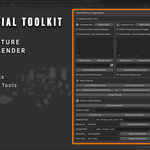
3D Viewport > N Panel > AerisHVToolkit > Material
Quick Start
- Open or import a Blender scene with duplicated materials or image textures.
- Open the AerisHVToolkit panel in the 3D Viewport.
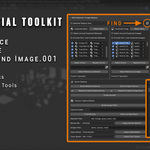
- Click the refresh button to scan duplicate material and image groups.
- Use Select Active to inspect affected objects.
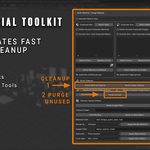
- Use Replace Active, Quick Material Cleanup, or Quick Image Cleanup to clean duplicates.
- Use Purge Unused after cleanup to remove unused datablocks.
Main Features
- Find duplicate materials such as Material.001, Material.002, and similar numeric suffixes.
- Find duplicate image textures such as Image.001, Image.002, and similar numeric suffixes.
- Replace duplicate materials with the correct material datablock.
- Replace duplicate image textures inside material node trees.
- Select objects using a specific material or image texture.
- Quick cleanup duplicated materials and images.
- Break image paths for relinking workflows.
- Find missing texture files from a selected texture folder.
- Relink images by matching base filenames.
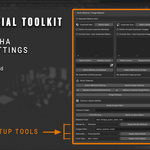
- Batch apply render method, alpha mode, and color space settings.
Texture Relinking Workflow
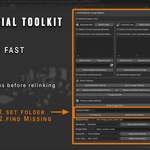
If your scene has missing textures, paste the texture folder path into the Texture Folder field and click Find Missing.
If your scene already has texture paths but you want to relink them to a new folder, use Break Image Paths first, then set the new Texture Folder and click Find Missing.
Included PDF Documentation
A complete PDF documentation file is included in the download package. It covers installation, quick start workflow, feature explanations, recommended use cases, troubleshooting, GPL license information, and AI disclosure.
Important Notes
- Always save a backup of your Blender file before running cleanup tools.
- For large production files, test on a duplicate scene first.
- The Traditional Add-on ZIP supports Blender 4.0 or newer.
- The Blender Extension ZIP is recommended for Blender 4.2 or newer.
License
Aeris Material Toolkit is distributed under the GNU General Public License v3.0 or later. The full source code is included in the package.
AI Disclosure
AI tools were used as development assistance for this product, including code structuring, debugging, refactoring, packaging, and documentation support.
The product idea, workflow design, Blender testing, feature decisions, and final review were completed by the creator.
Have questions about this product?
Login to message
| Blender Extension Compatible | Yes |
| Published | 5 months ago |
| Blender Version | 4.0 - 4.5 |
| Extension Type | Add-on |
| Render Engine Used | Cycles |
| License | GPL |
Discover more products like this
Duplicate Materials blender-utility texture cleanup production tool asset cleanup Duplicate Textures image-textures blender addon pipeline-tool game-art scene cleanup Material Cleanup