 Sunyifan


AI Hair Toolkit
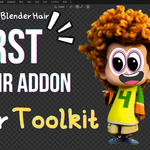
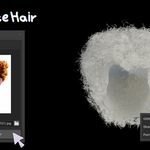
Generate editable Blender hair from a single portrait image.
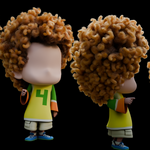
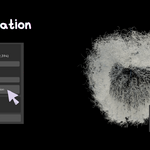
AI Hair Toolkit connects AI hair generation to a Blender production workflow: feed it a front-facing portrait and get native hair_curves strands. Inside the add-on you can reduce strand count and curve resolution as needed, then continue sculpting, combing, and styling.
Contents
- Features
- Requirements
- Performance reference
- Installation
- Workflow
- Workflow diagram
- UI overview
- FAQ
- Known issues
- License
- Version & author
Features
| Feature | Description |
|---|---|
| AI hair generation | Calls local AIHairRuntime to infer full hair strands from a portrait |
| Density optimization | Keep a percentage of strands to reduce total hair count |
| Curve resolution | Resample control points per strand to ease viewport load |
| Native curves | Imports as Blender Hair Curves — ready for sculpt / edit / Geometry Nodes |
| Chinese & English UI | Panel and error messages support Simplified Chinese / English |
Requirements
- Blender 4.2 or later
-
OS: Currently focused on Windows +
AIHairRuntime-win64 - GPU (required): The NATTEN ops in the current Windows Runtime only support Ada RTX 40 series: 4070, 4070 Ti, 4070 Ti Super, 4080, 4090 (CUDA required; inference runs in a separate Runtime process)
- Disk: Enough space for the Runtime archive and model weights (15 GB+)
Performance reference
Test setup: Windows + RTX 4070 Ti Super, default Denoise Iterations (100). Actual time varies with disk, driver, and GPU model.
| Item | Expected time | Notes |
|---|---|---|
| First-time env setup | 1–2 minutes | Only once after a fresh extract |
| First inference | 1–2 minutes | Includes starting the Runtime service, loading models, and generating the first image |
| Typical inference | ~1 minute | Subsequent runs when the service is up and models are already in VRAM |
If any step takes more than 10 minutes, contact the author for troubleshooting.
Installation
1. Install the add-on
- Install the add-on in Blender (Extensions / user add-ons folder, or a package built from this repo).
- In Edit → Preferences → Add-ons, search for AI Hair Toolkit and enable it.
- The AI Hair Toolkit category appears in the 3D Viewport N-panel.
2. Prepare AIHairRuntime
The add-on does not ship inference models or weights; prepare the Runtime package separately.
runtime/models/README.txt to obtain the required checkpoints and place them in the corresponding folders. Respect each provider’s terms for data and weights. 3. Preferences
Edit → Preferences → Add-ons → AI Hair Toolkit (expand the entry):
- Set Runtime Path (absolute path to the root above)
- Click First-time environment setup and finish
first_run.batin the console that opens - Confirm the required model weights are in place per the README (see previous section)
- (Optional) Adjust Server Host / Port and Denoise Iterations
Then return to the N-panel to generate hair.
Workflow
1. Choose a portrait
In the panel INPUT section, pick a clear front-facing portrait (PNG / JPEG supported). A sample image is included for a quick try.
2. Generate hair
Click Generate Hair:
- The add-on validates Runtime and the image
- If needed, it starts the local HTTP service automatically
- After inference, strands are imported as Hair Curves
- The panel shows strand count and points per strand, and resets optimization sliders
During generation, check [AIHairToolkit] logs in the system console (Window → Toggle System Console).
3. Optimize
Raw generated hair often has a huge number of points. In OPTIMIZATION, adjust:
- Hair Count: percentage of strands to keep (e.g. 50%)
- Curve Resolution: points per strand after optimization (e.g. 160)
Click Apply Optimization to re-import from the last generated NPZ — no need to run AI again. The panel shows estimated memory use so you can balance quality and performance.
4. Keep creating
The result is ordinary Blender hair curves. You can continue with:
- Sculpt / comb
- Curve editing
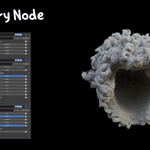
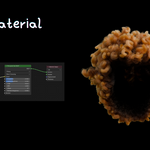
- Geometry Nodes and materials
5. Stop the server
Stop Server at the bottom of the panel shuts down the Runtime HTTP service started by the add-on. Disabling the add-on also tries to stop the managed process.
UI overview
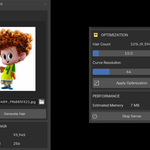
N-panel
- INPUT: image path, preview, generate button
- GENERATED HAIR: last strand count / points-per-strand stats
- OPTIMIZATION: Hair Count, Curve Resolution, apply optimization
- PERFORMANCE: estimated memory
- Stop Server: stop the local inference service
Preferences
- Runtime Path: AIHairRuntime root directory
- First-time environment setup: only once after a fresh extract / path change
-
Server Host / Port: local listen address (default
127.0.0.1:8765) -
Denoise Iterations: denoise iterations passed to
/generate
FAQ
runtime/models/README.txt and placed under runtime/models/. Known issues
- Blender 5.x: Very dense Hair Curves (large strand count × points) may display incorrectly in the viewport; lower Hair Count / Curve Resolution before previewing. Blender 4.2 is a useful baseline for comparison.
- The current Runtime package and first-run flow target Windows primarily.
For a finer verification list, see TEST_CHECKLIST.md in the same folder.
License
- This add-on code: GPL-3.0-or-later (see LICENSE)
- AIHairRuntime has its own licenses and is not covered by this add-on's GPL
- Pretrained model weights belong to their respective providers; users must obtain them and follow those licenses. This project does not include or redistribute those weights
Version & author
- Version: 0.0.1
- Author: sunyifan
- Minimum Blender: 4.2.0
 Included
Includes 12 months of
- Support from Sunyifan
- Product updates
Extend this product’s Support Period +12 months: 50% of product price
Have questions before purchasing?
Login to message
Discover more products like this
hair realistic hair blender hair addon generate-hair Hair Toolkit hair curves 3d character creation ai-hair blender hair curves hairstyle Generator Grooming